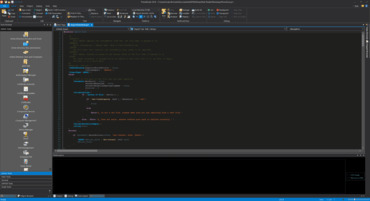
PrimalScript 2019 (7.4.119)

ScriptMerge 용 파일 및 폴더를 위한 Quick Open 명령을 추가 합니다.
12월 4, 2018
신규 버전

기능

  • Added: ScriptMerge can sign scripts on save (PS1,PSM1,VBS,JS only)
  • Added: ScriptMerge can now remove signatures from script files (PS1,PSM1,VBS,JS only)
  • Added: Quick Open commands for files and folders for ScriptMerge
  • Added: Reset button for color settings in ScriptMerge in Options dialog
  • Added: PowerShell and Windows Script Host policies can now be set in the new Script Security Center, accessible from the Home tab in the Ribbon.

수정사항

  • Fixed: Creating a new snippet does not open Snippet editor
  • Fixed: Creating multiple untitled snippets produces invalid extensions for snippet files.
  • Fixed: Build All for a project produces incorrect error message if SDK path is not defined.
  • Fixed: Errant Byte Order Marks in files causes navigation header to show incomplete list, can crash parser
  • Fixed: ScriptMerge does not color PowerShell comment blocks correctly
  • Fixed: ScriptMerge corrupts color settings if options page is closed before initializing.
  • Fixed: ScriptMerge no longer displays a disrupting message box when dragging two separate files to it.
  • Fixed: Tools tab now looks for current, next and previous year versions of tools.
PrimalScript

PrimalScript

강력한, 최신의 스크립팅입니다.

PrimalScript 도 구매할 수 있습니다:

궁금한 점이 있으세요?

SAPIEN Technologies 사 제품 라이선스 담당자와 라이브 채팅