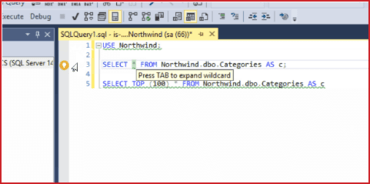
Code analysis:You can now automatically fix code analysis issues directly from your editor window. Just click the yellow lightbulb and select the auto-fix option.
The Code Analysis lightbulb is now much more responsive with its re-positioning when scrolling through your scripts.
You can now bring up the List of Code Analysis Issues using the keyboard shortcut Ctrl+Shift+Y.
수정사항
SP-6956 : Fixed typo in built-in method (CONCAT_WS instead of CONCAT_WD) when running PE017.
SP-7127 : BP003 SELECT in trigger no longer reports an issue if the SELECT statement is part of a CURSOR definition.
SP-7267 : Improved startup performance of SQL Prompt in Visual Studio.
SP-7371 : Fixed a bug where attempting to fix instances of BP006 would incorrectly insert an ORDER BY clause after a semicolon, if one was present in the query.
SP-7377 : Fixed a bug where attempting to fix instances of BP022 would sometimes result in an incorrect fix when used after a chunk of whitespace.