홈 / 뉴스 / HarePoint Analytics for SharePoint v16.3.0.0
HarePoint Analytics for SharePoint v16.3.0.0
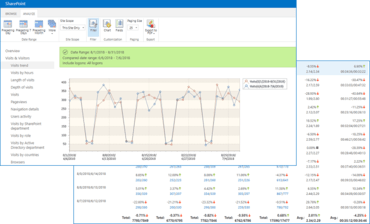
단일 보고서에서 서로 다른 시간 프레임의 두 데이터 세트를 비교하는 기능을 추가 합니다.
1월 25, 2019
신규 버전
기능
Option to compare data in two data ranges is added in the reports now.
Excel worksheet password protection is added to the report exporting rules.
The Pageviews report data processing is optimized for the speedy work.
The product keeps the selected data range when you navigate across reports now.
Content type data is collected for documents now (the policy 'stsadm -o mlstsetpolicy -collectcontenttypes true' should be activated).
All changes in data collection filters are logged now.
수정사항
The issue with 'JS Events' report preparing (when the database contains uncompleted hits) has been fixed.
The 'Site summary' report has been fixed for monthly data view.
Data collection for embedded AD groups has been fixed.
The reports Documents popularity, Documents usage and Unused documents are enriched with the new data: 'Document creation date'
The web-part view is modified to account for improper configuration of the web-part.
Incorrect drill-down links in some reports have been removed.
The possible blocking of the SQL table during the same-time activity of Periodic data collection and Preliminary data preparation Timer jobs has been fixed.
The error occurring on opening of 'Unused documents', 'Unused pages', and the 'Web-sites without visits' reports with some configurations of SQL servers has been fixed.
The issue with lacking of 'Chart' button in reports for SharePoint 2013 with 2010 user interface has been fixed.
The issue with the user data secondary encryption over the previously encrypted data has been fixed.
Data processing for document- and list-item-related reports has been optimized to speed up processing and reduce generation time.
The data source re-initialization occurring every 20 minutes has been added for the following reports: Pageviews, Documents usage, List items usage, Navigation details, Visits, and User searches. This prevents freezing of the reports opened on a page for a long time.
The Timer Job execution server selection button is fixed in the Analytics Diagnostics tool.
The issue with inability to indicate the time-frame for more than 12 hours in the diagnostic tool (when system has 24-hour format) has been fixed.