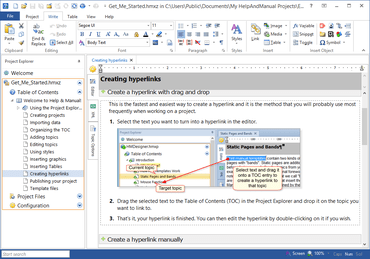
Text-to-table function implemented: if you select existing tabbed text in a topic and click Insert Table, it will convert the tabbed text into a table.
Conditional text: if IFDEF statements were used in text, in particular in tables, a long list of IFDEF options resulted in relatively wide condition tags. The display size of the condition tags has been restricted, a mouse-over hint shows the full list of conditions.
Images hotspots dialog: entry field for topic ID permits editing (copy and paste).
Topic editor: the scaling message for small images has been improved, it displays % only, no text.
Spelling checker: support for the latest update of the Spanish OXT dictionary implemented.
수정사항
Topic editor context menu: when the context menu was opened with the keyboard (e.g. SHIFT+F10), it had some glitches with tables and with the spell checker.
High resolution displays: problems fixed for OLE objects and embedded images (PDF/HTML/DOC export).
Double quotation marks could be entered in topic IDs, though they are not valid for file names.
Task publishing: when creating eWriter eBooks with a publishing task, the specified skin was not used.
Insert horizontal line: when specifying a custom style, the line not use the specified line height, but rather used the default.