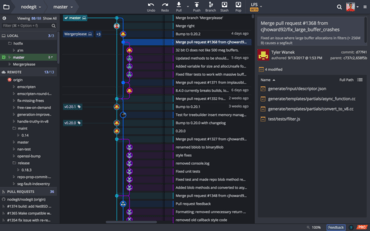
이제 사용자는 GitKraken에서 알림 위치를 구성 할 수 있습니다.
기능
- Users can now configure the location of notifications in GitKraken by going to Preferences -> UI Preferences -> Notification Location.
- The message box for commits is now resizeable.
- Users can now use the keyboard shortcut Shift + J (or Shift + down) to jump to the parent commit of a selected commit.
- Users can now use the keyboard shortcut Shift + K (or Shift + up) to jump to the child commit of a selected commit.
- The Fuzzy Finder will now filter search results based on frequency of function use.
- When you hover over an author/committer name, a tooltip of their email address will display in the commit panel.
- A caps lock warning notification will now appear in all password input fields.
- A tooltip has been added to Project Groups to display the directory path.
개발자, 팀원, 팀 리더를 위한 Git 도구 및 서비스의 통합 플랫폼입니다.
궁금한 점이 있으세요?
GitKraken 사 제품 라이선스 담당자와 라이브 채팅

2015 이래 공식 유통업체