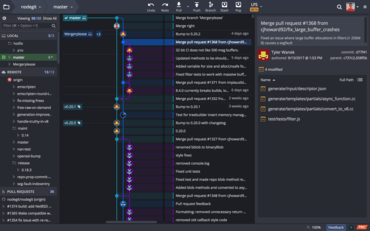
이제 OpenSSH 형식을 사용하는 SSH 키가 지원됩니다.
기능
- Users can now associate Glo cards with pull requests created from within the GitKraken Git Client. When creating a new pull request, simply search for the Glo card you wish to associate. The pull request description will then be updated to include a link to said card. Better yet, if you’ve set up the GitHub pull request integration, you can trigger an automatic change to progress your card to a new column the moment your PR status changes.
- Users can now control the max number of commits that display in your graph. Navigate to Preferences > General and set a value for Max Commits in Graph. You will also see an option to Show All Commits in Graph.
- Users can now resize the text field to amend commit messages, and the Update Message and Cancel Amend buttons are now closer to the text field.
- SSH keys using the OpenSSH format are now supported.
개발자, 팀원, 팀 리더를 위한 Git 도구 및 서비스의 통합 플랫폼입니다.
궁금한 점이 있으세요?
GitKraken 사 제품 라이선스 담당자와 라이브 채팅

2015 이래 공식 유통업체