Changes in CodeRush Menu Position Customization for Microsoft Visual Studio 2019 - Visual Studio 2019 16.4 and up now allows you to specify where CodeRush menus should be placed, and so the older CodeRush option (on the Quick Setup options page) has been removed, which also gives you a slight performance boost on startup (saving about 1600ms on a typical dev machine). By default, the CodeRush menu is placed in Visual Studio Extensions menu.
Blazor Support
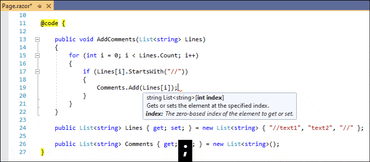
The following CodeRush features are now available in @code sections inside .razor files:
Smart Dot
Smart Semicolon
Refactorings
Added the 'Move to Code Behind' refactoring. This refactoring moves code located in a razor page's @code section to a code-behind file (.razor.cs). If a code-behind file does not exist, this refactoring will create one. This refactoring also brings leading comments, attributes, and any necessary references to the code-behind file.
To use this refactoring, just place the caret in code within a @code section, press Ctrl+. or Ctrl+~ to invoke the Code Actions menu, select "Move to Code Behind" and press Enter.
Code Style Enhancements
You can now configure code style in CodeRush using the following Visual Studio's options and corresponding settings located in the EditorConfig file:
'this.' and 'Me.' preferences.
predefined type preferences.
'var' preferences.
use expression body.
You can also run code cleanup to apply these settings to your code.
The previously redundant Local Declaration style; Use this/Me qualifier; Use Expression Bodies, and Built-in Type Names code style settings have been removed and no longer exist on the Editor | C# (Visual Basic) | Programming Style page of the CodeRush options dialog.