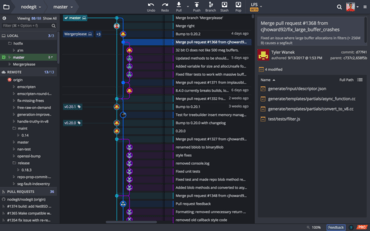
이제 GitLab 및 GitLab Self-Managed에 대한 문제 추적 통합을 지원합니다.
기능
- The GitKraken Git GUI now supports issue tracking integration for GitLab & GitLab Self-Managed. GitLab Issues users now have the ability to perform the following from GitKraken:
- View and filter a list of issues from the left panel.
- Create a branch tied to an issue.
- View issue details.
- Edit assignee of an issue.
- Edit the state of an issue.
- Add/remove labels.
- Comment and reply on an issue.
- Create new issues.
- Adding and removing labels is now supported for all issue trackers.
- Users can now multi-select branches in the left panel. This can be extremely helpful for quick clean up, like deleting all local branches.
- The Preferences menu has been updated. The Authentication section has been renamed to SSH, and we have added a new Integrations section for accessing both Git and issue tracking integrations.
- After pushing changes to a remote branch, the Push Successful notification will include a link to view the PR on the related hosting service.
- Users can now use Esc to close the Create Issue and Create Filter panels.
- When creating a new issue, users will see required fields noted with an asterisk.
- When creating a new branch tied to an issue, users can now select the base of the branch.
개발자, 팀원, 팀 리더를 위한 Git 도구 및 서비스의 통합 플랫폼입니다.
궁금한 점이 있으세요?
GitKraken 사 제품 라이선스 담당자와 라이브 채팅

2015 이래 공식 유통업체