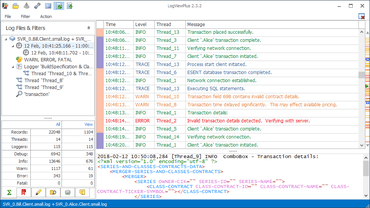
LogViewPlus 2.4.42

보고서 표시 및 사용자 상호 작용에 대한 광범위한 변경 사항이 포함되어 있습니다.
9월 30, 2020
신규 버전

기능

  • Extensive changes to report display and user interaction.
  • Report data can now be easilly navigated and drilled into.
  • Added new 'Message Template' column which shows a generic version of the Message column.
  • Reporting by message now works based on message template.
  • Graphing feature is now called Reporting. The keyboard shortcut is CTRL+R.
  • Improved pie chart tool tips.
  • Improved memory management for binary reader types such as databases.
  • Skin clean-up. Significant changes to the 'LogViewPlus' skins.
  • Changed default application settings to disable FIPS compliance.
  • Permanently removed legacy skins.
  • Added support for read-only file system configurations.
  • Added application setting to change log level navigation bar size.
  • Moved save template command in context menu to improve usability.
  • Added ability to rename workspaces in the WorkspaceGrid.
  • Updated application settings layout.
  • Added command button to date filters to make it easier to set a date range.
  • Reports will now update automatically based on view selection.
  • Added navigation breadcrumb to reporting window.
  • Grouped columns are now sorted by summary by default.
  • Added commas to Statistics view.
  • Minor toolbar and icon changes.

수정사항

  • Fixed an issue with tailing log files where the newline is written before the log entry.
  • Fixed an issue with using the context menu when selecting multiple items in the LogItemGrid.
  • Fixed an issue with automatically opening the last workspace.
  • User date settings are now respect when setting date filters.
  • Fixed an issue with server timestamps with missing time zone information displaying incorrectly.
  • Fixed an issue with acquiring file stream for analysis.
  • Fixed an issue with browsing directory monitors.
  • Elapsed timestamps are no longer validated when set explicitly.
  • Improved error reporting for SMTP notifications.
  • Fixed an issue with showing new entries after a session filter refresh.
  • Fixed an issue with displaying negative elapsed timespans.
  • Fixed an issue with attempting to re-open the same remote file.
  • Fixed an issue with configuring DSV files in the ParserWizard.
  • Fix for NPE which can occur when opening the log entry context menu before a log file is open.
  • Fixed an issue with the UDP service blocking indefinitely when no data is received.
  • Fixed an issue with file folder lookup in URI browser.
LogViewPlus

LogViewPlus

본 프로 로그 뷰어로 신속하게 로그 파일을 분석하세요.

궁금한 점이 있으세요?

Clearcove 사 제품 라이선스 담당자와 라이브 채팅