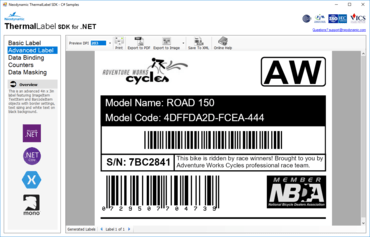
렌더링 시 레이블 콘텐츠에 고급 Expressions을 적용하여 색상 및 글꼴 등을 변경할 수 있습니다.
기능
SDK Features
- Added the ability to apply advanced Expressions on the label content at rendering time. This allows advanced and dynamic changes on any Item properties based on Expressions code.
- Added Expressions collection property to ThermalLabel object.
- Added new keywords to ExpressionBuilder like `Set` (set values to Items properties or Variables), `New` (create a new object) as well as `Enumeration` types. Also added new LABEL_WIDTH and LABEL_HEIGHT variables for dynamic Item alignment. In addition, ExpressionBuilder now supports adding any custom or Microsoft .NET Type references through the AddReference method.
- Added support for Sheet Labels layout (like Avery and other brands).
- Added SheetLabelsWidth, SheetLabelsHeght, SheetLabelsCount, and SheetLabelsMargin properties to ThermalLabel class.
- Added the ability to export labels to PDF in vector format.
- Added UseVectorDrawing property to PdfMetadata class to enable it.
- Added the ability to export labels to HTML format.
- Added ParagraphScaling option to TextSizing so any text paragraph in a TextItem can automatically scale to fit in the available container size.
- Added Arc option to TextSizing to allow printing single line of arc-shaped text.
- Added Vertical option to TextSizing to allow printing single line of text vertically (stacked chars effect).
- Added Outline Text effect by setting StrokeThickness and StrokeColorHex properties on any TextItem.
- Added Visible property to Item objects so can be hidden or not when label is exported to any supported formats and when printing.
- Added JSON format for label templates.
- Added support for XML & CSV string data sources. The data source string must be prefixed with 'xml:' & 'csv:' respectivelly.
- Added support for JSON Array data sources. The JSON Array can be specified to a file with '.json' extension, or as a plain string that must be prefixed with 'json:'.
- Added DocumentName property to WindowsPrintJob to specify the doc name that appears on Microsoft Windows print queue.
- Font.CustomFontFile can now be specified to a Base64 string representing the TTF font file content.
- Improved RTL text rendering when mixed with non-RTL text.
- Improved FontSizeScaling, it was not considering the TextItem's Height.
- Improved support for newer SkiaSharp versions and removed SkiaSharp.HarfBuzz dependency.
- Barcode Features
- Added two digits checksum to Code11 symbology.
- Plessey Barcode.
- GS1 Aztec Code Barcode.
- EPC QR Code Barcode (SEPA Credit Transfer QR Code, SCT QR Code).
- Code 49 Stacked Barcode.
- Codablock-F Stacked Barcode.
- TLC39 Barcode.
- HIBC LIC Codablock-F Barcode.
- HIBC PAS Codablock-F Barcode.
- TriOptic Barcode.
- DIN SPEC 91406 QR Code Barcode.
- DIN SPEC 91406 Data Matrix Barcode.
- Update AIs based on GS1 General Specification v20: AI (723s) Certification reference, AI (7240) Protocol ID, AI (8009) Optically readable sensor indicator, AI (8013) Global Model Number (GMN), AI (8026) Identification of pieces of a trade item (ITIP) contained in a logistic unit, AI (714) National Healthcare Reimbursement Number (NHRN).
- Portugal AIM, and AI (8013) Global Model Number (GMN).
- HIBC LIC Additional Supplemental Data support.
Visual Windows Label Editor Features
- Items that are out of label boundary are now highlighted on the editor.
- Added AdornerOutOfLabelVisible and AdornerOutOfLabelColor properties for customization.
- Added ValidateOutOfLabelItems() method to validate whether any Item is out of label boundary.
- Added Layout Alignment support that allows the selected items to be aligned to the Left, Right, Top, Bottom, as well as Centering & Distribution in both ways, Horizontally & Vertically.
- ToolTip is now displayed on all Items in the label canvas showing Item's Name & Type when mouse pointer is over it.
- Added ToolTip customization through ItemToolTipBackColor, ItemToolTipForeColor, and ItemToolTipBorderColor properties.
- Added new icon and tooltip for Item comments.
Visual Web Editor Features
- Improved rendering quality for Text, Barcodes, and Images when zooming.
- Improved error handling by adding onError event.
- Improved async support for Image rendering and most ThermalLabel Editor methods.
- Most editor canvas style settings moved to CSS (ThermalLabelWebEditor.css)
- ToolTip is displayed on all Items in the label canvas showing Item's Name & Type when mouse pointer is over it.
- Added Undo/Redo support.
Neodynamic ThermalLabel SDK for .NET
C# 및 VB.NET 사용하여 바코드 열 라벨을 생성, 미리보기 및 프린트 합니다.
궁금한 점이 있으세요?
Neodynamic 사 제품 라이선스 담당자와 라이브 채팅

2005 이래 공식 유통업체