TX Text Control .NET for WPF Enterprise X18 SP4

Dialog Boxes, Ribbon 및 Text 필터을 개선합니다.
10월 23, 2020
신규 버전

수정사항

MailMerge

  • First capital capitalization does not work for field text.
  • BackColor is lost during MailMerge.

Ribbon

  • NullReferenceException when accepting all tracked changes.
  • A table can be added into a protected field through the ribbon.

Text filters

  • DOCX import: Document causes 01-1D02 error.
  • Character background color is set for the whole paragraph when exporting to HTML.

Context menu

  • A table can be added into a protected field through the context menu.

Dialog Boxes

  • Line spacing exactly increases tenfold.
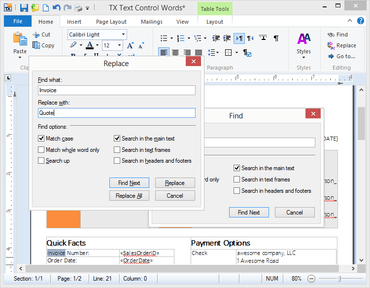
  • The Find and the Replace dialog have English titles on German Microsoft Windows versions.

Resources

  • Resource Kit: symbol character dialog not all values are translated.

Other

  • System.Runtime.InteropServices.SEHException in txkernel.dll.

N/A

  • TX Words hangs when pasting from large file.
  • Double click on area of underscores does not select complete area.
  • Field at first position in table is not deleted if table is deleted.
TX Text Control .NET for WPF Enterprise

TX Text Control .NET for WPF Enterprise

WPF 애플리케이션에 문서 편집, 생성 및 PDF 제너레이션 기능을 추가.

궁금한 점이 있으세요?

Text Control 사 제품 라이선스 담당자와 라이브 채팅