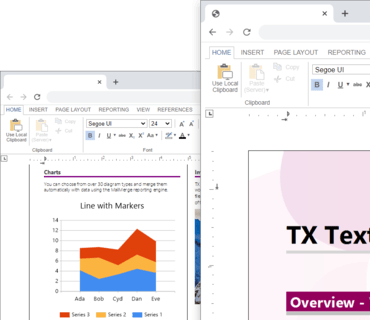
이제 온라인 편집기가 최신 4K 디스플레이를 지원할 수 있도록 자동으로 확장됩니다.
기능
- Table of Contents - A table of contents is based on used styles (such as headings) in a document.
- You can insert a fully-featured table of contents automatically based on inserted contents and the defined paragraph styles.
- The new ribbon tab References can be used to insert one or more tables of contents at the current input position. A dialog box is used to define the specified levels that should be included into the list. Additionally, you can define whether page numbers and tab leaders are rendered in the list.
- For each level of the table of contents, a new style is added to the list of styles. They can be used to format the table of contents. You can change the complete style of the paragraph including indents, font formatting and distances. After the style has been changed, these changes are applied to the table of contents.
- Leaders between Tabs - The space between tabs can show dots, dashes, or other "leader" characters to line up information. You can add content between tab positions and when you press "Tab", a line will appear with the defined characters. The formatting is added to each new line until you change the leader. The tab settings dialog box has been extended to support the leader settings between tabs.
- 4K DPI Support - Depending on the client screen resolution, the TX Text Control online editor scales the display automatically to support modern 4K displays. All UI elements including the RibbonBar and dialog boxes change their DPI scaling factor automatically.
- MergeBlock Filter and Sort - A MergeBlock is a reporting structure to repeat content based on data rows associated with this repeating block. Typically, a MergeBlock contains a list of elements such as order items in an invoice. A block can be a table row, a paragraph or multiple lines.
- Version X19 introduces a data shaping UI to filter and sort data rows in a MergeBlock. Using these dialog boxes, merge block row sorting and filters can be applied and modified.
- An extension provides a way to create a MergeBlockInfo instance based on an existing merge block SubTextPart.
- Integrated Barcode Support - Barcode support is directly integrated into TX Text Control without the dependency on optional products. You can add fast and accurate 1D and 2D barcodes to your Microsoft .NET based applications. Integrate barcodes into reports, invoices and mail merge templates. Generated barcodes are optimized for printing and on-screen scanning.
- Search within PDF Documents - The namespace TXTextControl.DocumentServer.PDF.Contents contains the new class Lines that can be used to import text coordinates from a PDF document. The Find method can be used to search for strings and to get information about the location of that string.
- Other implementations of the Find method allows to search for a regular expression or to search for lines in a specific range such as a rectangle or a radius.
ASP.NET Core, Angular, React, JavaScript, Blazor 애플리케이션에 강력한 문서 처리 기능을 추가하세요.
궁금한 점이 있으세요?
Text Control 사 제품 라이선스 담당자와 라이브 채팅

1998 이래 공식 유통업체