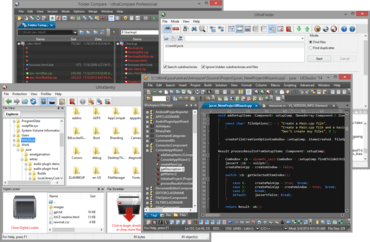
자동 완성 및 IntelliTips 기능을 개선합니다.
기능
New in UEStudio v21.00
- IntelliTips improvements:
- Updated parser for more accurate auto-complete.
- Improved function tips when typing function calls.
- UEStudio now parses active file and parent folder for symbols.
- Supports local files and files opened via (S)FTP.
- Optionally scan and include additional folders.
- Several new config options.
- Improved auto-complete:
- Fully themed auto-complete dialog.
- Choose when auto-complete automatically shows.
- Fully resizable Find and Replace dialogs.
- New context menu option "Delete lines" in Find String List to delete all lines containing string.
- New option to "Highlight all items found" with Replace.
- Theme support for nearly all application dialogs to provide cohesive look and feel.
- "Highlight all selected" optionally matches:
- Whole word only (and optionally only when selection is a whole word).
- Case.
- "Save and Close" command.
- "Open last-closed tab" option (file tab context menu).
- Ability to save an empty, new file.
- Save As option to leave both original file and new file open:
- Support for remote (FTP) files.
- Go to previous and next position using forward and back buttons on the mouse.
- Dynamic highlighting of XML and HTML attributes and values.
- Clicking in line margin to select now selects entire soft-wrapped line.
- Other minor enhancements and issues addressed.
콘텐츠를 작성 및 수정하고, 프로젝트에서 공동 작업하고, 변경을 관리하며, 파워 검색을 수행하고 안전하게 파일을 전송합니다.
궁금한 점이 있으세요?
UltraEdit 사 제품 라이선스 담당자와 라이브 채팅

2013 이래 공식 유통업체