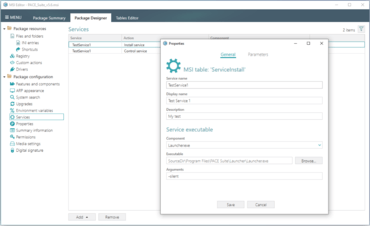
신규 Services 탭을 사용하면, 사용자가 Microsoft Windows 서비스를 설치하고 제어할 수 있습니다.
6월 17, 2021
신규 버전
기능
UI for Environment Variables
With the brand new tab Environment Variables there is no longer a need to deep dive into MSI tables. This tab is installed by the MSI package via a simple and user-friendly Package Designer interface.
The long set of prefixes, combinations and special characters in the Environment table are now presented as a dialog with available and compatible settings, written in simple language.
The new tab enables users to control variable name and value, its installation type, actions on install/uninstall, order and component, which will trigger variable installation/de-installation.
UI for Services
The Package Designer Services tab allows users to install and control Microsoft Windows services. It combines the content of both the ServiceInstall and ServiceControl tables into a single place which makes it easier to find the resources affected by the MSI.