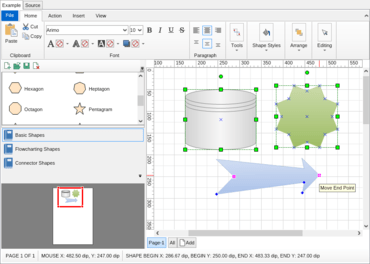
Visio 가져오기 및 내보내기를 개선하여 드로잉과 스텐실의 보다 효율적인 로딩과 저장을 보장합니다.
2월 15, 2022
신규 버전
기능
Improved Microsoft Visio Import and Export - Visio import and export have been improved to ensure better loading and saving of Visio drawings and stencils.
Support for Microsoft .NET Core 5.0 - NOV has support for .NET Core 5.0 as well as legacy .NET Framework 4.7.2 and above.
Support for Microsoft Visual Studio 2022 - NOV fully integrates with Visual Studio 2022 for both .NET Core and legacy .NET framework projects. All controls integrate with the Visual Studio toolbox automatically.
Improved Design-Time Support and Project Templates - Improved Visual Studio Design-Time support for all NOV controls.
Theme Editor - A new theme editor application is included that allows you to modify the existing UI themes or create your own.
Localization - Improved localization and updated localization dictionaries.
Improved High DPI Support - NOV is now per-monitor DPI-aware and will automatically switch the rendering resolution of all NOV controls depending on the current monitor’s DPI.
Improved Examples Browser - NOV examples navigation is improved by adding a more intuitive and easy-to-use interface. In addition, the NOV example framework supports the automatic creation of example projects for WinForms and WPF based on the currently viewed example.
VB.NET Examples Source Code - All examples now provide C# and VB.NET source code variants.
Performance Improvements - NOV features many performance modifications in the text and graphics rendering.