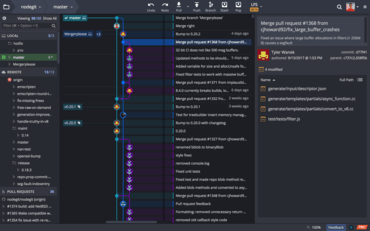
새로운 뷰를 통해 사용자가 전체 작업공간에서 끌어오기(Pull) 요청을 빠르게 관리할 수 있습니다.
기능
- GitKraken Workspaces:
- Workspaces now include a Pull Requests view:
- Users can filter PRs to see items "Assigned to me".
- At-risk pull requests are now highlighted through a label and are filterable.
- Selecting any GitHub pull request now shows the user a new Pull Request view that presents users options to quickly manage PRs across a whole Workspace.
- Clicking on any repo in a Workspace now shows 'see more info' and 'options'. Users will see the repository's README, as well as quick access buttons to open the repository in a Repo Tab, Terminal Tab, or on the remote repository's hosting provider.
- GitKraken CLI:
- The Terminal button in a Repo Tab’s toolbar will now open the GitKraken CLI inside a Terminal Panel, instead of opening a new Terminal Tab.
- Users can toggle the Terminal Panel on and off by pressing the Terminal button in the Repo Tab toolbar.
- A Terminal Panel session can now also be terminated by executing the exit command.
- Unlike with the Terminal Tabs, navigating to a different working directory in a Terminal Panel will not change the repository opened in the Repo Tab.
- The following gk commands are now available in the Terminal Panel:
- gk blame.
- gk diff.
- gk history.
- gk help.
- Users will now see helpful icons when shown GitKraken CLI Autocomplete suggestions, helping clarify to which command the suggestion is related.
- Git LFS users will see improved performance checkouts.
개발자, 팀원, 팀 리더를 위한 Git 도구 및 서비스의 통합 플랫폼입니다.
궁금한 점이 있으세요?
GitKraken 사 제품 라이선스 담당자와 라이브 채팅

2015 이래 공식 유통업체