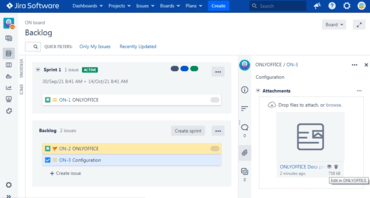
ONLYOFFICE Docs Enterprise Edition with Jira Connector v7.2.1 (2.1.0)

문서, 스프레드시트, 프레젠테이션 및 작성 가능한 양식을 만듭니다.
11월 2, 2022
신규 버전

기능

  • Create documents, spreadsheets, presentations and fillable forms - With the previous version of the ONLYOFFICE integration app for Jira, users were able to open and edit the existing files only. Starting from this release, you can create new documents, spreadsheets, presentations and fillable forms within the Jira interface.
  • Convert documents to OOXML formats - Manually convert DOC, ODT and other non-OOXML formats to OOXML for further editing.
  • Disable certificate verification - Added the option to disable certificate verification. From now on, you don’t need to change the Jira configuration file manually. There is a new option in the Server settings section that lets you disable certificate verification with a click.
  • Connect to a demo server - Test ONLYOFFICE online editors within the Jira platform without having to install ONLYOFFICE Docs.
  • Work with documents on a mobile device - Starting from version 2.1.0, the ONLYOFFICE integration app automatically switches to mobile editing mode if you log into your Jira instance from a mobile device.
  • Other improvements:
    • Added “Download as …” option in the ONLYOFFICE editors’ interface.
    • Added “Open file location” button.
    • Added compatibility with Jira 9.
ONLYOFFICE Docs Enterprise Edition with Jira Connector

ONLYOFFICE Docs Enterprise Edition with Jira Connector

ONLYOFFICE Docs를 이용하여 Jira 내의 오피스 첨부 파일을 편집하고 공동 작업할 수 있습니다.

궁금한 점이 있으세요?

ONLYOFFICE 사 제품 라이선스 담당자와 라이브 채팅