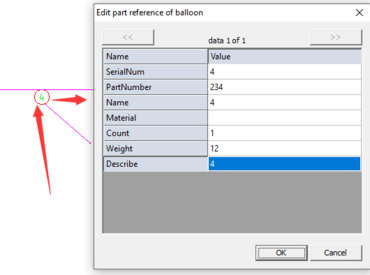
Polyline 데이터를 나열하는 기능과 부품 또는 조립품 구성요소를 식별하는 그래픽 품번기호에 대한 지원을 추가합니다.
12월 16, 2022
신규 버전
기능
Added the ability to list Polyline data.
Added the ability to split multiple sheets from model space automatically.
You can now use absolute or relative Cartesian (rectangular) coordinates to locate points when creating objects.
Added the ability to import layer styles from another drawing.
You can now import styles from another drawing.
Added the ability to scale views in layout viewports.
Added new Oblique option - The Oblique option is useful when extension lines conflict with other features of the drawing. The oblique angle is measured from the X axis of the UCS.
Added support for Balloons - A serial balloon is a graphic that identifies a part or assembly component and associates it with a label. Balloons are by default set to display item numbers.
Added the ability to make an object change when you modify the dimensions.
You can now specify an object snap whenever you are prompted for a point. By default, a marker and a tooltip are displayed when you move the cursor over an object snap location on an object.