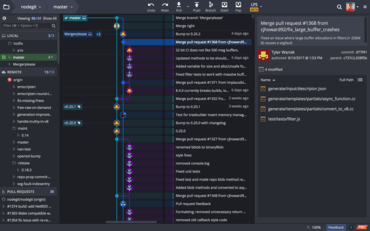
이제 작업 디렉터리를 모든 커밋(commit) 또는 분기(branch)와 비교할 수 있습니다.
기능
- Your working directory can now be compared against any commit or branch. This can be accomplished in two ways:
- Right-click a commit or branch, and choose
Compare commit against working directory.
- Use
Ctrl click (or Cmd click on Apple macOS) to select your Work-in-Progress ("WIP") node, along with the commit of your choice.
- GitKraken Client will now attempt to pull Date/Time settings from OS preferences, along with an override in
Preferences > UI Customization.
- Microsoft Windows: Region & Short date format preferences.
- macOS: Region & Date format preferences.
- All: LC_ALL & LC_TIME environment variables.
- Experimental Feature - Git Executable:
- Added tag support.
- Added GPG Preferences setting for SSH commit signing.
- Added an indicator for repositories in the Workspace
REPOSITORIES list when multiple paths are detected. Clicking this will allow the user to specify which repository to use.
개발자, 팀원, 팀 리더를 위한 Git 도구 및 서비스의 통합 플랫폼입니다.
궁금한 점이 있으세요?
GitKraken 사 제품 라이선스 담당자와 라이브 채팅

2015 이래 공식 유통업체