Axosoft 16.3 released
Released: Jun 2, 2016
16.3 버젼 업데이트
기능
- Work Log Field Templates - It is now possible to default and require a Work Log Type, and add other custom fields. These along with customer contact related fields are available as columns in the Work Logs tab and Bottom Panel suited for tracking or reporting on the amount of work done.
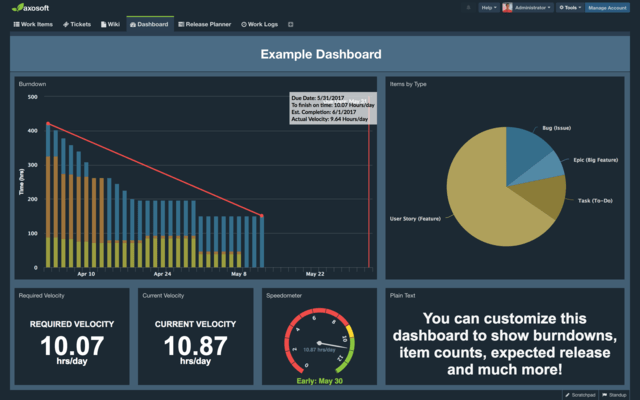
- Cycle Time and Flow - Added two new dashboard gadgets for you. The Flow chart tells you how many items are in a workflow step or status by day over a period of time. Cycle Time tells you how long between the items start and end by workflow step or status.
- Keyboard shortcuts - Added on the context and taskbar menus for reference.
- Release Planner - The Planner now also updates as work is being done.
- Standup - Now considers user capacity in calculations for items in a release. A Work Item Type field or custom list field can also be configured in settings.
- Card View - New system option to hide disallowed workflow steps set under Allowed Next Steps.
- Global Search - Items archived or existing in inactive projects and releases now appear in the Global Search.
- Attachments - Pop-up can now add descriptions to new files and also remove unneeded uploads.
- Audit Trails - Access a new quick filter on the Changed By column in the Audits workspace tab.
- Emails Tab - Created By added to Emails tab and can be set as a column.
- Last Login - Now available in Manage Customers and Contacts to see when a contact last accessed the portal.
- Quick Tips - New short text tips added for Loading screen.
- API - GET, POST, and DELETE are now available for /comments.
수정사항
- Cannot save items due to field being flagged as a multi-select list.
- Default Wiki Page not loading in Customer Portal.
- No workflow options available in card view dropdown for a project inheriting workflow.
- Error adding item when a blank step action exists on a decimal formatted number custom field which has a default value on the field template.
- Correct saving of layout UI settings for contacts on Portal when switching tabs.
- Refocus item upon ESC for use of navigational shortcuts.
- Text fields should not allow a user to type beyond character limit.
- Multi-edit Text field allows for value beyond Field size.
- Edit button for field templates in French and German is floating.
- Copy URL is producing for the original item viewed if navigating using arrows and not the currently viewed item.
- The search keyboard shortcut / now correctly brings up search input in main workspace and Wiki.
- Horizontal scrolling in Details Panel.
- Login fails when a security has no access to any item types for projects.