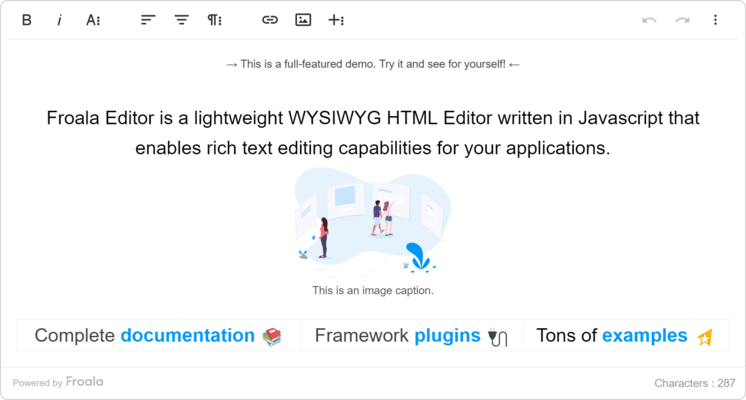
Froala Editor 릴리스
Released: Oct 20, 2023
v4.1.3 버젼 업데이트
수정사항
- Vulnerability in the link textrea.
- Error in console while copying text from Froala Editor after pasting content from Word.
- Editor toolbar not loading in Safari iPad.
- Editor breaking styling when performing cut and paste operation.
- External styles are not converted to inline style for all elements when useClasses: false.
- Copy pasting image inside the editor changes size when enabling imageOutputSize option.
- Invalid border positioning after resizing a table.
Released: Sep 12, 2023
v4.1.2 버젼 업데이트
수정사항
- Unable to select text using Left Arrow and Shift combination.
- Comma is included in the link after pasting a link.
- Pasting a URL into the editor which includes an ampersand (&), the URL encodes in the editor.
- Text color breaks when there is other attribute than style.
- Font size does not work when contenteditable="false" is used.
- onkeyup event expecting incorrect type.
- Typescript errors with 4.1.1.
- Cannot read properties of undefined (reading 'isEnabled').
- Link Plugin Issue in IFRAME Mode...
Released: Aug 16, 2023
v4.1.1 버젼 업데이트
수정사항
- Typings for static members are wrong.
- Property in types missing: POPUP_TEMPLATES.
- Property MARKERS does not exist after upgrading to 4.1.0 using TypeScript.
- v4.1.0 not working for most options.
Released: Jul 11, 2023
v4.1.0 버젼 업데이트
기능
- Added ReactJS 18+ support.
- Added Angular 15+ support.
- Added Vue.js 3 support.
- Updated third-party plugins in examples.
수정사항
- Pasting rich content in safari does not work as expected.
- Empty paragraphs getting created when merging cells if the table is wrapped using 'html.wrap'.
- Table row with 'display: none' style applied does not get's counted.
- TypeError: Cannot read properties of undefined (reading 'which').
- Font size does not work when contenteditable="false" is used.
- Errors while dragging a...
Released: May 16, 2023
v4.0.19 버젼 업데이트
수정사항
- Table rows order reversed.
- Some classes in the File Manager CSS file do not have the fr- prefix.
- The format applies to next list item when pasting and formatting content containing nested list items.
- After inserting a link middle of the sentence the inserted link goes to the start.
- Inserting special character in link removes the whole content formatting and structure.
- Scroll focus does not work as expected when pressing enter.
- Styling is stripped when changing the first character(s) of a...
Released: Mar 23, 2023
v4.0.18 버젼 업데이트
수정사항
- Copy image from one Froala editor to another doesn't upload the pasted image.
- Tabbing/shift tabbing to indent/outdent a list item does not work as expected.
- Cannot copy an image when using the right click button on Firefox browser.
- HTML attributes order is not correctly preserved.
- The border properties getting removed when copying a table from Excel, Word,etc.
- The back button in the edit pop-up is not working with iframe mode while editing an already inserted-link.
- Cell merge does not work...
Released: Jan 18, 2023
v4.0.17 버젼 업데이트
기능
- Clear Formatting tool now removes inline styles from pasted content.
- Improved 'keep format on delete' feature which preserves the formatting of deleted text and applies it to replacement text.
- The buttons for inserting lists are now disabled when an image is selected.
- When pasting a URL into the editor, typing directly after it without adding a space will cause the user’s text to be part of the link. This allows users to quickly edit the URL without having to open the edit link popup. As URLs...
Released: Nov 22, 2022
v4.0.16 버젼 업데이트
수정사항
- Updated missing translation in Dutch(nl) language.
- Fixed issue where extra leading and trailing spaces are added to pasted text.
- Fixed issue where bullets shown behind images when images are set to display inline and aligned left while in a bulleted list.
- Fixed issue where toggling the OL and UL list buttons creates additional list items.
- Fixed issue with editor view port jumps when pressing ENTER key after enabling iframe and heightMax options.
- Fixed issue where zIndex option is ignored...
Released: Oct 13, 2022
v4.0.15 버젼 업데이트
기능
- Improved security by introducing new capabilities to the Markdown plugin that help to mitigate XSS attacks, including an escaping mechanism that automatically escapes specific code that could be utilized in an attack.
- Improved content pasting from different sources:
- When you paste content, it will now automatically convert the font size unit to the unit set using 'fontSizeUnit'.
- 'fontSizeUnit' helps control the editor’s font style.
- Improved pasting complex tables.
- Improvements for resizing...
Released: Aug 24, 2022
v4.0.14 버젼 업데이트
수정사항
- The increase and decrease indent is not working fine with Quote.
- Fixed Xss when setting external content via setModel on React.
- Cannot read property 'row' of undefined while moving a text/image outside from a table.
- Pressing enter on a link at the end removes the whole `fr-view` element.
- Toolbar options disabled while selecting table column using keyboard.
- Returning a string from the 'paste.beforeCleanup' event is being ignored.
- Pressing backspace after placing cursor at the end does not...