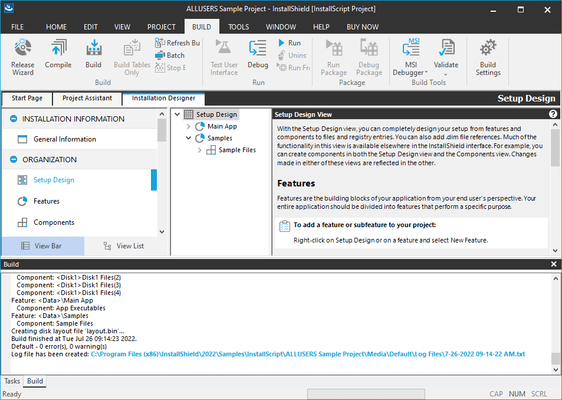
InstallShield Express

현재의 기술을 지원하는 빠르고 쉬운 설치기능.

Revenera사에서 공개
2002년 부터 ComponentSource에서 판매중

3.50 별점 평균 리뷰3.50 별점 평균 리뷰3.50 별점 평균 리뷰3.50 별점 평균 리뷰3.50 별점 평균 리뷰 (11)

i

New licenses for InstallShield Express are no longer available, however you may continue to renew your existing maintenance for perpetual licenses. If you are interested in new licenses please see InstallShield or InstallShield Premier.

On 01-Sep-2021, Revenera/Flexera changed the licensing model of the InstallShield and AdminStudio product lines. All new licenses are now 3 year non-perpetual...

Show more

New licenses for InstallShield Express are no longer available, however you may continue to renew your existing maintenance for perpetual licenses. If you are interested in new licenses please see InstallShield or InstallShield Premier.

On 01-Sep-2021, Revenera/Flexera changed the licensing model of the InstallShield and AdminStudio product lines. All new licenses are now 3 year non-perpetual Timed Subscription licenses. Perpetual licenses are no longer available for purchase. At the end of the Timed Subscription, you have to renew the Subscription to continue to create new/edit existing installation scripts. If you have an existing Perpetual License with Maintenance Plan that was purchased before 1-Sep-2021 AND that Bronze/Silver/Gold Maintenance Plan has not expired, you can renew that active Maintenance Plan for an additional year. If you let that Perpetual License Maintenance Plan expire, you will be required to buy a new Timed Subscription (non-perpetual) license to continue to receive upgrades and support.

InstallShield Express 2015 SP1 released

Released: Sep 1, 2015

Updates in this release

Updates in 2015 SP1

  • Support for Windows 10
  • InstallShield includes support for Visual Studio 2015. You can create InstallShield projects from within this version of Visual Studio.
  • The None option has been added to the Architecture Validation options in the Releases explorer to specify the bypassing of build-time architecture validation.
  • The Japanese version of the InstallShield Files View tab (in the Options dialog) has been fixed to display properly.
  • The repair function of InstallShield 2014 repairs successfully when InstallShield 2014 and InstallShield 2015 are installed on the same machine.
  • Adding Primary Output in the Files and Folders view will now correctly associate components to a feature. Building the project results in the Primary Output files being included and the component added for Primary Output is associated to a feature.
  • InstallShield has been updated to allow for the cloning of PowerShell custom actions.
  • If you add multiple PowerShell custom actions, each PowerShell custom action now runs for each of its unique scheduled PowerShell custom action.
  • Registry permission changes under HKEY_CURRENT_USER now succeed even with Windows Update KB3072630 installed.
  • When creating a project and including the Microsoft ReportViewer 2012 prerequisite, the Microsoft ReportViewer 2012 prerequisite files are able to download successfully without any error.
  • If you attempt to save a project with a corrupt .isproj file, the corrupt .isproj file is backed up as an .isproj.bak file in the same folder, and then replaced with a fresh .isproj file.
  • If you add multiple DLL files or an .exe file to the "Destination computer's files" pane of the Files and Folders view and then modify the files so that the timestamp changes in Windows File Explorer, the timestamp is now accurately updated to reflect the most recent timestamp reflected in Windows File Explorer.
  • You can change the property in a SetProperty tied to a control event without error even if there are multiple events that uses the same property.
  • InstallShield successfully opens the Files and Folders view when integrated with Visual Studio. Previously some projects would hang or crash when opening this view.
  • When building a project containing a .NET 2.0 assembly from MSBuild, build errors -6212 or -7325 no longer occur.
  • For users of concurrent licenses, Server.ini now contains the proper server value after upgrading the InstallShield Standalone Build original release to the service pack release.
  • The ReportViewer 2012 prerequisite in InstallShield 2015 has an updated dependency of: Microsoft SQL Server 2012 Express SP2 System CLR Types (x86).prq, which is now included in InstallShield. When you select ReportViewer 2012, the download will now succeed as a result of it successfully finding the dependent .prq.
  • If you build a setup that includes a .NET Installer Class on a machine with Microsoft .NET 4.6, the Installer Class can now install correctly.