
.NET Reflector VSPro
소스가 없는 경우에도 제3자 코드를 디버깅 합니다.
Redgate Software사에서 공개
2005년 부터 ComponentSource에서 판매중
소스가 없는 경우에도 제3자 코드를 디버깅 합니다.
Redgate Software사에서 공개
2005년 부터 ComponentSource에서 판매중
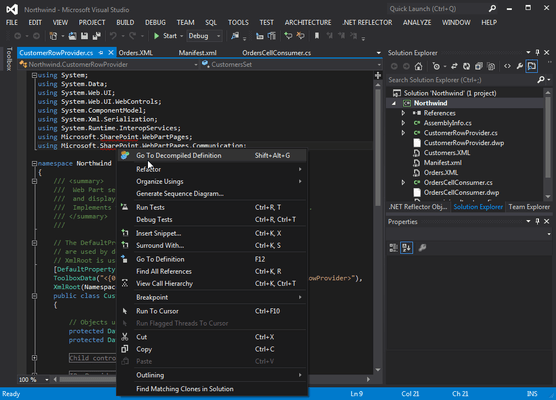
Released: Mar 17, 2011
Integrates with Windows Explorer and Visual Studio via Add-in
You can open Visual Studio, and use the .NET Reflector menu to select referenced assemblies you would like to debug into. These assemblies are then decompiled to C# or VB. You can then step into them whilst debugging, set breakpoints, see the values of variables and parameters, etc. In fact, the only debugger functionality that will not work is edit and continue. You can also decompile and explore source if you right-click on a project reference, and then click Decompile and Explore on the context menu.
전화 : 00798 14 800 6332
팩스 : +1 770 250 6199


