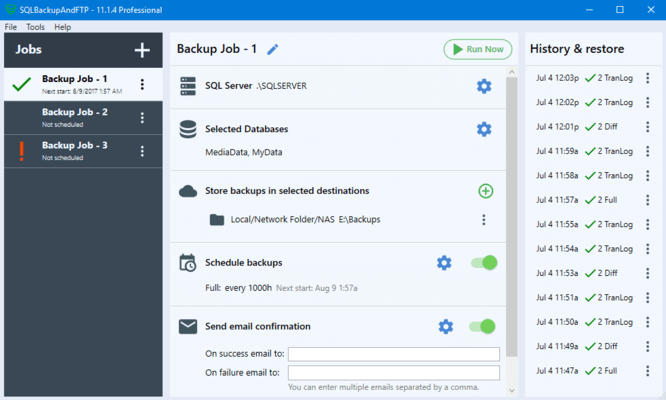
SQLBackupAndFTP 릴리스
Released: Sep 8, 2020
12.4.7 버젼 업데이트
수정사항
- Fixed an issue with file system security when uploading to a folder destination.
Released: Aug 24, 2020
12.4.5 버젼 업데이트
수정사항
- In rare cases the PostgreSQL connection settings SSL mode shows an empty dropdown list.
Released: Aug 21, 2020
12.4.4 버젼 업데이트
기능
- Added Amazon RDS SQL Server connection.
- Added database maintenance jobs - You can now create maintenance jobs by using sql\*.cmd and *.bat scripts which can automatically perform database maintenance at a scheduled time everyday.
Released: Mar 19, 2020
12.3.11 버젼 업데이트
기능
- Incremented timeout value for uploading to Amazon S3 or S3 compatible destinations.
- Improved concurrent network folder connections.
- Improved local file actions for uploading or downloading files from destinations.
Released: Feb 24, 2020
12.3.10 버젼 업데이트
기능
- Added Authorization Region option for Amazon S3 compatible destinations.
- Added incremented timeout value for uploading to Amazon S3 destinations.
- Ignore SQL errors during checking "Broken backup chain" for backup job with "Microsoft SQL Server (local)".
Released: Feb 15, 2020
12.3.8 버젼 업데이트
수정사항
- Broken .zip archive issue when "None" compression level is used.
Released: Feb 12, 2020
12.3.7 버젼 업데이트
수정사항
- "The job is already running error" suppressed when scheduled jobs run simultaneously.
- Fixed "The storage class you specified is not valid" error on some configurations when uploading a large file to an Amazon S3 destination.
Released: Feb 10, 2020
12.3.6 버젼 업데이트
수정사항
- "Missed zlib1.dll file" error for PostgreSQL 11 connections.
Released: Feb 1, 2020
12.3.4 버젼 업데이트
기능
- Improved uploading speed to Azure Blob Storage.
수정사항
- Incremented backup verification timeout.
- "Backup type: Type '' cannot be ." error.
- Empty error message on incorrect Open Auth confirmation.
Released: Jan 23, 2020
12.3.3 버젼 업데이트
기능
- Added support for S3-compatible storage.
- Added broken backup chain behavior.
- Added automatic updates on older Windows systems.
- Added custom timeout values.