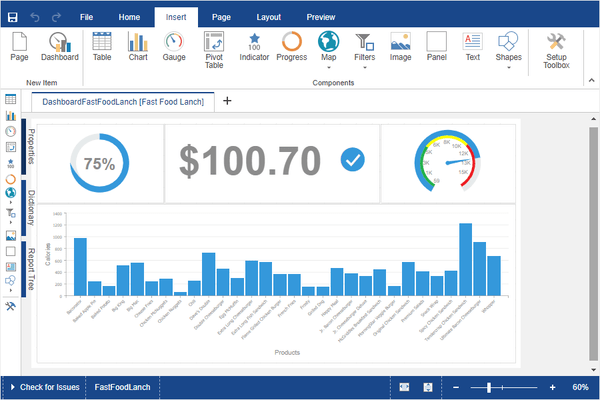
Stimulsoft Dashboards.WEB 릴리스
Released: Oct 21, 2019
2019.4.1 버젼 업데이트
기능
- New installer - You can install each Stimulsoft application as a separate distribution.
- Printing reports from a Web browser - Report printing now works correctly in any browser, on any operating system.
- New CosmosDB Data Adapter - You can now retrieve data using the Azure CosmosDB server.
- HiDPI support - The 2019.4 release adds HiDPI support in the standalone report designer.
- The Get Started window - When you run the report designer first time, you will see the Get Started window. From there...
Released: Oct 4, 2019
2019.3.7 버젼 업데이트
기능
- Added sort button to an element's action buttons.
- Optimized rendering dashboards.
- Improved table exporting in all image formats.
Released: Sep 23, 2019
2019.3.6 버젼 업데이트
기능
- Added "if", "choose" and "switch" functions.
- Added additional conditions for string types.
- Full Row Select and Drill-Down Filtered options were added to Table element interaction.
- Added the ability to use icons in Image element.
- Added new filter types in Data Transformation for string types: "between", "greater than" and "less than".
- Added support for Nullable Dates in Data Transformation filters.
- Added Europe Union and Europe maps.
- Added new Icon and IconColor properties to StiImage and...
Released: Sep 6, 2019
2019.3.5 버젼 업데이트
기능
- Add half cycle marker types to chart series.
- Added Icon Alignment property to Indicator elements.
- Added help links to dashboard element editors.
- Add totals to table elements.
- Added custom maps.
- Added Designer Scale Mode option to designer options.
- Added a selection of different icons for Pictorial series.
- Display filters in the corner of dashboard elements.
- Change the type button in dashboard elements.
- Added Icon property to Pictorial charts.
- Changed appearance of marker display for linear...
Released: Aug 7, 2019
2019.3.4 버젼 업데이트
기능
- Conditions Property to ChartElement.
- ShowToolbar property of the Designer.
- SeriesShowBorder property of the Chart Style.
- ConstantLines Property for Chart Element.
- CloseDesignerWithoutAsking property to HTML5 designer.
- Labels property for Chart Element.
- Support export to JSON data.
- CloseDesignerWithoutAsking property to the HTML5 Designer.
- Data from Other Data Source is supported in Dashboards.
- SeriesShowBorder property for the chart style.
- Recombining properties in the property grid enhanced...
Released: Jul 22, 2019
2019.3.3 버젼 업데이트
기능
- Added the ability to save an image from the image editor.
- Added Edit Expression button to all expression fields.
- Added interaction property for Image and Text elements.
- Adapted designer and viewer for HiDPI resolutions.
Released: May 20, 2019
2019.3.1 버젼 업데이트
기능
- Updated viewer - Now you may view reports and dashboards, connect report collections from local and cloud storage, create a list of favorite reports and call the report designer to design or modify reports and dashboards.
- Variables for dashboards - In the new version you can use variables when filtering data on dashboards. You can use variables with or without user selection or entry of values. Create a variable in the dictionary and add a filter for the dashboard items using this variable...
Released: Mar 23, 2019
2019.2.3 버젼 업데이트
기능
- Added PortNumber property that controls the port in the URL.
- Added data transformation property to dashboard elements.
- Added async versions of the Print, Export, Render and Compile methods.
Released: Mar 13, 2019
2019.2.2 버젼 업데이트
기능
- Added export settings form for dashboards.
- Added support for word wrap in table cells in dashboards.
수정사항
- Fixed bug with names of columns with spaces when creating through NewField in dashboards.
- Rendering of Pie Charts with one value.
- Invalid Content-Type header for IE browser in .NET Core components.
Released: Feb 14, 2019
2019.2.1 버젼 업데이트
기능
- Pareto Chart - When designing dashboards, you now have the ability to create Pareto charts. This type of chart contains both bars and a line graph, where individual values are represented in descending order by bars, and the cumulative total is represented by the line.
- Top N Values - Chart, Indicator, Progress and Pivot dashboard elements can now display top values.
- Disabling columns in Table - You can now hide columns in dashboard Table elements. In order to apply this, select the data field...