이 페이지는 아카이브화 되어 더 이상 업데이트 되지 않습니다.

더 이상 이 제품을 제공 하지 않습니다.

Telerik UI for Xamarin

빠른 개발과 우수한 성능을 위한 고품질의 Xamarin UI 컨트롤.

Telerik사에서 공개
2018년 부터 ComponentSource에서 판매중
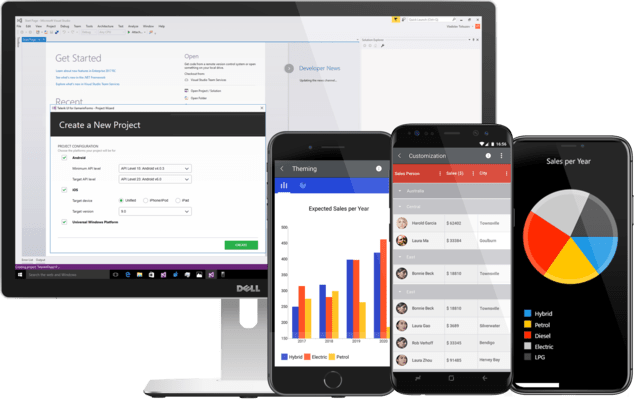
버젼: R3 2023 업데이스 날짜: Oct 11, 2023

i

Microsoft ended support for Xamarin in May 2024, and Telerik continued maintaining their component library until now to give developers time to transition. Effective February 19, 2025, Telerik will follow suit and discontinue Telerik UI for Xamarin. It will no longer be available for sale, nor will it be part of DevCraft. To further assist with the transition, Telerik will provide limited support...

Show more

Microsoft ended support for Xamarin in May 2024, and Telerik continued maintaining their component library until now to give developers time to transition. Effective February 19, 2025, Telerik will follow suit and discontinue Telerik UI for Xamarin. It will no longer be available for sale, nor will it be part of DevCraft. To further assist with the transition, Telerik will provide limited support and critical updates until February 2026.

Telerik UI for Xamarin R3 2018 (version 2018.3.1122.310)

Released: Nov 22, 2018

R3 2018 (version 2018.3.1122.310) 버젼 업데이트

기능

  • AutoCompleteView
    • Added DisplayTextFormatter which allows you to easily change the Text in the Entry (if the DisplayMode is Plain) or in the Tokens on selection.

수정사항

  • AutoCompleteView
    • Filtering is not performed when ShowSuggestionView is set to False.
    • [iOS] Both NoResultMessage and Suggestions are shown when there isn't a match.
    • [Android] Popup flickers when filtering is performed.
    • ArgumentNullException is thrown when the Text is null and ShowSuggestions is called.
    • [Android] Suggestions could not be selected on LG devices.
  • Calendar
    • [UWP] Appointments from the next and previous month are not visible in MonthView.
    • [Android] Exception is thrown in DayView when read from screen reader.
  • Common
    • [UWP]: RadCheckBox, RadNumericInput and RadButton could not be rendered while debugging in Windows 1809.
  • DataGrid
    • [UWP] ArgumentException is thrown when filtering icon is clicked.
  • Entry
    • [UWP] TextColor property is not applied.
  • NumericInput
    • When the Minimum is set, trying to add decimal separator after typing the minimum value causes undesired effects.