Daten mit interaktiven Diagrammen visualisieren
Machen Sie komplexe Strukturen wie Org-Charts und Workflows in klare, dynamische Visuals um, die sich einfach aktualisieren und verstehen lassen.
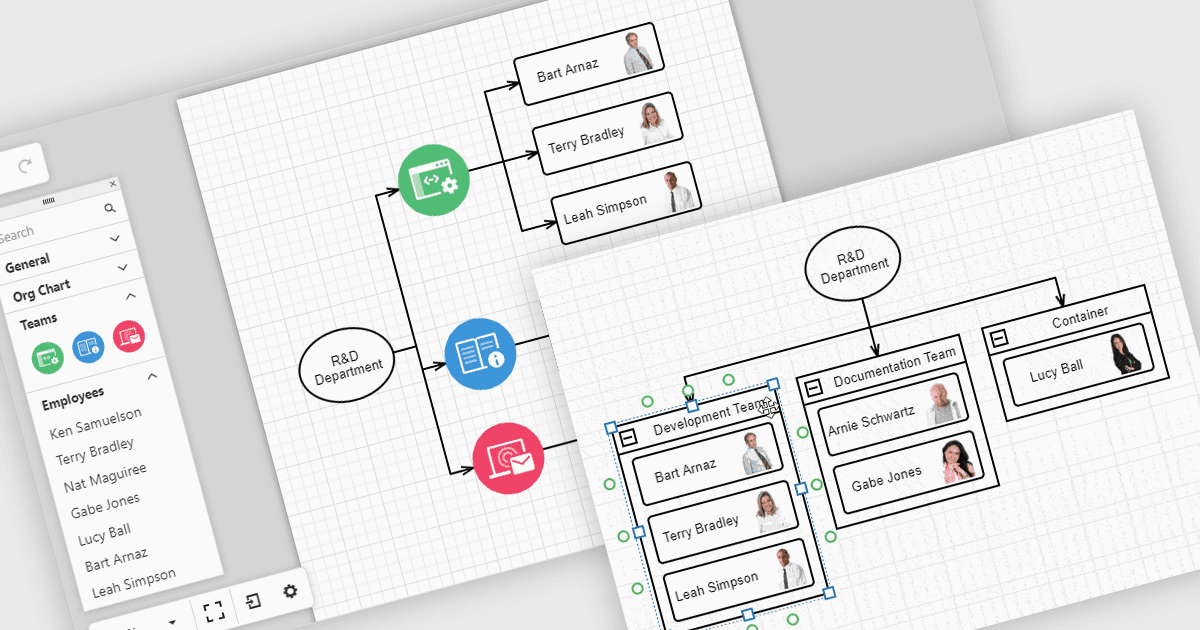
Diagramme in UI-Toolkits helfen dabei, komplexe Daten in leicht verständliche Visualisierungen umzuwandeln, mit denen Teams interagieren können. Beispielsweise zeigen Organisationsdiagramme die Struktur eines Unternehmens und die Berichtslinien in einem Layout, das automatisch aus HR-Daten aktualisiert werden kann. Diese Diagramme lassen sich mit Drag-and-drop-Tools erweitern, reduzieren oder umorganisieren, sodass es einfacher ist, Teambeziehungen zu verstehen und Informationen auf dem neuesten Stand zu halten. Diagramme können außerdem für Workflows, Entscheidungssbäume und Netzwerkpläne verwendet werden und bieten Teams eine klare, flexible Möglichkeit, Informationen darzustellen und zu verwalten.
Mehrere React-UI-Suiten bieten Diagramm-Steuerelemente, darunter:
- DevExtreme Complete von DevExpress ermöglicht es Ihnen, interaktive Diagramme zu erstellen, darunter Organisationsdiagramme, Prozessabläufe und Netzstrukturmodelle, mit responsiven Layouts.
- SmartClient von Isomorphic Software erleichtert das fortgeschrittene Diagrammieren und unterstützt hierarchische Org-Charts, Entscheidungsbäume und Workflow-Visualisierungen.
- Syncfusion Essential Studio Enterprise ermöglicht es Ihnen, vielseitige, hochwertige Diagramme mit Datenbindung, automatischen Layouts und interaktivem Bearbeiten zu erstellen – für unterschiedliche Enterprise-Anwendungen.
Für eine ausführliche Analyse der Funktionen und Preise besuchen Sie unseren Vergleich der React-UI-Suiten.