








Offizieller Lieferant
Als offizieller und autorisierter Distributor beliefern wir Sie mit legitimen Lizenzen direkt von mehr als 200 Softwareherstellern.
Sehen Sie alle unsere Marken.
Aspose.Words is a software development library that empowers developers to build document processing functionalities into their applications. It supports a wide range of document formats, including Microsoft Word (DOC, DOCX), OpenOffice (ODT), PDF, and HTML, allowing applications to generate, edit, convert, render, and print documents without relying on external programs like Microsoft Word. This streamlines development and ensures applications can handle various document needs.
The Aspose.Words 24.4 update introduces support for the modern WEBP image format, allowing users to seamlessly integrate WEBP images into their documents. This enhancement provides developers with greater flexibility and file size optimization capabilities when working with documents that contain visual elements. This translates to faster loading times, improved user experience, and potentially lower bandwidth consumption for users on limited connections.
To see a full list of what's new in Aspose.Words version 24.4, see our .NET, Java, and Python via .NET release notes.
Aspose.Words is offered as Developer Small Business, Developer OEM, Site Small Business, and Site OEM licenses catering to a range of business needs. Licenses are perpetual, and include 1 year of support and maintenance. Subscription renewals are also available. See our Aspose.Words licensing pages for .NET, Java, and Python via .NET for full details.
Aspose.Words for .NET is available to buy in the following products: Aspose.Words for .NET, Aspose.Words Product Family, Aspose.Total for .NET, Aspose.Total Product Family, Conholdate.Total for .NET, and Conholdate.Total Product Family.
Aspose.Words for Java is available to buy in the following products: Aspose.Words for Java, Aspose.Words Product Family, Aspose.Total for Java, Aspose.Total Product Family, Conholdate.Total for Java, and Conholdate.Total Product Family.
Aspose.Words for Python via .NET is available to buy in the following products: Aspose.Words for Python via .NET, Aspose.Words Product Family, Aspose.Total for Python via .NET, and Aspose.Total Product Family.
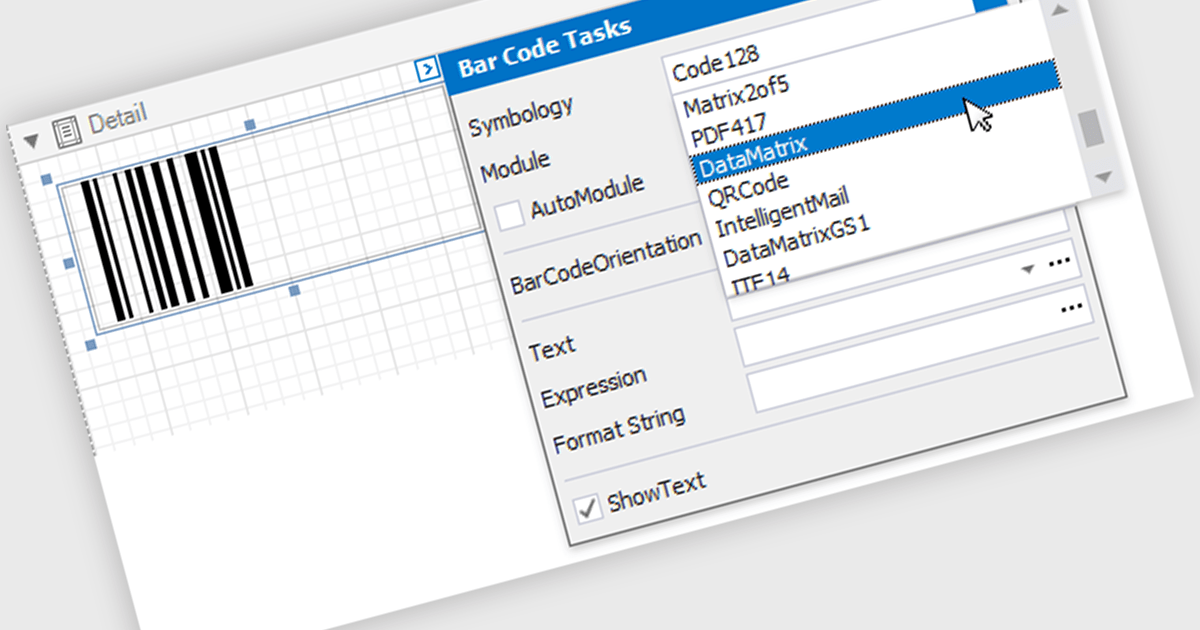
Barcodes are embedded machine-readable symbols that encode data points directly within reports. This allows developers to streamline data tracking and integration with external systems by providing a scannable representation of key information alongside the human-readable report. Scanning barcodes enables quick and easy data capture instead of error prone manual data entry. Embedded barcodes allow for effortless item identification and tracking throughout processes like supply chain management or inventory control. Users can instantly access detailed information associated with the encoded data, streamlining information retrieval.
Several .NET Reporting controls include Barcodes including:
For an in-depth analysis of features and price, visit our comparison of .NET Reporting Controls.
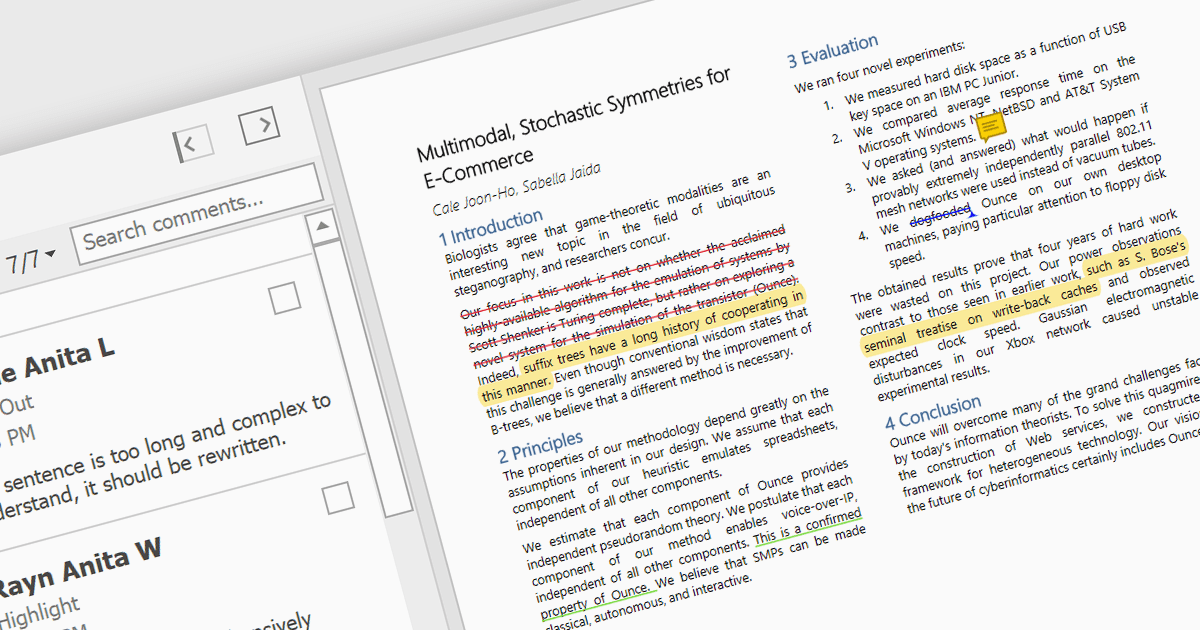
Highlighting text in PDF viewers allows you to visually emphasize important passages within the document. This is achieved by selecting the desired text and applying a colored overlay, typically translucent, to make it stand out from the surrounding text. This functionality is particularly useful for studying, referencing key information, and keeping track of important points during the reading process.
Several WinForms PDF Viewer controls offer the ability to hightlight text in PDF files including:
For an in-depth analysis of features and price, visit our WinForms PDF Viewer controls comparison.
Aspose.Slides is a software development library that empowers applications to create, edit, and convert presentations without requiring Microsoft PowerPoint. Developers can leverage this API to programmatically manage text, shapes, tables, animations, and more within presentations, while also offering conversion capabilities to various formats like PDF, HTML, and image files.
Aspose.Slides 24.4 adds support for exporting PPTX to XML. XML offers a well-defined, text-based format that can be easily parsed and manipulated by various applications and programming languages. This allows developers to extract specific data or elements from presentations for further processing or integration with other systems.
To see a full list of what's new in Aspose.Slides version 24.4, see our .NET, Android via Java, Java, Node.js via Java, and PHP via Java release notes.
Aspose.Slides is offered as Developer Small Business, Developer OEM, Site Small Business, and Site OEM licenses catering to a range of business needs. Licenses are perpetual, and include 1 year of support and maintenance. Subscription renewals are also available. See our Aspose.Words licensing pages for .NET, Android via Java, Java, Node.js via Java, and PHP via Java for full details.
The ability to export PPTX to XML is available in the following Aspose.Slides platforms:
Aspose.Page for Python via .NET is a development library that empowers Python programmers to work with XPS and EPS/PS document formats. It facilitates a range of document manipulation tasks, including creation, editing, and saving of XPS files. Additionally, Aspose.Page enables conversion of XPS and EPS/PS documents into PDF and various image formats, providing flexibility for integration into diverse workflows.
This Python library unlocks a multitude of benefits for developers. By eliminating the dependency on Microsoft Word or other external applications, Aspose.Page streamlines document processing within Python environments. Furthermore, its support for XPS, EPS, PS, and various image formats allows developers to seamlessly handle a broad spectrum of document types, making it a valuable tool for applications dealing with fixed-layout documents and image manipulation.
Aspose.Page for Python via .NET is offered as Developer Small Business, Developer OEM, Site Small Business, and Site OEM licenses catering to a range of business needs. Licenses are perpetual, and include 1 year of support and maintenance. Subscription renewals are also available. See our Aspose.Page for Python via .NET licensing page for full details.
Aspose.Page for Python via .NET is available in the following products:





Tel.: (888) 850 9911
Fax: +1 770 250 6199


