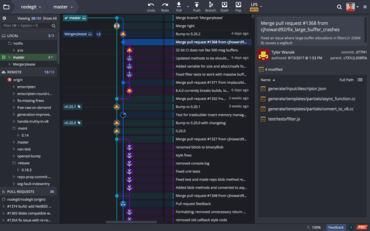
GitKraken V7.0.0

Die GitKraken Git-Oberfläche lässt sich jetzt in Jira und GitKraken Boards integrieren.
Mai 21, 2020
Neue Version

Funktionen

  • GitKraken Git GUI now integrates with the following issue trackers:
    • Jira (Cloud & Self-Hosted).
    • GitKraken Boards.
  • After setting up the integration, users will be able to do the following from the GitKraken Git GUI:
    • View and filter a list of project issues.
    • View issue details.
    • Create branches that are tied to an issue.
    • Add comments.
    • Edit the status/column of an issue.
    • Edit the assignee of an issue.
    • Create new issues.
  • Users can now open repositories inside of the following text editors via the Fuzzy Finder, menu, or keyboard shortcuts (Ctrl/Cmd + Shift + E):
    • VS Code.
    • Atom.
    • Sublime.
    • JetBrains IntelliJ.
  • Local repositories without a remote setup now include an option to create a remote and push local changes.
  • When creating a GitHub pull request in the GitKraken Git GUI, users can now search for reviewers and assignees by name or username.
  • The text color in a commit description will change when the placeholder text has been replaced.
  • Users now have the ability to rename remotes.
  • ed25519 and ecdsa SSH key pairs are now supported.
  • For Microsoft Windows users: the Open with GitKraken menu option will now open a new tab inside of the GitKraken Git GUI instead of a new window.
  • Pull request links can now be copied through the context menu.

Fehlerkorrekturen

  • The From Repo drop-down menu will populate results when opening a pull request.
  • Users can successfully initialize a repository on a Bitbucket server from the GitKraken Git GUI.
  • For Windows users: the Open in File Manager menu option, keyboard shortcut, and Fuzzy Finder action now work as intended.
GitKraken

GitKraken

Eine einheitliche Plattform mit Git-Tools und -Diensten für Entwickler, Teams und Teamleiter.

Sie haben eine Frage?

Live-Chat mit unseren GitKraken-Lizenzierungs-Spezialisten.