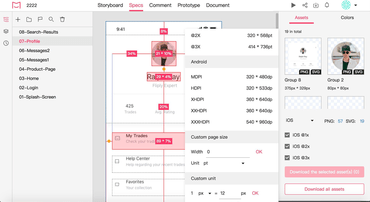
Integriert neue Flussdiagramm-Tools zur Visualisierung von Designabläufen und -prozessen.
Juli 7, 2023
Neue Version
Funktionen
Design collaboration & handoff
- Add sticky notes to clarify any design concepts on Storyboard.
- New flowchart tools visualize any design flows and processes directly on Storyboard.
- Added the ability to delete RP pages when being published to Mockplus Cloud.
- Include images and links when adding design annotations.
- Added a new prompt to guide users when the internet is disconnected.
- Remind users when updating RP pages.
- Added the ability to sort all pages of the left Project Tree based on their positions on the right canvas.
- Updated guest access permissions - Guests can now leave a comment on designs.
- Improved design annotation - You can now include images and links when adding design annotations.
- Improved loading performance - The home page will be loaded faster than before.
- Improved searching - Search for whatever you need faster.
- Improved displaying pages on Storyboard - Once a page is selected, the related logic lines will also be highlighted.
- Improved artboard selection - You can now select multiple artboards at once by holding "Shift".
- Improved page display in Recycle Bin - The hierarchical relations of pages will now be clearly displayed.
- Improved data recognition of Figma files, ensuring that the CSS values for blur and Gaussian blur in your Figma files are now accurately recognized and shown in Mockplus Cloud.
- Improved shadow displaying of PS files - The inner and outer shadows will be accurately recognized and shown in the Development mode after upload.
- Improved prompt reminder when users are trying to change the data source.
Team and project management
- Added the option to open a project in a new tab by clicking the right-click menu.
- Improved loading speed when opening projects.
- Improved project activities - The activity logs will now include the membership approval information.
- Improved the inviting members feature - You can now select the projects and project folders the new members can join when setting the team-level invite link.
- Improved member deletion - If a member has not created any Cloud project, you'll not be asked to transfer his/her projects when being deleted from the team.
Documents
- Added the ability to record the action of deleting a comment in Document mode.
- Added the option to open a document in a new tab by clicking the right-click menu on the left Document Tree.
Task management
- Improved the UI design of the task list.
Sketch plugin
- Added support for Sketch 97 and later versions.
- Added the ability to recognize the paragraph properties of your text layers.
- Added the ability to recognize the opacity of gradient fills.
- Improved uploading of background colors when not ticking "Include in exports".
- Improved the uploading strategy - The component order of the uploaded Libraries will be the same as in Sketch.
Photoshop plugin
- Added the ability to recognize the paragraph properties of your text layers.
- Improved cropping of shadows added to layers that extend beyond the artboard.
- Improved the uploading strategy - The plugin will now auto switch to the last project that you've uploaded to.
Adobe XD plugin
- Improved the uploading strategy - The plugin will now auto switch to the last project that you've uploaded to.
Figma plugin
- Added a new UI upgrade, bringing a fresh look and experience.
- Recognize and upload the entire Section and frames within.
- Recognize the paragraph properties of your text layers.
- Recognize the opacity of gradient fills.
- Added new helpful placeholders to guide users in selecting a project during their initial plugin use.
- Added a new reminder to notify users if their team's projects, team members, or other assets exceed the limit.
- Improved project selection - The target project folder is now automatically expanded upon clicking.
- Improved design uploading - The plugin now automatically switches to the last uploaded project for the current file.
Generieren Sie automatisch Spezifikationen und Assets und erstellen Sie interaktive, animierte Prototypen.
Sie haben eine Frage?
Live-Chat mit unseren Mockplus-Lizenzierungs-Spezialisten.

Offizieller Händler seit 2017