Grial UI Kit 4
Released: Aug 29, 2022
Updates in 4
Funktionen
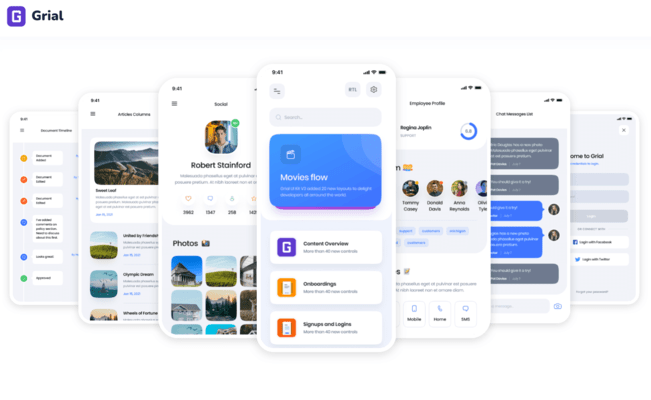
- New look and feel - The look and feel has been refreshed to make it much cleaner, simpler, modern and flexible. Arranged in beautiful templates, all of Grial UI Kit visual blocks can be recombined.
- .NET MAUI Support - Added support for .NET MAUI.
- Templates Browser - Use Grial Web Admin to browse all Grial UI Kit 4 content (templates, layouts, controls, etc.), search, select, customize and add Grial content to your project without touching a single line of code.
- Themes Customizer - Allows you to create a completely new look and feel for your cross-platforms apps within minutes and without touching a single line of XAML.
- Grial Maps - Includes maps with custom markers specially designed to fit all your map needs: mark shops, restaurants, hotels, and many more. (Maps are not yet available for .NET MAUI.)
- Grial Floating Menu - New floating button that you can place anywhere on your screen to display important actions on a particular screen. This control is very similar to the Floating Action Button (FAB) in Android’s Material design system.
- Grial Drawer Control - Allows you to have an extra layer of content available on the screen, without overwhelming users with too much information at a first glance. It provides beautiful open/close animations. (Drawer is not yet available for .NET MAUI.)
- Selectable Wrap Panel - You can now select Wrap Panel items. This extension to Grial's wrap-panel control allows you to craft multi-select entries in your forms.
- Parallax View - Useful for almost every mobile app, the Parallax View helps you achieve parallax animation transitions with no complexity. It also comes with optional sticky headers in case you have to keep something visible after users scroll down.
- Rating Control - Fully customizable control provides a super fast and easy way to collect feedback from anywhere in your app.
- Grial XAML Expressions - XAML code is more powerful than ever before. With Grial's XAML Expressions you can keep UI logic within the UI. Gone are the days of super specific converters, or cluttered View Models code with UI specific properties.
- New templates - Added a lot more pages to the already complete catalog of .NET MAUI and Xamarin.Forms.
- More Themes and Styles - Added 6 more base themes.
- Icon Button - Add icons buttons to your app. Choose icon type, position, alignment color. No need for custom renderers.
- Fonts Declaration - Lets you use font styles without losing the Font-family. Switch between Regular, Bold and Italic everywhere through the regular control properties, and don't worry about the fonts.
- Emojis - Add emojis anywhere on your app. There's no real "social" interaction without emojis these days. Turn your boring, flat, corporate app into something fun and beautiful.
- Orientation Lock Service - A simple, but super useful service that allows you to lock any screen on both vertical or horizontal orientation. This service is specially useful for tablet development, and to force full screen videos to landscape mode. (Orientation Lock Service is not yet available for .NET MAUI.)
- Grial UI Kit 4 Demo App - New demo app designed with two goals in mind: to showcase Grial UI Kit page samples and controls, and to be a companion tool for anyone building a .NET MAUI or Xamarin.Forms app.