Released: Mar 17, 2011
Updates in this release
Updates in V7.0
Integrates with Windows Explorer and Visual Studio via Add-in
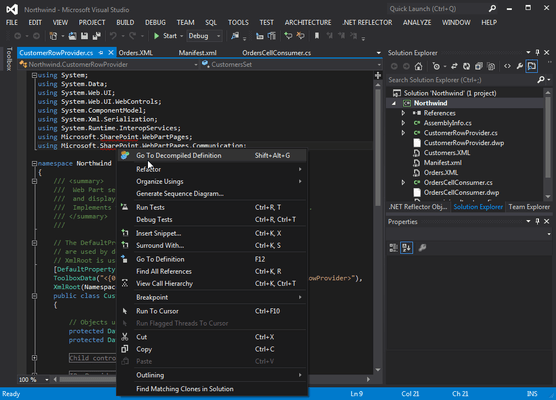
You can open Visual Studio, and use the .NET Reflector menu to select referenced assemblies you would like to debug into. These assemblies are then decompiled to C# or VB. You can then step into them whilst debugging, set breakpoints, see the values of variables and parameters, etc. In fact, the only debugger functionality that will not work is edit and continue. You can also decompile and explore source if you right-click on a project reference, and then click Decompile and Explore on the context menu.
- Better decompilation, including the addition of iterator block (yield) support, as well as improvements to the .NET 4.0 decompilation,
- Tabbed decompilation,
- Ability to decompile and explore source code for referenced assemblies in Visual Studio,
- Support for Silverlight XAP files
- PowerCommands integration