UEStudio Suite

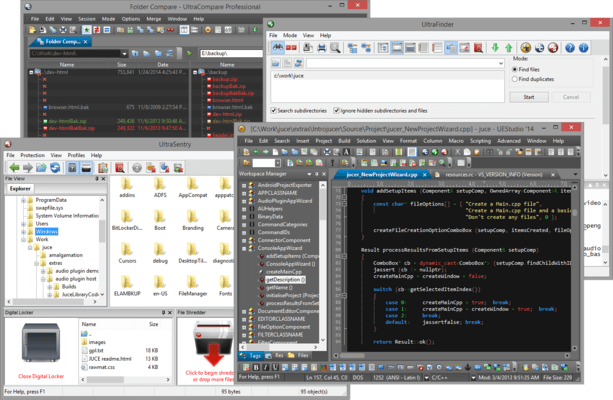
Sie können jetzt Inhalte erstellen und ändern, gemeinsam an Projekten arbeiten, Änderungen verwalten, leistungsstarke Suchvorgänge durchführen und Dateien sicher übertragen.

Veröffentlicht von UltraEdit
Wird von ComponentSource seit 2013 vertrieben
i

Please Note: UEStudio Suite is replaced by UltraEdit Enterprise (formerly UltraEdit All Access).
The products within the suite are still supported and existing customers can contact us for a quote to renew their maintenance subscription.

UltraFTP v17.00

Released: May 24, 2017

Updates in v17.00

Funktionen

UltraFTP Key Features:

  • Tabbed sessions
    • Open multiple simultaneous connections in multiple tabs
    • Save and reload sessions
    • Set session to automatically connect, as well as initial starting directories
    • See connection/transfer status in session tab
  • Split local and remote view
  • Drag-and-drop transfers
    • Drag-and-drop files from desktop / Windows explorer to FTP server location
    • Drag-and-drop files from remote server to folders on desktop / Windows explorer
    • Drag-and-drop files from one remote server to another
  • Global overwrite rules
    • Define on a per-account basis under the Transfers tab for each account
    • Configured to Prompt, Skip, or Overwrite based on defined conditions
    • May be modified on a per-session basis in the Session Properties dialog
  • Transfers window
    • Monitor transfer progress and cancel transfers
  • Accounts & Sessions window
    • Create, save, and manage multiple accounts and sessions
    • Filter, group, and sort accounts and sessions
  • File preview window
    • Preview plain text and source files, Office docs, images, and more – on local or from remote server
  • FTP, SFTP, and FTPS support
  • UltraEdit / UEStudio / UltraCompare / UltraFinder integration
    • Open selected file(s) in UltraEdit or UEStudio
    • Modify and save remote files back to server
    • Compare selected files in UltraCompare
    • Search selected folder with UltraFinder