UltraEdit Enterprise

Voll integrierte Bearbeitungs- und Datenmanagementtools.

Veröffentlicht von UltraEdit
Wird von ComponentSource seit 2013 vertrieben

Preise ab: US$ 117.55 Version: v2026.x NEU Letzte Aktualisierung: Jun 9, 2026
i

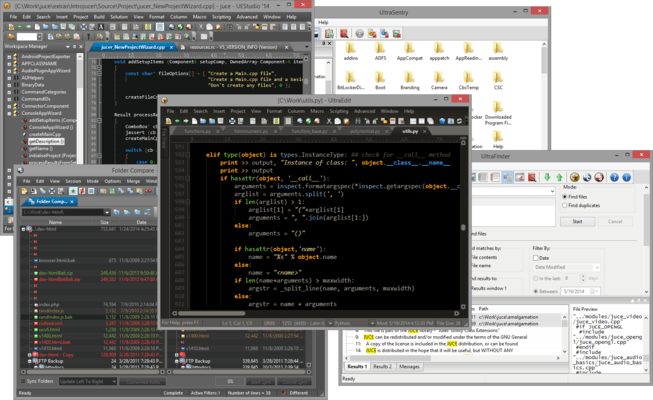
UltraEdit Enterprise (formerly UltraEdit All Access) includes UltraEdit, UltraCompare, UltraFTP, UEStudio and UltraFinder.

UltraEdit Enterprise - includes UEStudio v2026.0

Released: Jun 9, 2026

Updates in UEStudio v2026.0

Funktionen

  • Integrated Ask UltraEdit AI chat window
    • Natural language access to full Help documentation.
    • Get feature use case recommendations from the full Power Tip library.
  • FTP enhanced server compatibility update
    • Added Key Exchange Algorithm – diffie-hellman-group18-sha512 support.
    • Added Key Exchange Algorithm – diffie-hellman-group16-sha512 support.
    • Added Key Exchange Algorithm – curve25519-sha256@libssh.org support.
    • Added Cipher Algorithm – 3des-cbc support.
    • Added MAC Algorithm – hmac-sha2-256-etm@openssh.com support.
    • Added Cipher Algorithm – rijndael256-cbc support.
    • Added Cipher Algorithm – rijndael-cbc@lysator.liu.se support.

Fehlerkorrekturen

  • Fixed: Crypto algorithm could not be negotiated error returned when connecting to server.
  • Fixed: List lines containing find string omits some valid matches.
  • Fixed: Indent of multiple selections doesn’t work.
  • Fixed: Paste column doesn’t preserve pad spaces.
  • Fixed: Content in upper pane scrolls when typing in column mode in lower pane during split window editing.
  • Fixed: File in use error message on closing Account Manager dialog window.
  • Fixed: FTP transfer completes successfully but FTP open dialog remains locked for up to 25 seconds after transfer is complete.
  • Fixed: Saving via FTPS to Windows Server 2022 takes a very long time.
  • Fixed: “Error in certificate” dialog is shown every time connection is made.
  • Fixed: Content is pasted in wrong location when pasting in column mode on line with TABS.
  • Fixed: Search in “All open files” doesn’t work as expected if “Filter” option has previously been selected.
  • Fixed: Column mode delete key behavior changed.
  • Fixed: Multiple FTPS stability issues.
  • Fixed: Windows clipboard is not updated for secondary application when copying in Column mode.
  • Fixed: Crash while editing wordfile with specific settings.
  • Fixed: Batch file run from User tool cannot delete a file that's already open.
  • Fixed: Files opened via command palette are not automatically added to Recently opened files list in File lists view.
  • Fixed: UltraEdit inserts TABS on empty lines since.
  • Fixed: Perl option for regular expressions is lost on application restart.
  • Fixed: Crash with syntax highlighted file and switching to Contemporary menus.
  • Fixed: Focus unexpectedly jumps to previously matched string when pressing CTRL+F.
  • Fixed: Unexpected selection after using "Insert number".
  • Fixed: JSCompressDocument and JSFormatDocument have no effect in macro.
  • Fixed: Multiple issues with modifying key mappings.
  • Fixed: HEX mode selection issues.
  • Fixed: Column reference in status bar not as expected with multi-byte characters.
  • Fixed: Focus in file shifts erratically when crossing lines with no text while creating column mode selection.
  • Fixed: Crash while navigating in specific document with specific settings.
  • Fixed: Alt+H in German ‘Ersetzen in Dateien’ window activates the wrong edit field.
  • Fixed: Syntax highlighting of dates (substrings starting with a digit) not working anymore.
  • Fixed: Selection is cleared when “search string not found” dialog is shown.
  • Fixed: Top pane scrolls unexpectedly with Column mode editing in split pane view.
  • Fixed: Crash after changing regex type in Find dialog with specific settings.
  • Fixed: Crash while attempting find with specific settings.
  • Updated: Change "Find" button to "Cancel" in Find in Files dialog during search.