








Fournisseur officiel
Comme nous somme les distributeurs officiels et autorisés, nous vous fournissons des licences légitimes directement à partir de 200+ éditeurs de logiciels.
Voyez toutes nos marques.
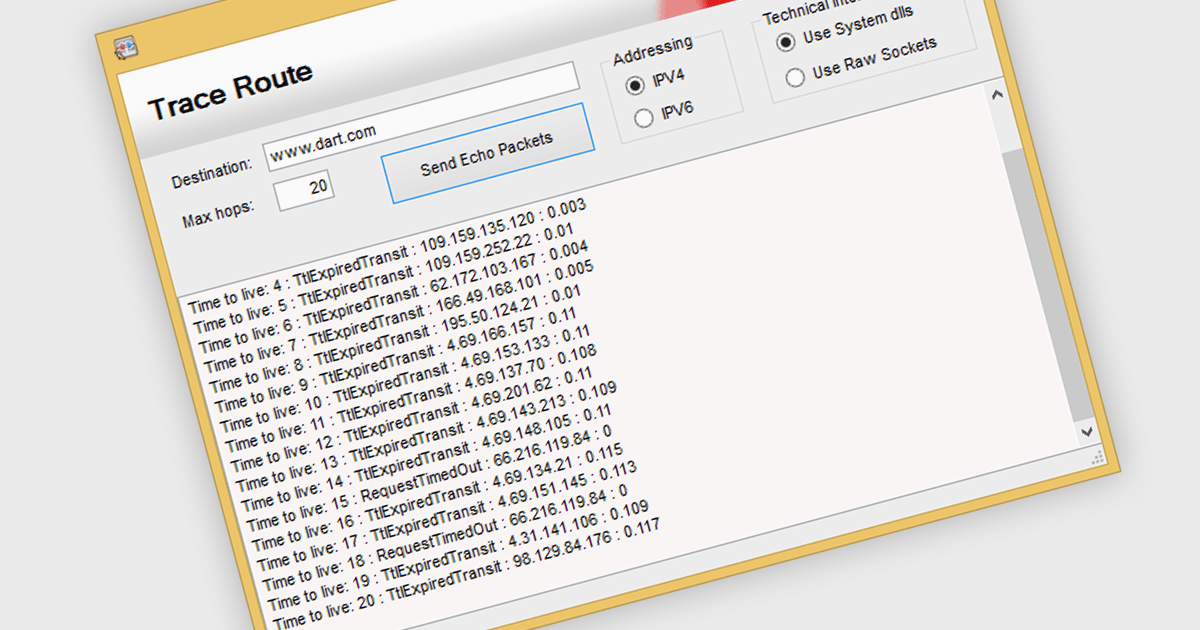
TraceRoute is a network diagnostic protocol used in .NET Communications and Messaging controls to determine the path packets take from the source to a destination across an IP network. It works by sending packets with incrementally increasing Time-To-Live (TTL) values, which prompts routers along the path to return error messages that help identify each hop and measure transit delays. This functionality is particularly useful for monitoring network latency, diagnosing connectivity issues, and understanding the routing behavior of networks in distributed systems. By integrating TraceRoute into a .NET application, developers gain visibility into network paths, enabling more informed troubleshooting and performance optimization of communication processes.
Several .NET Comms & Messaging components offer support for TraceRoute protocol including:
For an in-depth analysis of features and price, visit our comparison of .NET Comms & Messaging.
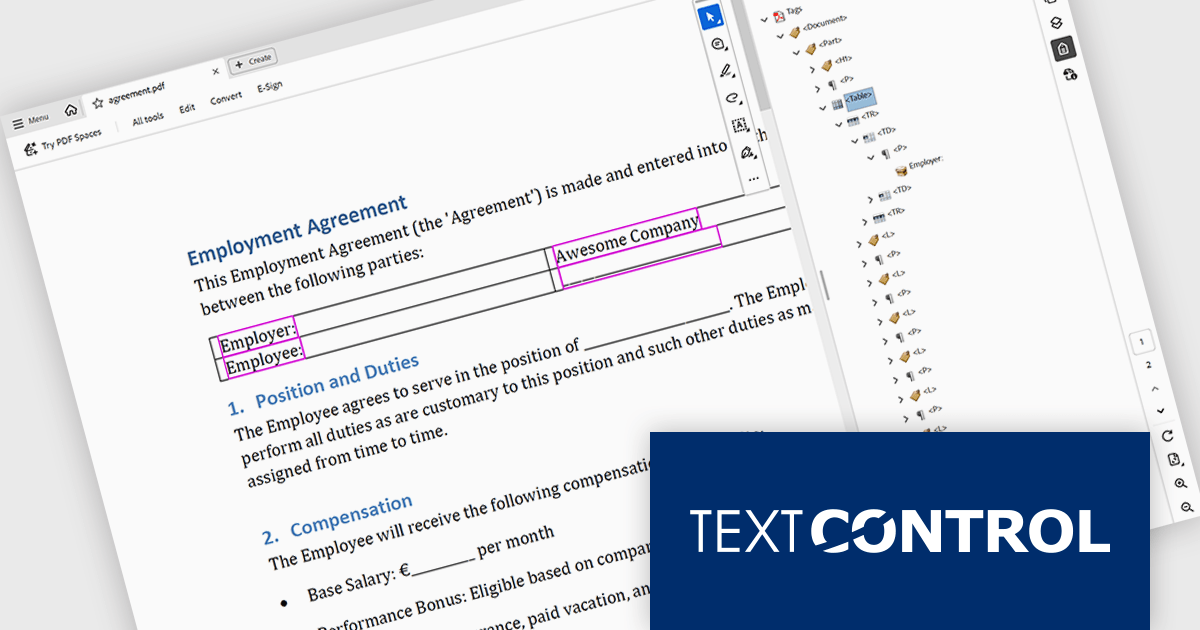
TX Text Control .NET is a royalty-free, fully programmable document editor that empowers developers to add rich WYSIWYG word processing to desktop and web applications across various platforms. It provides everything from comprehensive text formatting and mail merge to PDF creation and processing, all through a robust API and intuitive user interface.
The TX Text Control .NET 34.0 Enterprise now supports the PDF/UA (Universal Accessibility) standard, enabling developers to generate PDF documents that comply with ISO 14289-1 accessibility guidelines. This update ensures that documents are properly structured and tagged for assistive technologies like screen readers, helping organizations meet legal and regulatory requirements for accessible digital content. With this enhancement, TX Text Control makes it easier to deliver inclusive, compliant PDFs across industries where accessibility is essential, such as government, healthcare, and education.
To see a full list of what's new in version 34.0, see our release notes.
TX Text Control .NET for Windows Forms and TX Text Control .NET for WPF are licensed per developer and are available as a Perpetual License with a 12 month support and maintenance subscription. See our TX Text Control .NET for Windows Forms licensing page or TX Text Control .NET for WPF licensing page for full details.
TX Text Control .NET is available to buy in the following products:
Microsoft have released .NET 10, a major step forward for Microsoft’s cross‑platform development framework, offering enhanced runtime performance, new language features, reinforced security, and deep support for artificial intelligence (AI) workloads. .NET 10 is a Long-Term Support (LTS) version which benefits from guaranteed, extended support for three years making it ideal for production environments and mission-critical systems.
In this release, .NET 10 delivers significant runtime and language enhancements aimed at boosting application speed and efficiency. The just‑in‑time (JIT) compiler has been improved with smarter inlining and method de‑virtualization, and new hardware acceleration support (such as AVX10.2 for Intel and enhanced vectorisation for Arm64) helps reduce pause times in garbage collection. On the language side, C# 14 and F# 10 introduce more expressive constructs, for example, automatic backing fields in C# and scoped warning suppression in F#, which simplify coding while maintaining performance. The combined improvements give developers a faster and more productive foundation.
Security and modern library enhancements have also been front‑and‑centre in .NET 10. The framework expands support for post‑quantum cryptography (PQC) algorithms, helping applications prepare for future quantum‑resistant security demands. Networking libraries have been upgraded with features like a simplified WebSocketStream API and platform‑wide modern TLS 1.3 support (including on macOS). Other library improvements include better JSON processing, key wrapping enhancements, and broader support for native cryptographic APIs. These updates reinforce depth across both security and low‑level infrastructure.
.NET 10 places a strong emphasis on AI integration and cloud‑native development. The introduction of the Microsoft Agent Framework enables developers to build and orchestrate multi‑agent AI systems (sequential, concurrent, hand‑off workflows) with minimal boilerplate. In parallel, the Microsoft.Extensions.AI and vector data abstractions provide unified interfaces for switching between AI providers (such as OpenAI, Azure OpenAI, Ollama) without rewriting code. These capabilities signal a vision where .NET isn’t just for general‑purpose apps, but for next‑generation intelligent systems.
View the official Microsoft blog for all the details, including a link to download .NET 10.
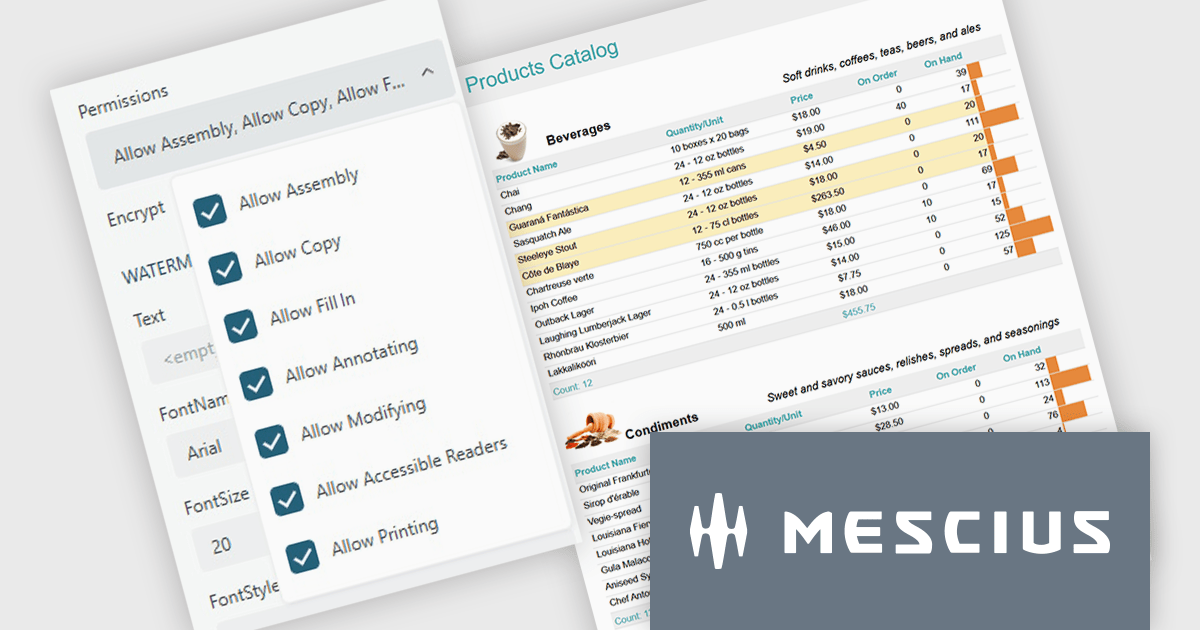
ActiveReports.NET from MESCIUS, is a comprehensive reporting solution for developers building applications in .NET. It helps you to design and deliver visually appealing reports through user-friendly designers and a wide range of controls. ActiveReports simplifies report creation and distribution with a versatile API, rich data source connectivity, and support for multiple export formats. This translates to increased developer productivity and improved end-user experience with powerful reporting functionalities within your .NET applications.
The ActiveReports.NET v19.2 update introduces configurable permissions for PDFs exported from Web Viewers, allowing developers to apply precise controls over how end users interact with generated documents. By enabling encryption and selecting permissions such as copying, printing, annotating, modifying, filling forms, and accessing content through assistive readers, developers can enforce security, compliance, and workflow requirements directly within the export process. This update optimizes permission management across the JS Viewer, Blazor Viewer, and ASP.NET WebViewer, providing a consistent and efficient way to govern document behavior without additional code or external tooling.
To see a full list of what's new in v19.2, see our release notes.
ActiveReports.NET is licensed per developer and is available with or without a 12 month support and maintenance subscription. See our ActiveReports.NET licensing page for full details.
Learn more on our ActiveReports.NET product page.
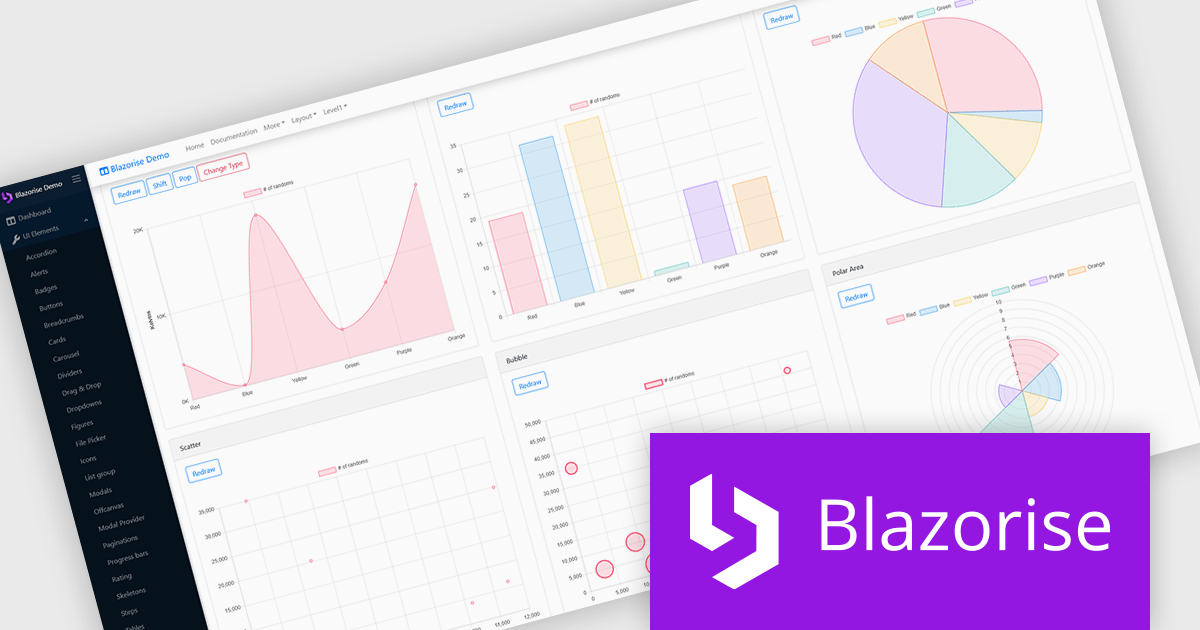
Blazorise is a versatile component library that empowers developers to build modern and feature-rich web applications using Blazor, a client-side web development framework from Microsoft. It offers a comprehensive collection of user interface components, including buttons, forms, charts, and navigation elements, all built with accessibility and responsiveness in mind.
The Blazorise 1.8.6 update delivers full compatibility with .NET 10, allowing existing Blazorise-based applications to run on the latest runtime without breaking changes. It enables projects to take advantage of new C# 14 language features, improved JIT and AOT performance, and the modernized Blazor hosting models introduced in .NET 10. This release helps standardize on the newest .NET stack while preserving current UI components and behavior, reducing migration risk and maintenance overhead for development teams.
To see a full list of what’s new in version 1.8.6, see our release notes.
Blazorise is licensed per developer and includes a 1 year subscription for updates and support. Professional, Enterprise, and Enterprise Plus editions are available, each offering tailored levels of support and service to meet varying business needs. See our Blazorise licensing page for full details.
For more information, visit our Blazorise product page.





Tél : (888) 850 9911
Fax : +1 770 250 6199


