Nouvelles Charts

Surveillez les performances avec des jauges linéaires en temps réel

Février 10, 2026
LightningChart JS v8.2 ajoute des tableaux linéaires modernes qui offrent des données en temps réel avec un style flexible et des agencements de tableau de bord adaptables.

LightningChart JS is a high-performance JavaScript charting library that utilizes WebGL rendering and GPU acceleration to deliver exceptional performance for a wide range of data visualization needs. It is designed to handle large datasets and complex visualizations with ease, enabling developers to create interactive and visually appealing 2D and 3D charts. Ideal for applications demanding smooth real-time data updates, such as financial platforms, engineering tools, scientific research dashboards, and industrial monitoring systems, LightningChart JS provides a comprehensive API for customization and integration into web-based projects.

The LightningChart JS v8.2 update introduces a new Linear Gauge Chart that enables software developers to present real-time metrics in a clear, structured format within modern web applications. It supports continuous live data updates, configurable interpolated or discrete color steps for representing thresholds and ranges, and both vertical and horizontal orientations to accommodate different layout requirements. The chart also allows current values to be displayed directly on the gauge and supports custom icons, giving developers greater control over visual consistency while building intuitive, status-focused dashboards for monitoring and analytics use cases.

To see a full list of what's new in v8.2, see our release notes.

LightningChart JS is licensed per developer and is available as an annual license with 1 year support. See our LightningChart JS licensing page for full details.

For more information, see our LightningChart JS product page.

Identifiez les principaux schémas de données avec des lignes de tendance

Février 4, 2026
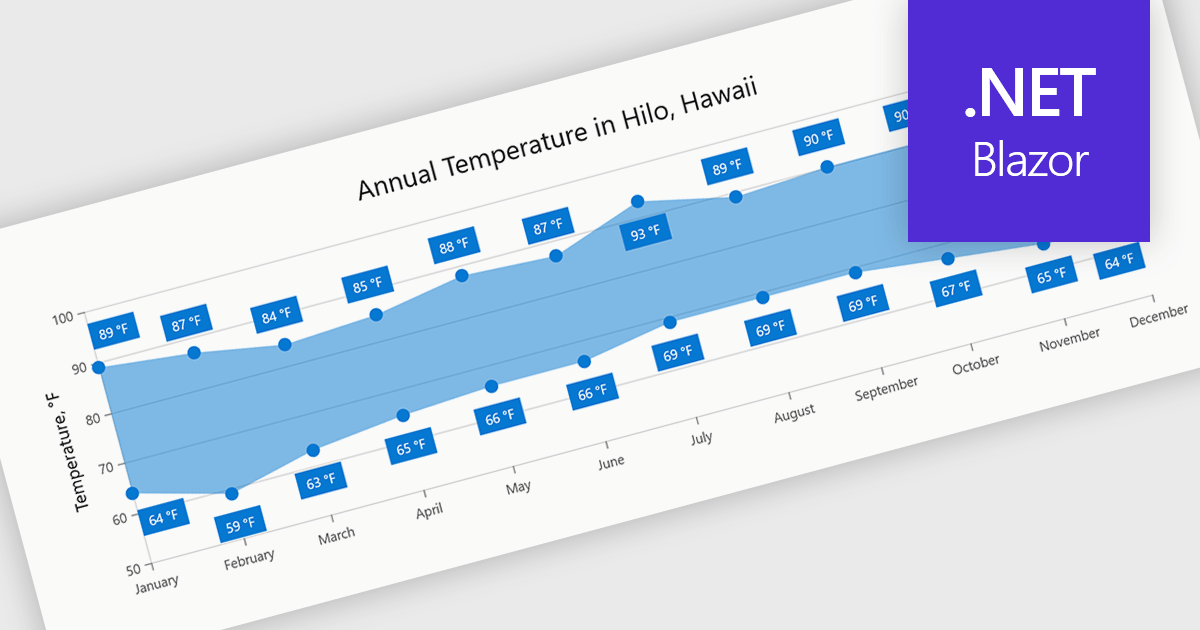
Les lignes de tendances révèlent les schémas sous-jacents, clarifient les tendances à long terme et transforment les données graphiques en informations claires et exploitables pour une prise de décision plus rapide.

Trend lines in charts are analytical tools that represent the general direction or tendency of data over time, helping users interpret patterns that may not be immediately visible in raw data. By smoothing out short-term fluctuations, trend lines clarify long-term behavior, highlight growth or decline, and support more informed decision-making. They are commonly used in business dashboards to track performance metrics, in financial analysis to assess market trends, and in operational reporting to identify recurring patterns, forecast outcomes, and compare multiple data series with greater clarity.

Several Blazor chart components provide trend line support including:

  • Telerik UI Blazor Chart (part of Telerik UI for Blazor) lets you visualize data trends clearly using configurable trend lines for faster insights and confident decisions.
  • ComponentOne Blazor Charts (part of ComponentOne Studio Blazor Edition by MESCIUS) allows you to analyze patterns with customizable trend lines that enhance readability.
  • Infragistics Ignite UI for Blazor Chart (part of Infragistics Ignite UI) facilitates trend discovery by overlaying customizable trend lines across supported chart types.
  • Syncfusion Blazor Charts (part of Syncfusion Essential Studio Enterprise) lets you interpret complex datasets using adaptive trend lines to highlight overall direction.

For an in-depth analysis of features and price, visit our Blazor Chart Component comparison.

Compare Blazor Chart Components

Exportez les données du graphique vers CSV depuis WinForms

Février 2, 2026
Donnez aux applications WinForms la possibilité d’exporter des graphiques au format CSV, rendant les données des graphiques disponibles pour être utilisées dans des rapports, des tableaux Excel et des systèmes externes.

Exporting charts to CSV (Comma-Separated Values) allows users to extract underlying chart data into a simple, portable text format that can be easily opened in spreadsheet applications or processed by other tools. This feature is particularly useful for reporting, data analysis, auditing, and integration apps, as it decouples the visual presentation of data from the raw numerical or categorical information it represents. By enabling quick access to chart data in a structured format, exporting to CSV enhances interoperability across systems and supports a wider range of use cases.

Several WinForms charting components allow you to export to CSV, including:

  • TeeChart for .NET Pro Edition by Steema Software offers built-in export capabilities that allow developers to save chart data directly to CSV with customizable formatting options.
  • .netCHARTING is a comprehensive charting library that provides the ability to export charts to various image and document formats in WinForms applications.
  • ProEssentials by GigaSoft integrates into WinForms apps and offers chart export to various formats and includes options for exporting underlying data in editable text form.

For an in-depth analysis of features and price, visit our comparison of WinForms chart components.

Compare WinForms Chart Components

Visualisez les hiérarchies avec des graphiques dendrogrammes

Janvier 22, 2026
Highcharts 12.5 ajoute la prise en charge des dendrogrammes, permettant une visualisation claire des structures hiérarchiques et des relations de similarité à travers des données complexes.

Highcharts is a JavaScript charting framework that allows web developers and data analysts to generate dynamic, visually appealing charts and graphs for websites and web applications. It can display a variety of chart types, including line, spline, area, column, bar, pie, scatter, and many more. Highcharts is well-known for its ease of use, rich documentation, and ability to handle huge datasets efficiently. Features include responsive design, accessibility support, and cross-browser compatibility. Its customization capabilities allow users to create bespoke data visualizations that increase engagement and provide insightful data presentations.

The Highcharts 12.5 update introduces dendrogram support, allowing developers to visualize hierarchical relationships and similarity levels directly within their charts using treegraph-based diagrams. This enhancement makes it easier to represent the output of hierarchical clustering algorithms, taxonomies, and other structured datasets in a clear and interpretable way. By mapping similarity or progression along an axis and using branch height to indicate relationships, developers can present complex hierarchical data more effectively.

To see a full list of what's new in 12.5, see our release notes.

Highcharts Core is licensed on an annual or perpetual basis, OEM licenses, and Advantage Renewals. It is licensed per Developer and has several license options including Internal, SaaS, SaaS+, and Self Hosted. See our Highcharts Core licensing page for full details.

Learn more on our Highcharts Core product page.

Ajoutez la navigation au clavier pour les graphiques dans .NET

Janvier 19, 2026
Améliorez l’accessibilité des graphiques dans les applications .NET en permettant la navigation au clavier pour une exploration des données plus fluide et une meilleure expérience utilisateur.

Charts with keyboard navigation support are designed to improve accessibility and usability by allowing users to explore chart data using only the keyboard. This feature is especially valuable for users who rely on assistive technologies or prefer keyboard interaction over a mouse. It typically includes capabilities like navigating between data points, series, or chart elements using arrow keys, accessing tooltips or data labels, and sometimes triggering events like selection or focus changes, all through the keyboard.

Several .NET chart components support keyboard navigation, including:

  • DevExpress ASP.NET MVC Chart (part of DevExpress ASP.NET and Blazor) supports accessibility features, allowing keyboard interaction across UI components.
  • Telerik UI for ASP.NET Core Charts (part of Telerik UI for ASP.NET Core) includes support for arrow key movement between data points and ARIA integration.
  • jQWidgets Chart (part of jQWidgets) is part of a framework that emphasizes WAI-ARIA compliance and keyboard interaction across its widgets.
  • Syncfusion .NET MAUI Charts (part of Syncfusion Essential Studio Enterprise) is built on a platform supporting keyboard input, extendable to visual components in custom apps.

For an in-depth analysis of features and price, visit our comparison of .NET chart components.

Compare .NET Chart Components