Notizie su Data Editors

Perfeziona l'inserimento numerico con controlli di precisione

Gennaio 27, 2025
I controlli di selezione numerici offrono un modo intuitivo per regolare i valori, rendendo i moduli, le tabelle e le dashboard più facili da usare ed efficienti.

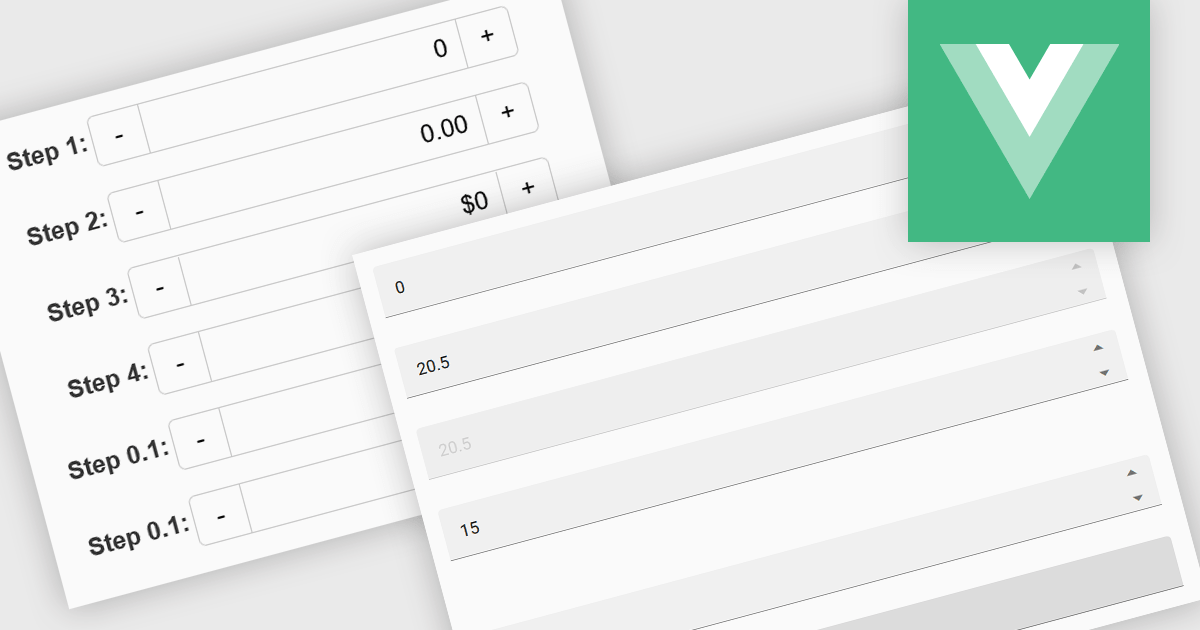
Numeric Spin data editor controls are intended for the efficient and precise input of numerical values. By combining an edit box with up/down spin buttons, users may either type to input directly or utilize the spin buttons to increase or decrease the value. This method promotes faster and less error-prone data entry than manual typing, particularly for large quantities or recurrent value revisions. Many spin editors include built-in validation, range limitations, data type selection, and formatting choices, which further improve data accuracy.

Several Vue.js data editor collections contain numeric spin components including:

For an in-depth analysis of features and price, visit our Vue.js data editors comparison.
Compare Vue.js Data Editors

Inserisci i dati utilizzando componenti flessibili dell'interfaccia utente JavaScript

Gennaio 21, 2025
I componenti dell'editor di dati JavaScript migliorano le app con elementi dell'interfaccia utente a discesa e basati su elenchi, offrendo un'esperienza di immissione dati intuitiva.

Dropdowns and list-based data editors in JavaScript are versatile UI components that offer flexibility and control to both users and developers. They facilitate the selection of options, with a structured way to display and interact with predefined data sets. These editors enhance the user experience by allowing streamlined input, offering features like single or multiple selection, visual representation with images, and checkbox integration. They are widely used in web applications for tasks such as form filling, filtering data, or setting configuration options.

Common dropdowns and list-based data editors include:

  • Listboxes display a scrollable list of items where users can select one or multiple entries, ideal for showcasing a larger set of options.
  • Checked Listboxes provide a listbox in which each item can be checked or unchecked, for intuitive multi-selection while maintaining a compact layout.
  • Image Listboxes incorporate images with each entry in a scrollable list of options, offering a rich visual selection experience for users.
  • Comboboxes combine a text box with a drop-down panel, allowing users to select from a predefined list of options or input custom values directly.
  • Checked Comboboxes extend standard comboboxes by integrating checkboxes for selecting multiple options, often used in multi-select scenarios.
  • Image Comboboxes enhance the regular combobox with graphical elements by including images alongside text options, improving visual clarity and appeal.

For an in-depth analysis of features and price, visit our JavaScript data editors comparison.

Explore JavaScript Dropdowns and Lists

Crea e gestisci facilmente contenuti formattati

Dicembre 23, 2024
Gli editor di testo RTF consentono agli utenti di produrre contenuti visivamente strutturati, risparmiando tempo ed eliminando la necessità di strumenti esterni per lo stile del testo.

Rich Text Format (RTF) are specialized tools that enable the creation and manipulation of richly formatted text within development environments. The WYSIWYG (What You See Is What You Get) interface allows end users to easily design and format content visually without needing to write code, enhancing usability and reducing the learning curve. These editors commonly offer features such as text formatting, alignment options, list creation, image embedding, and table support, facilitating seamless incorporation of formatted content into applications, documentation, and user interfaces. Benefits include increased productivity, consistent cross-platform formatting, and minimized coding effort for managing text styles. Common use cases involve designing user documentation, generating dynamic web and mobile content, creating rich-text emails, and developing content management systems. By providing intuitive WYSIWYG capabilities, RTF editors are essential for developers aiming to integrate sophisticated text features efficiently into their projects.

Several Blazor data editor collections offer RTF editing capabilities including:

For an in-depth analysis of features and price, visit our Blazor data editors comparison.

Compare Blazor Data Editors

Personalizza la tua app con editor a tema

Dicembre 9, 2024
I temi degli editor di dati ti consentono di personalizzare l'aspetto e l'esperienza dell'interfaccia, migliorandone l'usabilità e adattandola alle tue preferenze.

In the field of data editors, themes are style configurations that define the visual appearance and behavior of the interface. They provide developers with a consistent design framework, ensuring alignment with brand guidelines while enhancing usability and accessibility. By supporting features like dark and light modes, responsive design, and unified styling across components, themes enable developers to create a visually cohesive and user-friendly experience. They streamline maintenance, improve scalability, and reduce development overhead by offering a centralized system for managing design updates and ensuring consistency throughout the application.

Several React data editor collections offer support for themes including:

  • DevExtreme Complete Data Editors (part of DevExtreme Complete by DevExpress) lets you create responsive input components with themes for  integration into any UI framework.
  • Wijmo Input and Editors (part of Wijmo by MESCIUS) allows you to build lightweight, accessible input controls with advanced theming to align with modern design standards.
  • jQWidgets Data Editors facilitates the development of feature-rich input components with responsive themes for consistency and effortless maintenance across applications.
  • KendoReact Data Editors (part of KendoReact by Telerik) empowers developers to implement customizable, accessibility-focused input components with robust theming.

For an in-depth analysis of features and price, visit our React data editor controls comparison.

Compare React Data Editor Controls

Aumenta la precisione dell'immissione dei dati con il mascheramento intelligente dell'input

Novembre 21, 2024
Trasforma i processi di raccolta dei dati con il mascheramento avanzato, semplificando l'input dei dati e garantendone l'accuratezza e la coerenza.

Input masking is a technique used in data editor components to format and restrict user input to specific patterns. By defining a predefined structure with placeholders, input masks guide users to enter data in a consistent and accurate manner. This approach significantly reduces data entry errors, improves data quality, and streamlines data processing. Input masks also enhance user experience by providing clear visual cues and automatically formatting input as it is typed, reducing the cognitive load on the user.

Several Angular data editors offer support for input masking including:

  • DevExtreme Complete Data Editors (part of DevExtreme Complete by DevExpress) lets you implement advanced input masking and data editing to create robust web applications.
  • Wijmo Input and Editors (part of Wijmo by MESCIUS) empowers developers to build high-performance data editors with flexible input masking options.
  • Kendo UI for Angular Data Editors (part of Kendo UI by Telerik) provides comprehensive input masking components, enabling the creation of powerful user interfaces.
  • SmartClient Data Editors (part of SmartClient by Isomorphic Software) facilitates the development of complex data-driven apps, offering a rich set of input masking features.

For an in-depth analysis of features and price, visit our Angular data editors comparison.

Compare Angular Data Editors