








Fornitore ufficiale
In qualità di distributori ufficiali e autorizzati, forniamo licenze software legittime direttamente da più di 200 autori di software.
Vedi tutte le nostre marche
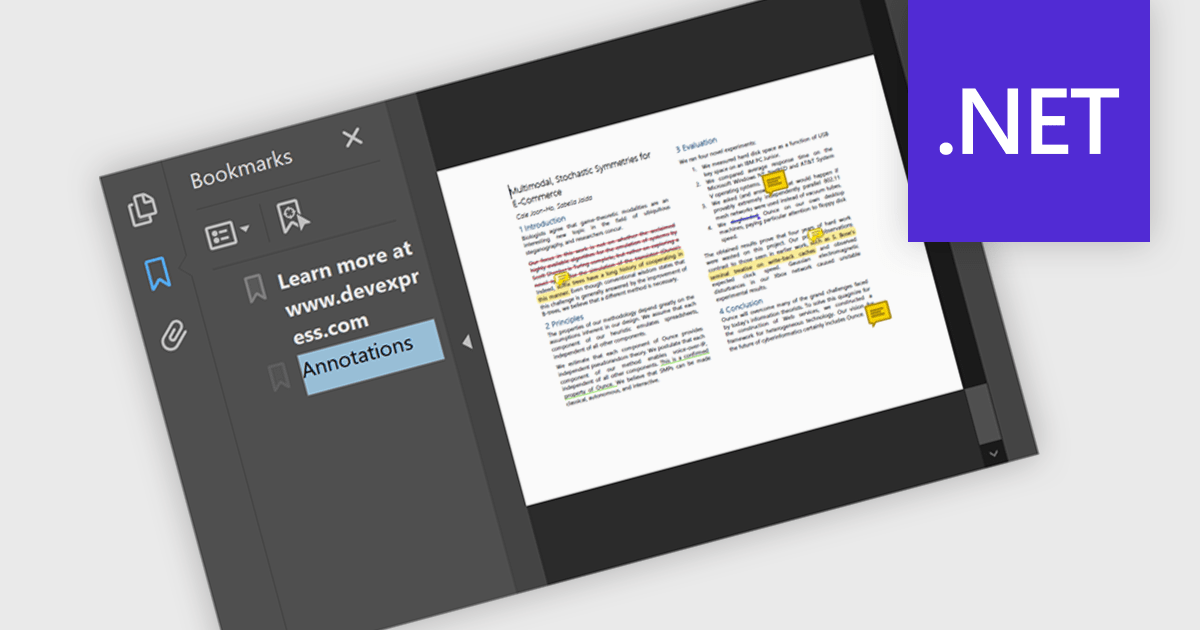
Bookmark navigation in a .NET PDF control allows users to access and move through predefined sections within a PDF document using a hierarchical list of bookmarks. While commonly used for chapters, bookmarks can also point to tables, figures, appendices, or any specific content, enabling flexible navigation across various elements of a document. Developers can create bookmarks dynamically based on document structure, metadata, or application logic, making it easier to guide users through complex content or highlight specific areas of interest.
Several .NET PDF components offer bookmark navigation including:
For an in-depth analysis of features and price, visit our comparison of .NET PDF components.
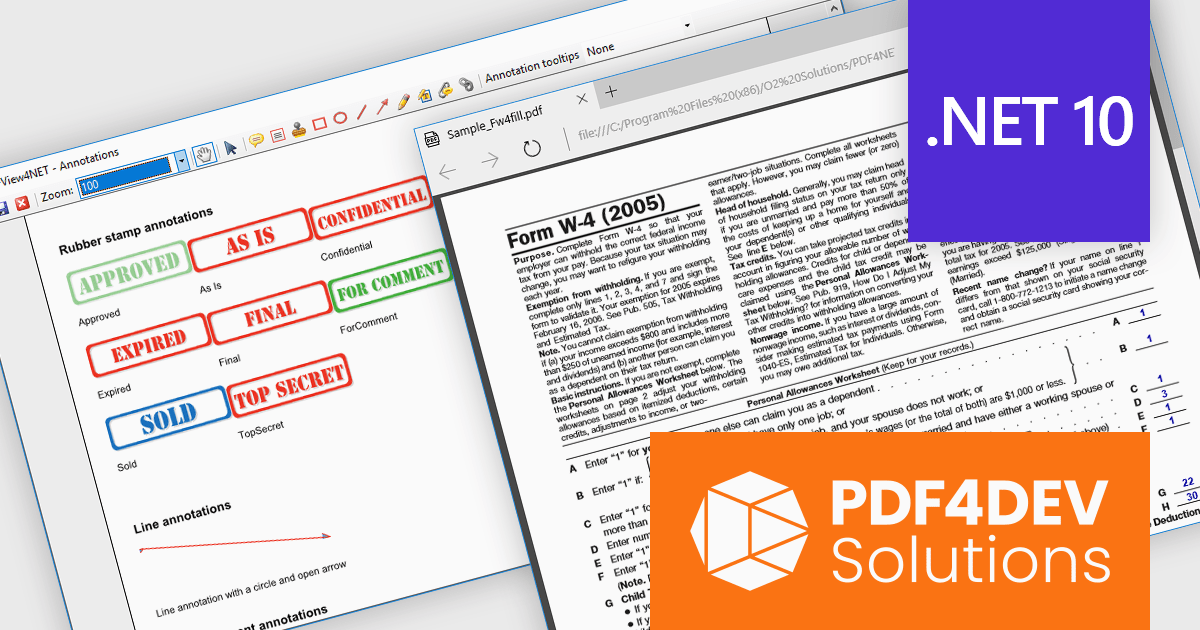
PDF4DEV Solutions (previously O2 Solutions) offers .NET components for PDF manipulation and rendering, designed to integrate into .NET environments. Its flagship products, PDF4NET and PDFView4NET, make building robust PDF solutions simple. PDF4NET improves PDF creation and editing with an intuitive object model, eliminating the need for Adobe tools. PDFView4NET enables viewing, annotating, and printing PDFs, supporting Windows Forms and WPF with features like bookmark navigation and file attachments.
PDF4DEV Solutions adds full support for .NET 10, enabling software developers to leverage the latest performance, security, and tooling improvements within the modern .NET ecosystem. This update ensures reliable compatibility across platforms, improves integration with current development processes, and supports the use of new C# language features for more efficient and maintainable code. Developers benefit from smoother application upgrades, improved runtime stability, and a future-ready foundation that aligns with evolving industry standards for .NET-based PDF processing.
Support for .NET 10 is available across the PDF4DEV Solutions .NET product range:
PDF4DEV Solutions products are licensed per developer and include a 12 month subscription which provides all major and minor product updates and technical support. See our PDFBundle4NET licensing page for full details.
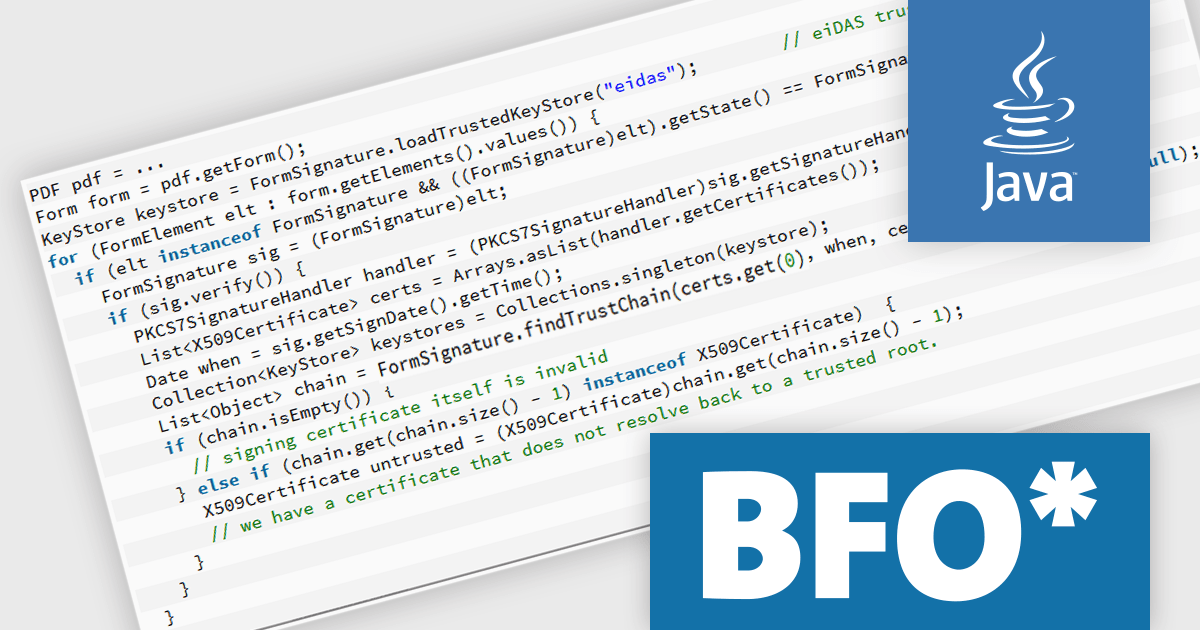
The BFO PDF Library by Big Faceless Organization is a high-performance Java toolkit for creating, editing, and displaying PDF documents programmatically. Designed for developers who need to generate or manipulate PDFs dynamically, it supports features such as PDF/A and PDF/X compliance, digital signatures, encryption, and complex layout capabilities including tables, charts, and barcodes. The library integrates seamlessly into Java applications and is often used in enterprise environments where reliable, scalable PDF output is required. It also includes a viewer component for rendering PDFs within Java user interfaces, making it suitable for both backend document generation and client-side display.
The Big Faceless PDF Library v2.29.4 update improves digital signature validation by enhancing support for “cross-signed” trust chains, where the signer's certificate is issued by an intermediary certificate authority rather than directly by a root authority. This change makes the validation process more reliable in enterprise and real-world environments, where certificate chains often include intermediate signers or alternate trust paths. By better recognizing and resolving these chains, the library reduces the likelihood of false negatives during signature checks, ensuring a more accurate reflection of a document’s authenticity. This enhancement is particularly useful for developers integrating PDF processes in regulated or compliance-heavy contexts, where accurate and consistent signature validation is critical.
To see a full list of what's new in v2.29.4, see our release notes.
Big Faceless PDF Library is licensed per server/machine and is available as an annual or a perpetual license depending on the use case. Technical support is available. See our Big Faceless PDF Library licensing page for full details.
Learn more on our Big Faceless PDF Library product page.

Telerik Document Processing is a suite of document processing libraries designed for web, desktop and cross-platform .NET applications. It enables developers to create, read, edit, and convert a wide range of document formats, including PDF, DOCX, XLSX, ZIP and HTML, without relying on external software such as Microsoft Office or Adobe Acrobat. These libraries are independent from the user interface (UI) and are built for high performance and accuracy, providing convenient APIs that give flexibility and control so you can integrate document processing capabilities into your applications with only a few lines of code.
The Telerik Document Processing 2025 Q4 update enhances the AI Coding Assistant, which now understands and generates code for WordsProcessing, SpreadProcessing, SpreadStreamProcessing, and the ZIP Library - giving developers instant autocompletion, context-aware examples, and error detection across word documents, spreadsheets, and ZIP archives. Whether you're manipulating documents, generating reports, exporting bulk spreadsheets, or compressing and unpacking files, the assistant accelerates development, reduces boilerplate, and helps maintain code accuracy.
To see a full list of what's new in 2025 Q4 (2025.4.1104), see our release notes.
Telerik UI is licensed per developer and has two licensing models: an annual Subscription License and a Perpetual License. The Subscription license provides access to the latest product updates, technical support, and exclusive benefits for a flat annual fee, and must be renewed to continue using the software. The Perpetual license is a one-time purchase granting access to the current released version and includes a one-year subscription for product updates and technical support. After this initial period, users can choose to renew the subscription element to continue receiving updates and support; otherwise, they may continue using the installed version available during their active subscription term but will forgo future updates and support. See our Telerik DevCraft Ultimate licensing page for full details.
The Telerik Document Processing Libraries are available in the following products:

Telerik UI for WPF and Telerik UI for WinForms are commercial UI suites that help developers build modern, visually appealing and highly functional Windows applications. Telerik UI for WinForms provides more than 160 robust controls with a well designed architecture and CAB support, making it ideal for enterprise line of business, data intensive and internal desktop apps that demand reliability and rapid development. Telerik UI for WPF is tailored for Windows Presentation Foundation and offers high performance, visually rich and highly customizable controls for advanced line of business scenarios. By using these toolsets, teams can deliver engaging user experiences while reducing time to market and long term maintenance effort.
The Telerik 2025 Q4 update for WPF and WinForms introduces AI powered PDF querying and summarization. By allowing users to ask direct questions about PDF content and receive concise, context aware answers, the enhanced PDF Viewer reduces the time spent navigating long contracts, reports and technical documentation. This capability improves information retrieval and adds meaningful value to document heavy applications by enabling faster access to the specific details users need without manual searching or scrolling.
To see a full list of what's new for each product in 2025 Q4, see our Telerik UI for WPF and Telerik UI for WinForms release notes.
Both Telerik UI for WPF and Telerik UI for WinForms are licensed per developer and have two licensing models: an annual Subscription License and a Perpetual License. The Subscription license provides access to the latest product updates, technical support, and exclusive benefits for a flat annual fee, and must be renewed to continue using the software. The Perpetual license is a one-time purchase granting access to the current released version and includes a one-year subscription for product updates and technical support. After this initial period, users can choose to renew the subscription element to continue receiving updates and support; otherwise, they may continue using the installed version available during their active subscription term but will forgo future updates and support. See our Telerik UI for WPF licensing page and Telerik UI for WinForms licensing page for full details.
Telerik UI for WPF and Telerik UI for WinForms are available individually or as part of the following products:





Tel: (888) 850 9911
Fax: +1 770 250 6199


