








Fornitore ufficiale
In qualità di distributori ufficiali e autorizzati, forniamo licenze software legittime direttamente da più di 200 autori di software.
Vedi tutte le nostre marche
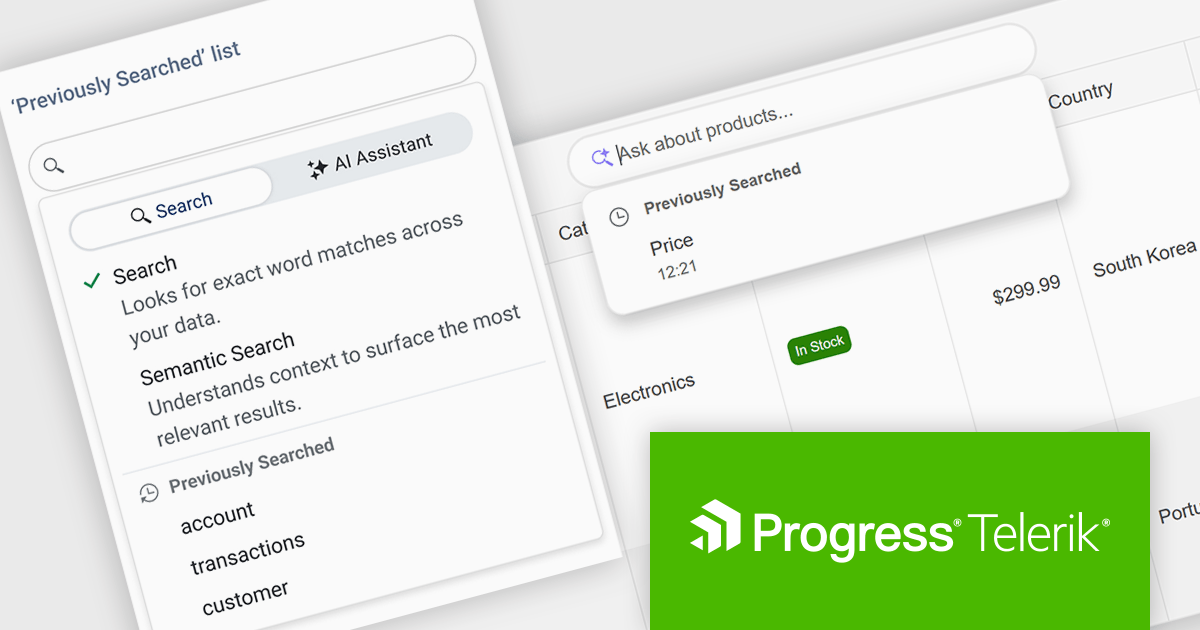
DevCraft by Telerik is a comprehensive AI-powered suite of more than 1,250 UI components and development tools designed for building modern web, desktop, and mobile applications using .NET and JavaScript frameworks. It includes reporting and report management solutions, automated testing and mocking tools, and document processing libraries, as well as a wide range of professionally designed user interface controls from the Telerik and Kendo UI suites. DevCraft enables developers to create feature-rich, high-performance applications with consistent design and user experience, delivering enterprise-level, scalable, and maintainable software solutions.
The Telerik DevCraft 2026 Q1 update adds Semantic Search through a new unified SmartBox, making it easier for developers to build natural language search directly into the DataGrid. Instead of depending on exact keyword matches, the feature uses artificial intelligence (AI) to understand meaning and context. It can return relevant results across multiple columns and related fields, even if the user’s search terms do not exactly match the stored data. The SmartBox brings semantic search, filtering, and follow-up query refinement together in one interface. This reduces the need to write and maintain custom search logic, while making integration more straightforward. As a result, applications can deliver more accurate search results, help users find information faster, and make large or complex datasets easier to explore.
To see a full list of what's new in DevCraft 2026 Q1, see our release notes.
Telerik DevCraft is licensed per developer and has two licensing models: an annual Subscription License and a Perpetual License. The Subscription license provides access to the latest product updates, technical support, and exclusive benefits for a flat annual fee, and must be renewed to continue using the software. The Perpetual license is a one-time purchase granting access to the current released version and includes a one-year subscription for product updates and technical support. After this initial period, users can choose to renew the subscription element to continue receiving updates and support; otherwise, they may continue using the installed version available during their active subscription term but will forgo future updates and support. See our Telerik DevCraft Ultimate licensing page for full details.
For more information, see our product pages:

CodeRush Ultimate helps developers deliver more features with higher quality in less time, by boosting productivity while eliminating the repetition that erodes creativity. It helps you create sophisticated code blocks in seconds and extend code templates instantly and will complete identifiers as you type and expand or contract selections logically.
In this blog post, DevExpress' Mark Miller demonstrates the NEW AIGen functionality in CodeRush Ultimate that addresses the critical factors of AI-assisted coding: speed and quality of the code response. With detailed examples - including sample code - he will take you through these powerful improvements, including:;
Read the complete blog and get started integrating AI Assistance into your everyday development.
CodeRush Ultimate is licensed per developer and is available as a Perpetual License with a 12 month support and maintenance subscription. See our CodeRush Ultimate licensing page for full details.
CodeRush Ultimate is available to buy in the following products:
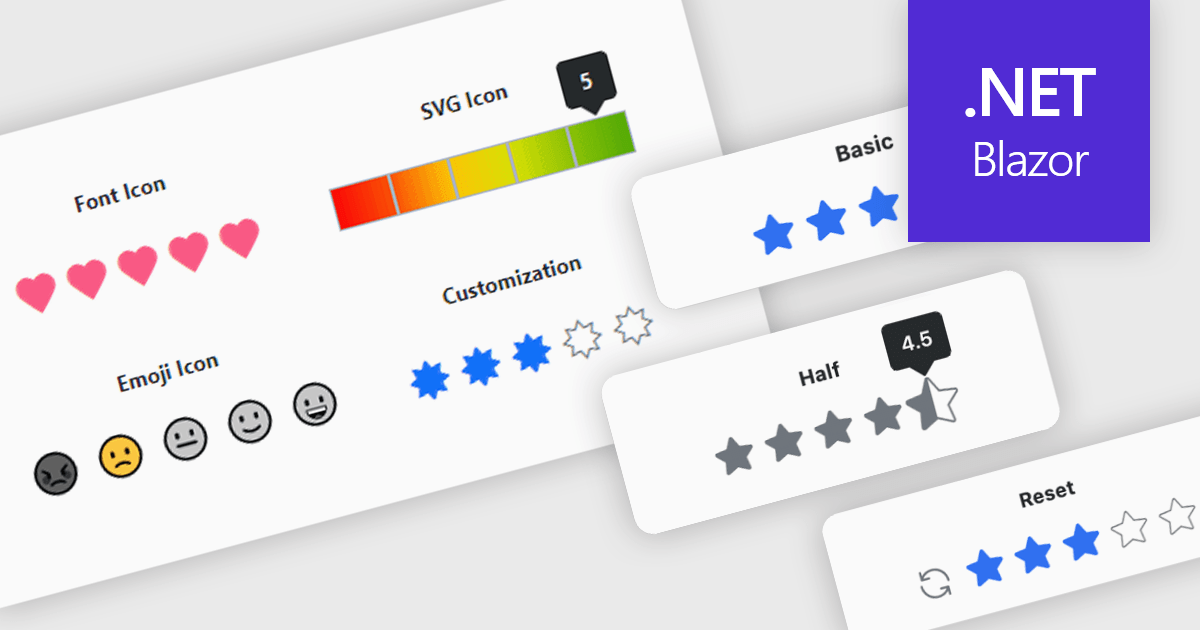
A rating feature in a data editor allows users to assign a value, typically through icon based controls such as stars or similar symbols, directly within a grid or form to evaluate related content. By transforming subjective opinions into structured, quantifiable data, rating components make feedback easy to capture, analyze, and display. This enhances user engagement and supports more informed decision making based on aggregated insights. Common use cases include rating products in ecommerce dashboards, evaluating service performance in internal business systems, scoring support tickets by priority or satisfaction, and assessing content quality within content management platforms.
Several Blazor data editor collections provide rating controls including:
For an in-depth analysis of features and price, visit our Blazor Data Editors comparison.
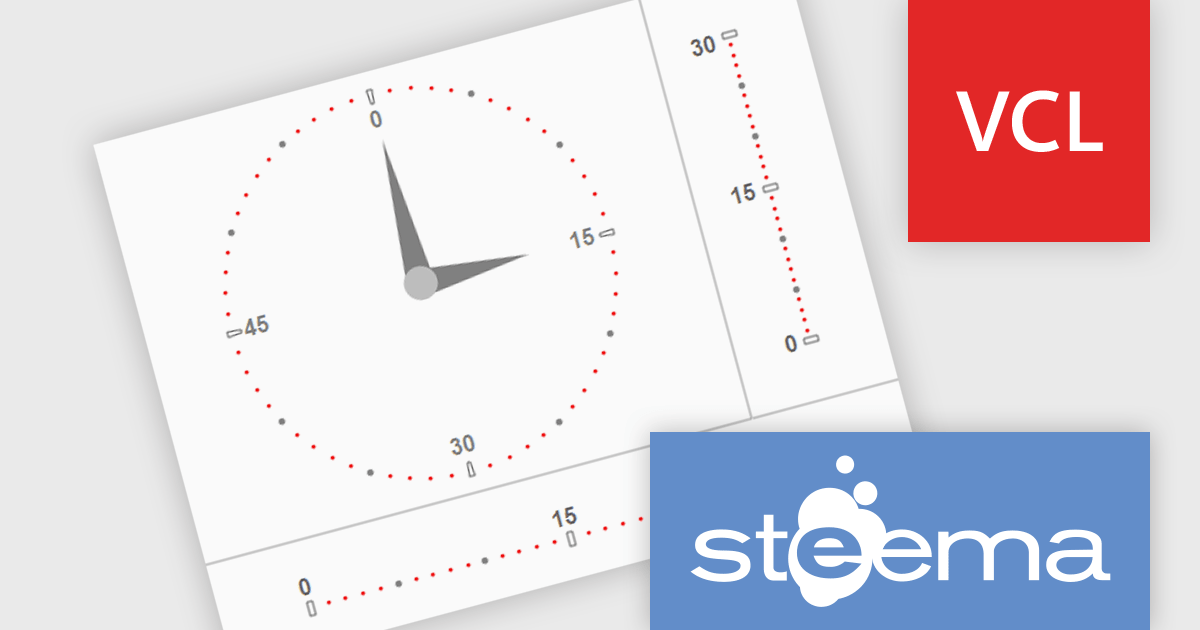
TeeChart VCL/FMX by Steema Software is a comprehensive charting library designed for Embarcadero's Delphi and C++Builder environments, supporting both the VCL (Visual Component Library) and FMX (FireMonkey) frameworks. It provides developers with a rich set of chart types, advanced data visualization tools, and interactive features to build visually compelling and data-intensive applications across Windows, macOS, iOS, and Android. With support for real-time charting, custom drawing, statistical functions, and export capabilities, TeeChart is tailored for high-performance applications that demand precise and dynamic chart displays.
The TeeChart VCL/FMX 2026 update now lets you display additional tick marks between existing minor ticks in both circular and linear gauges. With simple new properties to control their number and spacing, you can present more detailed measurement intervals without complicating your design. This makes gauges clearer and more informative, especially in dashboards and monitoring applications where precision matters.
To see a full list of what's new in 2026, see our release notes.
TeeChart VCL/FMX is licensed per developer and includes a one year subscription for minor and major updates plus access to technical support. Priority support is also available. See our TeeChart VCL/FMX licensing page for full details.
TeeChart VCL/FMX is available in the following editions:
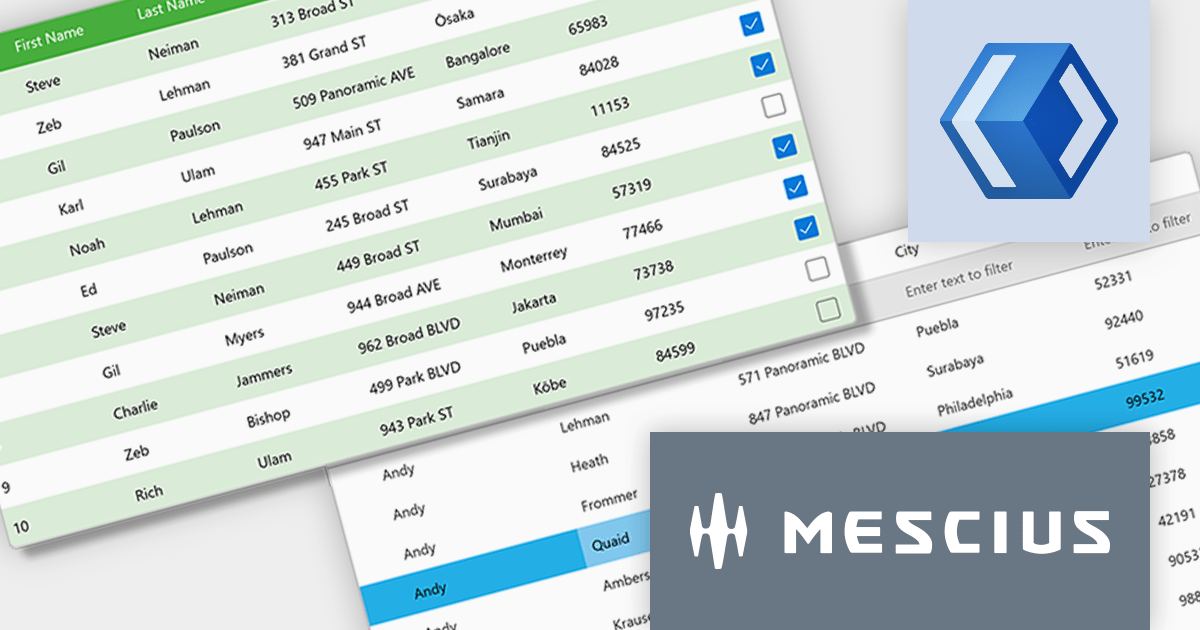
ComponentOne WinUI and MAUI Edition (formerly ComponentOne Studio for WinUI & MAUI) provides components for the latest cross-platform .NET applications. Offered as a single WinUI & MAUI license, you can build apps with ComponentOne controls for WinUI, MAUI, UWP, and Xamarin.
In this blog post, MESCIUS' Greg Lutz demonstrates tips and tricks you can utilize to transition your WinForms apps to WinUI by highlighting key differences like MVVM, adaptive layouts, async workflows, and sandboxed file access. He explores five key areas:
Sample code is included to help you get started.
Read the full blog to learn the tips and techniques to move into WinUI development.
ComponentOne Studio WinUI and MAUI is licensed per developer on a perpetual basis and includes a 12 month subscription. See our ComponentOne Studio WinUI and MAUI licensing page for full details.
Learn more on our ComponentOne Studio WinUI and MAUI product page.





Tel: (888) 850 9911
Fax: +1 770 250 6199


