서피스 차트로 데이터 인사이트를 공개하세요
직관적인 3D 시각화를 WPF 애플리케이션에 추가하여 복잡한 데이터 상호작용을 이해할 수 있도록 도와주세요.
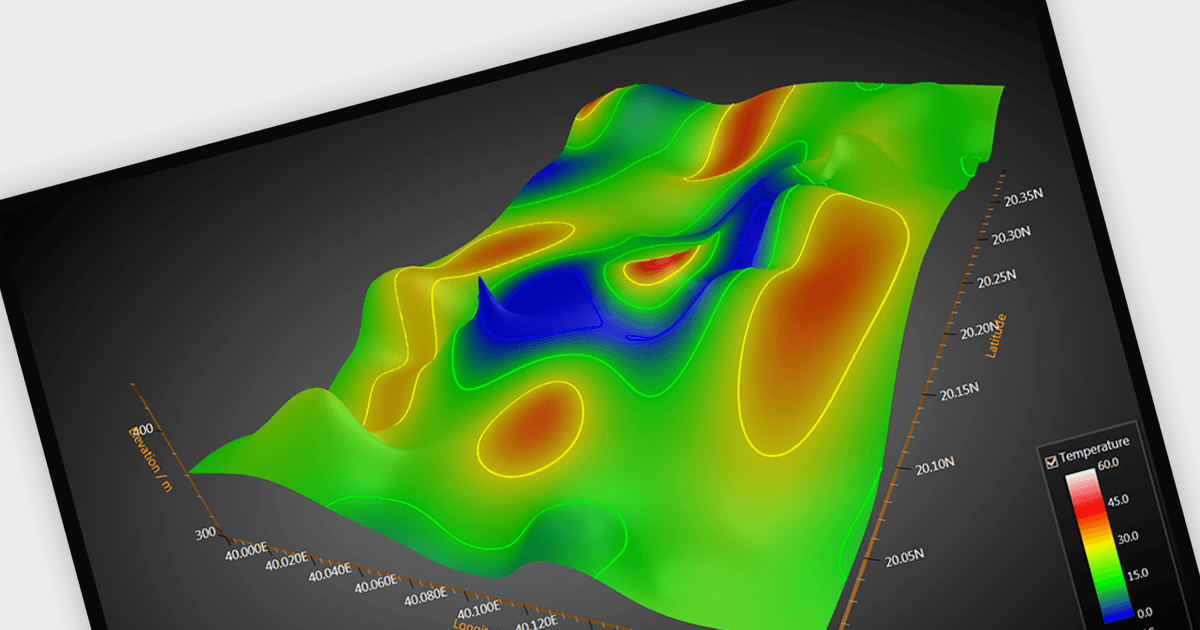
서피스 차트(Surface chart)는 2차원 형식으로 3차원 데이터를 표현하는 그래픽 표현입니다. 일반적으로 행과 열의 그리드를 사용합니다. 이러한 차트는 두 개의 독립 변수(보통 X축과 Y축에 표시됨)가 표면의 높이 또는 색상으로 표현되는 종속 변수에 어떤 영향을 미치는지 시각적으로 보여줍니다. 서피스 차트의 주요 이점은 데이터셋 내의 복잡한 관계를 파악할 수 있게 해, 분석가와 의사결정자가 패턴과 추세를 더 쉽게 이해하도록 돕는 데 있습니다. 서피스 차트는 과학 연구, 공학, 금융 및 그 밖의 다양한 분야에서 데이터를 분석하는 데 유용한 도구를 제공합니다.
여러 WPF 차트 컨트롤에서 서피스 차트를 지원합니다. 예:
- DevExpress WPF Chart (DevExpress WPF의 일부)는 부드러운 그라데이션, 인터랙티브 회전, 그리고 무한한 커스터마이징 옵션을 사용하여 서피스 차트를 만들 수 있게 해줍니다.
- ComponentOne Charts for WPF (MESCIUS의 ComponentOne Studio WPF의 일부)는 커스터마이징 가능한 그라데이션, 회전, 조명을 갖춘 인터랙티브 3D 서피스 차트를 제공합니다.
- LightningChart .NET은 서피스 차트를 사용해 데이터 지형을 조각하듯 다듬고, 숨겨진 패턴을 찾아내며, 인터랙티브 회전, 줌, 커스터마이징 옵션으로 개인화할 수 있게 해줍니다.
- Infragistics WPF Charts (Infragistics Ultimate UI for WPF의 일부)는 다차원 데이터를 시각적으로 매력적인 서피스 차트로 변환할 수 있게 해줍니다.
- Syncfusion WPF Chart (Syncfusion Essential Studio Enterprise의 일부)는 커스터마이징 가능한 셰이딩, 조명, 회전을 제공하며, 몰입감 있는 3D 서피스 차트를 제공합니다.
기능과 가격에 대한 심층 분석을 보려면 WPF 차트 컨트롤 비교를 방문하세요.