React 스프레드시트 스파크라인으로 추세 강조
스프레드시트 셀 안에 컴팩트한 차트를 삽입하여 중요한 인사이트를 시각적으로 강조하고 데이터 해석을 간단하게 만드세요.
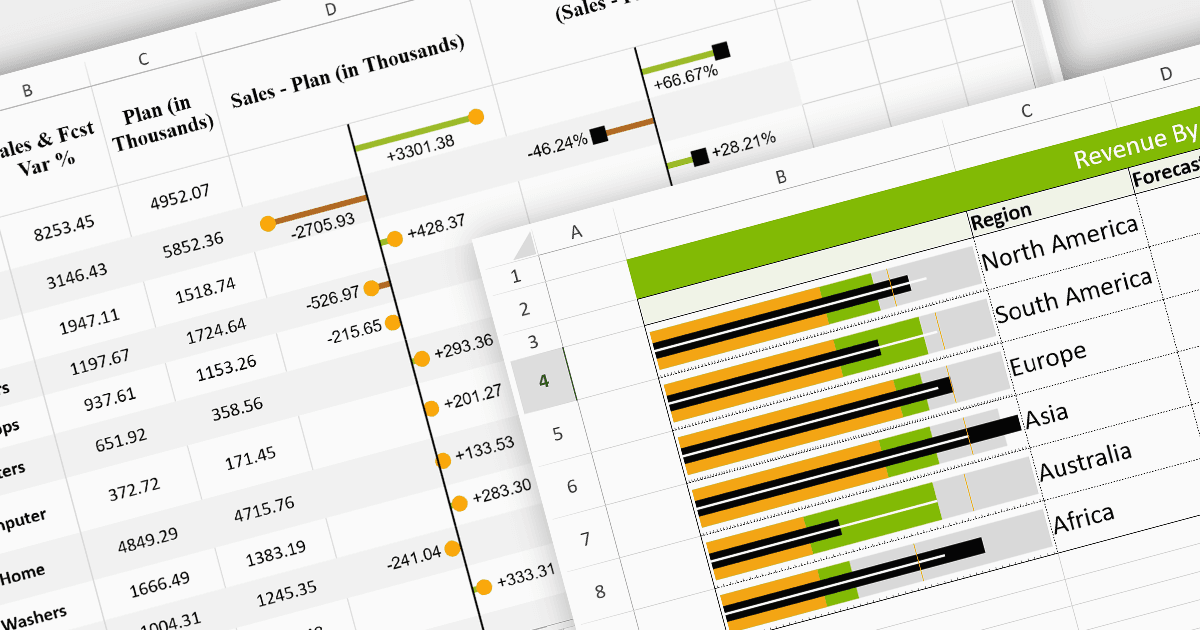
스파크라인은 스프레드시트의 셀 안에 포함되는 미니어처 차트입니다. 컴팩트한 크기 덕분에 화면 공간을 소중히 절약하면서도 대규모 데이터셋에서 추세와 패턴을 밀도 높게 시각화할 수 있습니다. 해당 데이터 바로 옆에 배치되므로 즉각적인 비교와 인사이트를 제공하여 이해와 커뮤니케이션을 향상시킵니다. 또한 유연한 특성 덕분에 라인으로 추세를 강조하는 차트부터 컬럼으로 비교를 보여주는 차트까지 다양한 차트 유형에 적용할 수 있어 여러 데이터 표현 방식에 맞게 조정 가능합니다.
다음은 스파크라인 기능을 제공하는 일부 React 스프레드시트 컨트롤입니다:
- SpreadJS by MESCIUS는 React를 완벽하게 지원하는 강력한 JavaScript 스프레드시트 솔루션으로, 추세와 데이터 패턴을 효율적으로 시각화하기 위한 동적 스파크라인 차트를 제공합니다.
- Jspreadsheet Pro는 즉각적인 인사이트를 얻기 위한 스파크라인 차트를 제공하는 고급 데이터 그리드 솔루션으로, 간결한 데이터 시각화를 위해 추세, 예외, 비교에서 통찰을 빠르게 파악할 수 있습니다.
- Infragistics Spreadsheet React (Infragistics Ignite UI의 일부)는 셀 안에서 라인, 에어리어, 컬럼, 윈로스 스파크라인을 렌더링할 수 있어 데이터 분석 역량을 강화합니다.
기능과 가격에 대한 심층 분석은 React 스프레드시트 컨트롤 비교 페이지를 방문하세요.