WPF 애플리케이션에서 진행 상황을 손쉽게 시각화
불릿 그래프는 여러 지표를 결합해 성과를 측정하는, 작고 쉽게 이해할 수 있는 데이터 시각화 방법을 제공합니다.
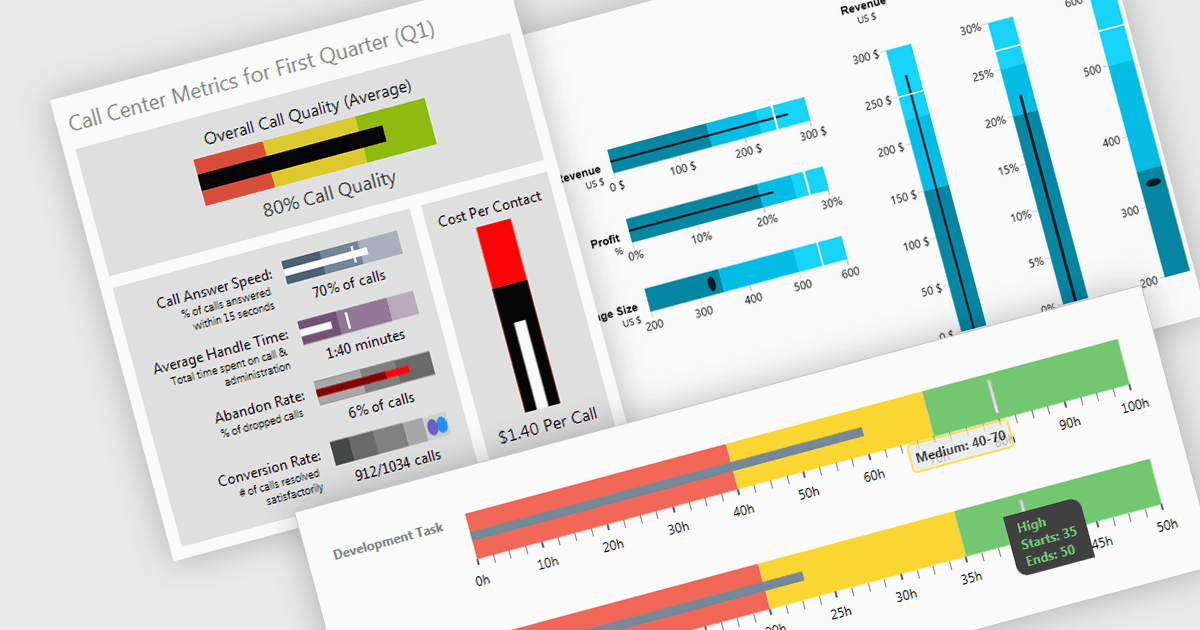
불릿 차트(또는 불릿 그래프)는 목표와 관련된 핵심 성과 지표를 효과적으로 전달하는 간소화된 막대형 차트입니다. 주요 값 하나의 막대를 제공하며, 그 위에 음영 처리된 구간(예: "나쁨," "보통," "좋음")을 겹쳐 정성적 범위를 나타내고, 목표를 표시하는 선을 함께 포함합니다. 이러한 미니멀한 디자인은 성과를 한눈에 명확하게 평가할 수 있게 해 주며, 공간이 제한되어 있고 필수 지표에 집중하는 것이 무엇보다 중요한 대시보드 및 보고서에 특히 적합합니다.
여러 WPF 차트 구성 요소에서 불릿 그래프를 지원합니다:
- Telerik WPF Chart (Telerik UI for WPF의 일부)는 완전히 사용자 지정 가능한 불릿 그래프 구성 요소를 제공하여, 성과 추적을 쉽게 이해할 수 있도록 돕습니다.
- Actipro Micro Charts for WPF (Actipro Software 제공)는 성과 시각화를 위한 컴팩트한 불릿 그래프를 제공하며, 대시보드나 요약 보고서에 임베딩하기에 이상적입니다.
- Infragistics WPF Charts (Infragistics Ultimate UI for WPF의 일부)는 불릿 그래프를 통해 정성적 범위와 목표를 표시하여 진행 상황을 효과적으로 분석할 수 있게 해 줍니다.
- Syncfusion WPF Chart (Syncfusion Essential Studio Enterprise의 일부) 역시 불릿 그래프를 지원하며, 간결하고 명확한 형식으로 벤치마크 대비 진행 상황을 모니터링할 수 있습니다.
기능과 가격에 대한 자세한 분석은 WPF 차트 구성 요소 비교 페이지를 방문하세요.