PDF 문서에서 콘텐츠를 빠르게 찾기
애플리케이션이 PDF 파일에서 특정 텍스트를 찾아내고 추출할 수 있도록 하세요. 탐색, 유효성 검사, 데이터 추출 등 어떤 용도든 가능합니다.
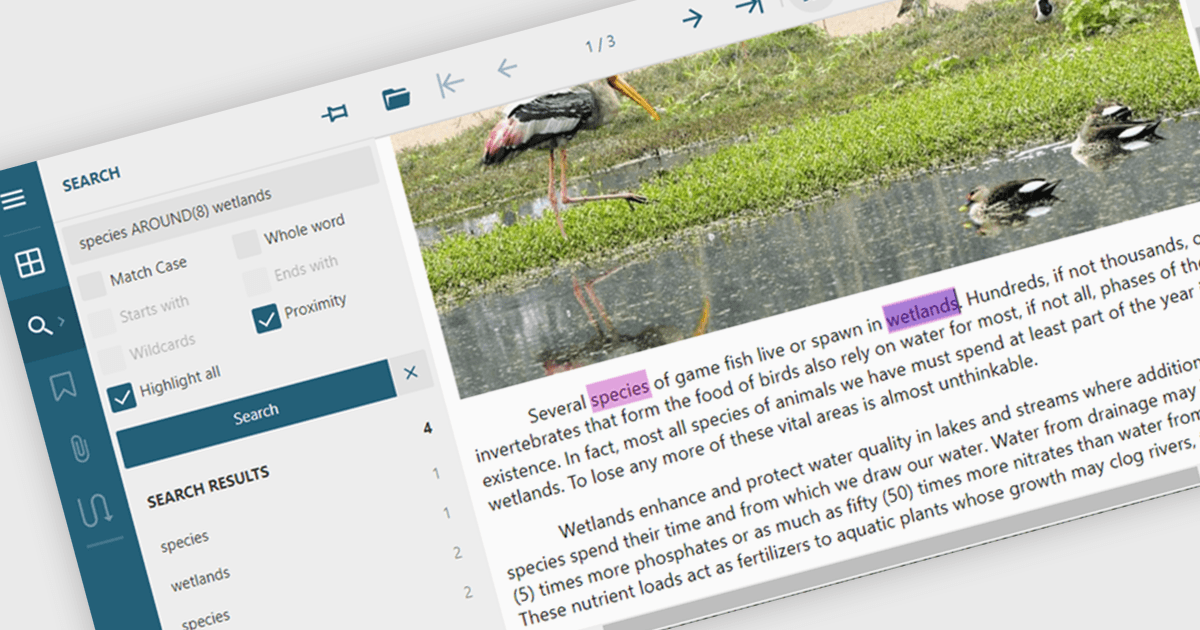
PDF 구성 요소에서의 텍스트 검색이란, 특정 검색 기준에 따라 PDF 문서 내에서 텍스트를 프로그래밍 방식으로 찾아내고 추출할 수 있는 기능을 의미합니다. 이 기능은 일반적으로 대/소문자 구분, 전체 단어 일치, 정규식을 지원하여 페이지 또는 문서 섹션 전반에 걸친 정밀한 쿼리를 가능하게 합니다. 개발자 관점에서는 키워드 강조 표시, 문서 인덱싱, 콘텐츠 유효성 검사, 자동화된 검열(레닥션) 워크플로 같은 기능을 구축하는 데 도움이 됩니다. 텍스트 검색을 통합함으로써 애플리케이션은 수동 검토 없이도 PDF 콘텐츠와 효율적으로 상호 작용할 수 있어 시간 절약은 물론, 비즈니스 및 문서 자동화 시스템 전반에서 데이터의 접근성과 정확성을 향상시킬 수 있습니다.
여러 ASP.NET Core PDF 구성 요소를 사용하면 PDF 파일 내에서 텍스트를 검색할 수 있으며, 예를 들면:
- Document Solutions for PDF by MESCIUS를 사용하면 대/소문자 구분 텍스트 검색을 수행하여 정확한 콘텐츠 처리가 가능합니다.
- Telerik UI PDF for ASP.NET Core (part of Telerik UI for ASP.NET Core)에서는 검색 API를 사용해 PDF 파일 내에서 텍스트를 찾아낼 수 있습니다.
- Syncfusion ASP.NET Core PDF (part of Syncfusion Essential Studio Enterprise)에서는 PDF에서 텍스트 추출과 키워드 검색을 지원합니다.
기능과 가격에 대한 자세한 분석은 ASP.NET Core PDF 구성 요소 비교 페이지를 방문하세요.