Visualize Data with Interactive Diagrams
조직도와 워크플로 같은 복잡한 구조를 쉽고 직관적으로 업데이트하며 이해할 수 있는 명확하고 역동적인 시각 자료로 바꿔보세요.
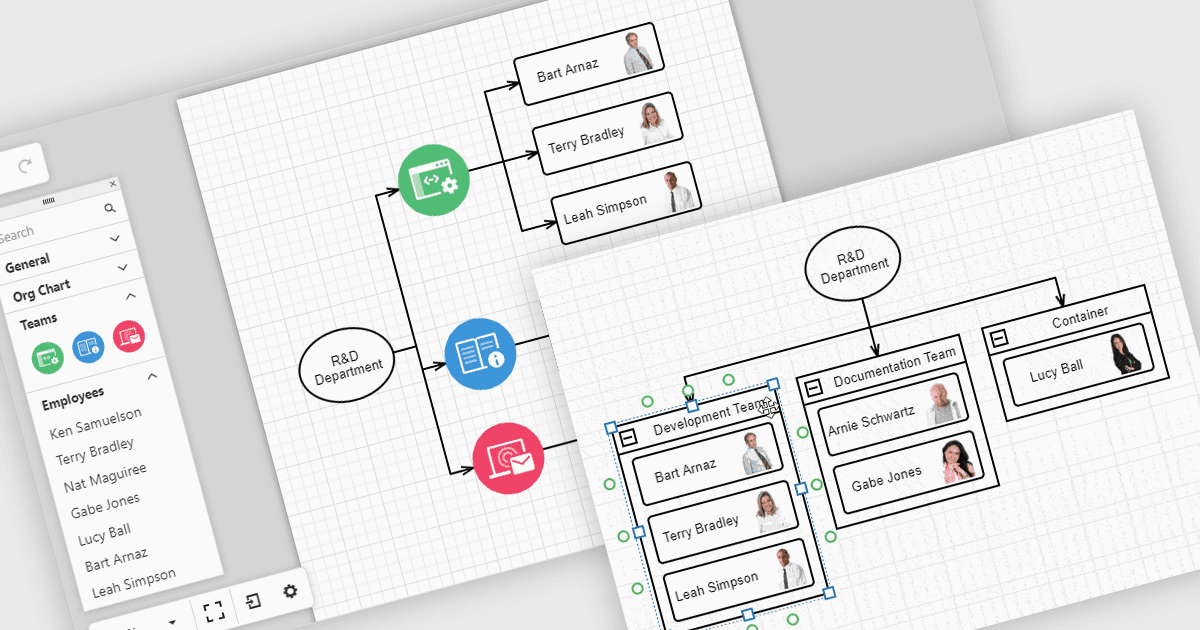
UI 툴킷의 다이어그램은 복잡한 데이터를 팀이 쉽게 이해하고 상호작용할 수 있는 시각 자료로 바꿔줍니다. 예를 들어, 조직도는 HR 데이터에서 자동으로 업데이트할 수 있는 레이아웃을 통해 회사 구조와 보고 라인을 보여줍니다. 이 차트는 드래그 앤 드롭 도구로 확장, 축소 또는 재구성할 수 있어 팀 간의 관계를 더 쉽게 파악하고 정보를 최신 상태로 유지할 수 있습니다. 다이어그램은 워크플로, 의사결정 트리, 네트워크 맵에도 사용할 수 있어 팀이 정보를 제시하고 관리하는 데 있어 명확하고 유연한 방식을 제공합니다.
여러 React UI 제품군에서는 다음과 같은 다이어그램 컨트롤을 제공합니다:
- DevExtreme Complete by DevExpress를 사용하면 반응형 레이아웃으로 조직도, 프로세스 플로, 네트워크 구조를 포함한 인터랙티브 다이어그램을 만들 수 있습니다.
- SmartClient by Isomorphic Software는 계층형 조직도, 의사결정 트리, 워크플로 시각화 등을 지원하는 고급 다이어그램 작성 기능을 제공합니다.
- Syncfusion Essential Studio Enterprise를 사용하면 데이터 바인딩, 자동 레이아웃, 다양한 엔터프라이즈 애플리케이션을 위한 인터랙티브 편집 기능으로 풍부한 다이어그램을 만들 수 있습니다.
기능과 가격에 대한 자세한 분석은 React UI 제품군 비교를 방문하세요.