셀 안의 간결한 비주얼로 트렌드 감지하기
스파크라인을 통해 스프레드시트 데이터를 간결하게 파악하고, 트렌드를 드러내며 핵심 포인트를 강조하고 의미 있는 비교를 더 쉽게 만들어 보세요.
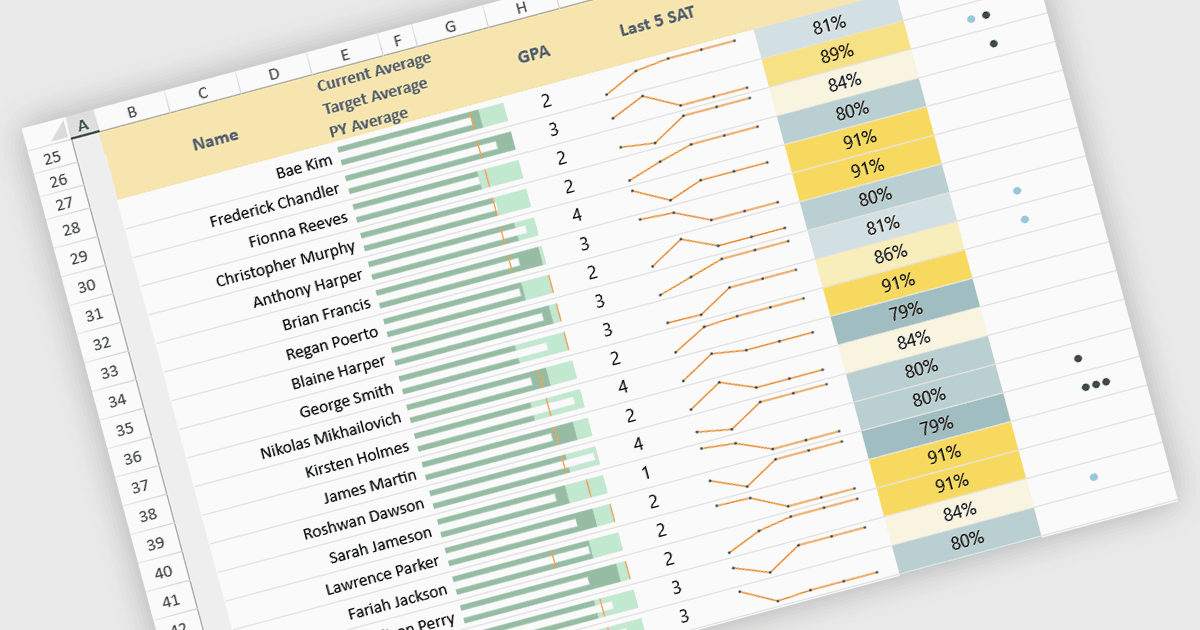
스프레드시트의 스파크라인은 전체 크기의 그래프 없이도 데이터 흐름의 핵심을 간결하게 시각적으로 요약해 주는 작은 셀 내 차트입니다. 이를 통해 사용자는 성장, 하락, 변동성과 같은 패턴을 빠르게 파악할 수 있으며, 복잡한 정보를 한눈에 더 쉽게 이해하도록 돕습니다. 스파크라인은 기본 데이터와 함께 자동으로 업데이트되므로 실시간 분석을 개선해 주고, 대시보드, 성과 추적, 재무 보고에 이상적입니다. 일반적인 사용 사례로는 월간 매출 성과 모니터링, 제품 트렌드를 나란히 비교, 운영 지표의 이상 징후 포착, 명확하고 공간 효율적인 시각적 맥락으로 경영진 요약을 강화하는 것 등이 있습니다.
여러 JavaScript 스프레드시트 컨트롤이 스파크라인 기능을 제공합니다:
- SpreadJS by MESCIUS를 사용하면 스프레드시트에 동적 스파크라인을 삽입할 수 있어, 트렌드 시각화가 명확해지고 실시간 인사이트를 제공하며, 간결한 데이터 보고 기능을 갖출 수 있습니다.
- Infragistics Ultimate UI for jQuery Excel Library (Infragistics Professional의 일부)는 스프레드시트 스파크라인을 만들어 트렌드를 시각화하고 지표를 강조하는 데 도움을 줍니다.
- Jspreadsheet Pro는 스프레드시트에 반응형 스파크라인을 손쉽게 추가할 수 있게 해 주며, 빠른 트렌드 인식, 향상된 보고, 그리고 데이터셋 전반의 직관적인 비교를 가능하게 합니다.
기능과 가격에 대한 심층 분석은 JavaScript 스프레드시트 컨트롤 비교를 참고하세요.