박스 플롯 차트로 데이터 분포 설명하기
React 차트 컨트롤은 사분위수, 중앙값, 이상치를 시각화하는 데 도움이 되어, 대시보드와 애플리케이션에서 통계 데이터를 더 쉽게 분석할 수 있게 해줍니다.
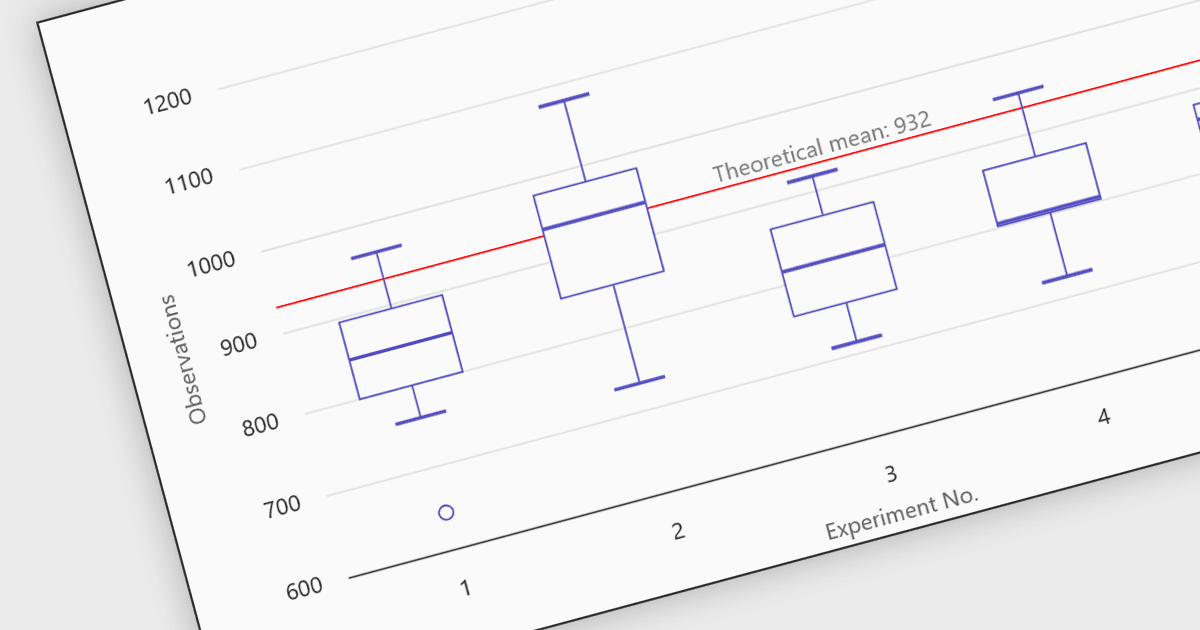
React 차트 컨트롤의 박스 플롯은 최소값, 1사분위수(Q1), 중앙값, 3사분위수(Q3), 최대값을 포함한 주요 요약 값을 강조하여 데이터셋의 분포를 보여주는 통계적 시각화입니다. React 애플리케이션에서 차트 컴포넌트는 이 정보를 사분위 범위를 나타내는 직사각형 상자로 렌더링하며, 최소값과 최대값까지 뻗는 whiskers라고 불리는 선과 이상치를 나타내는 선택적 마커를 포함합니다. 이 시각화는 개발자와 분석가가 데이터의 분포, 중심 경향, 변동성을 데이터셋 내에서 빠르게 이해할 수 있게 해줍니다. 박스 플롯은 React로 구축된 분석 대시보드, 금융 분석 도구, 과학 애플리케이션에서 흔히 사용되며, 여러 데이터 그룹 간의 분포를 비교하고 이상 징후를 식별하는 것이 중요할 때 유용합니다.
많은 React 차트 컨트롤이 다음을 포함한 박스 플롯을 지원합니다:
- Highcharts Core by Highsoft는 React에서 박스 플롯 차트를 사용해 사분위수, 중앙값, 범위, 이상치를 강조하면서 통계적 분포를 시각화할 수 있게 해줍니다.
- KendoReact Charts (Telerik의 KendoReact의 일부)는 React에서 박스 플롯 시각화를 렌더링할 수 있게 하며, 사분위 범위, 중앙값, 극값을 명확하게 보여줍니다.
- amCharts 5: Charts는 React 환경에서 고급 박스 플롯 시각화를 지원하여 개발자가 분포 패턴, 사분위수, 이상 징후를 효과적으로 살펴볼 수 있게 합니다.
- ZingChart는 React 애플리케이션 내에서 박스 플롯 차트를 만들 수 있게 하며, 사분위수, 중앙값, 범위, 이상치를 포함한 통계 요약을 제공합니다.
기능과 가격에 대한 자세한 분석은 React 차트 컨트롤 비교를 방문하세요.