이산적인 값 변화가 있는 차트 표시
시간이 지남에 따라 안정적인 값 사이의 전환을 강조하는 스텝 라인 차트로 Vue.js 애플리케이션의 데이터 시각화를 개선하세요.
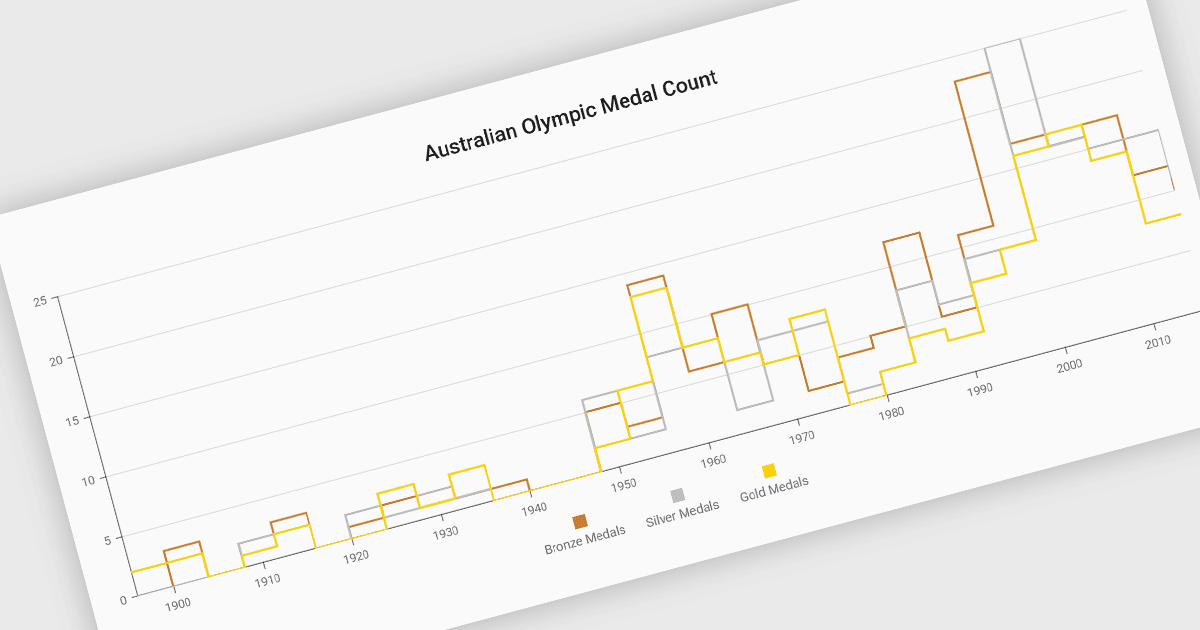
스텝 라인 차트는 데이터 포인트 간의 변화를 대각선이 아닌 수평 및 수직 세그먼트의 연속으로 표시하는 라인 차트의 변형입니다. 이 구조는 값 사이의 개별적인 전환을 강조하여 변경이 언제 발생하는지, 그리고 다음 업데이트 전까지 값이 얼마나 오랫동안 일정하게 유지되는지를 더 쉽게 보여줍니다. 스텝 라인 차트는 가격 구간, 시스템 상태, 구성 임계값처럼 특정 시점에 값이 변하는 프로세스를 나타내는 데 유용합니다. 안정적인 기간과 변경 지점을 명확히 구분함으로써, 이 차트 유형은 개발자와 분석가가 상태 기반 또는 이벤트 기반 데이터를 더 높은 정밀도로 해석하는 데 도움을 줍니다.
다음과 같은 여러 Vue.js 차트 구성 요소가 스텝 라인 차트 유형을 지원합니다:
- DevExtreme Vue Chart (DevExpress의 DevExtreme Complete 일부)는 마커와 툴팁이 있는 수평 세그먼트와 수직 전환을 렌더링하는 스텝 라인 시리즈를 제공합니다.
- Wijmo Vue Chart (FlexChart) (MESCIUS의 Wijmo 일부)는 Vue 애플리케이션을 위해 계단식 수평 및 수직 세그먼트를 렌더링하는 스텝 차트 옵션을 포함합니다.
- Highcharts Core by Highsoft는 왼쪽, 오른쪽 또는 가운데 스텝 옵션이 있는 라인 시리즈를 제공하여 개발자가 전환이 데이터 포인트와 어떻게 정렬되는지 제어할 수 있게 합니다.
- Kendo UI Vue Charts (Telerik의 Kendo UI 일부)는 사용자 지정 가능한 스타일과 툴팁을 갖춘 구성 가능한 라인 시리즈 설정을 통해 스텝 라인 시각화를 지원합니다.
기능과 가격에 대한 심층 분석은 Vue.js 차트 구성 요소 비교를 방문해 보세요.