













공식 공급 업체
200 이상의 소프트웨어 개발처와 판매 계약을 맺은 공인 디스트리뷰터로서 합법적인 라이선스를 제공합니다.
모든 브랜드 보기.
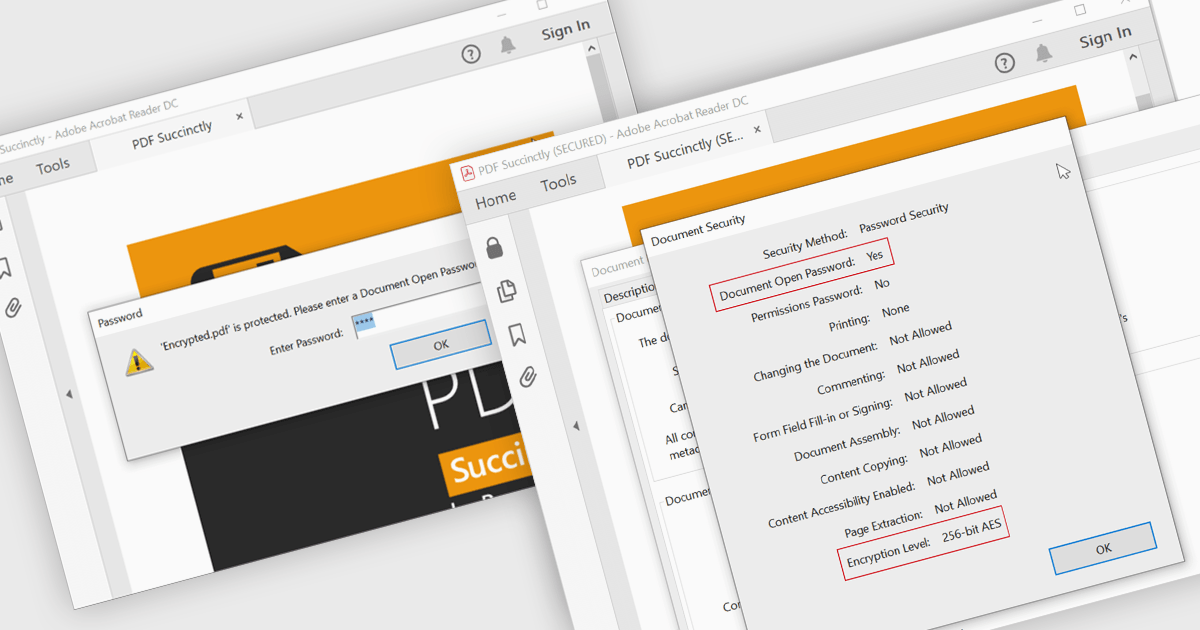
Encrypting and decrypting PDFs protect sensitive information by preventing unauthorized access, data breaches, and cyber threats. With strong encryption, password protection, and role-based access control, it ensures document confidentiality while allowing secure sharing and controlled modifications. Decryption enables authorized users to access protected files without compromising security. Essential for businesses, legal firms, and financial institutions, it safeguards contracts, financial records, and proprietary data while ensuring compliance with data protection regulations.
Several .NET WPF PDF controls offer encryption and decryption support including:
For an in-depth analysis of features and price, visit our .NET WPF PDF controls comparison.
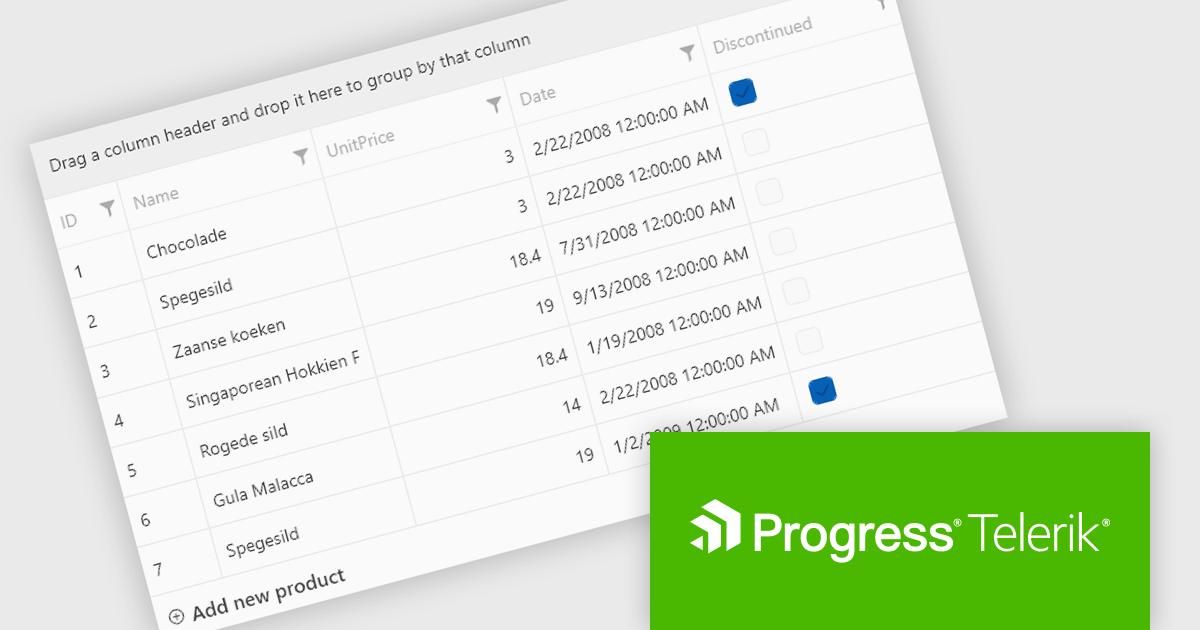
Telerik UI for WPF is a robust suite of over 150 user interface components designed for Windows Presentation Foundation, enabling developers to build modern, high-performance desktop applications. It includes controls like data grids, charts, schedulers, and editors, optimized for seamless integration and support for MVVM (Model-View-ViewModel) patterns. With features like built-in theming, responsive layouts, and customizable styling, it simplifies the creation of visually appealing, intuitive interfaces. Ideal for enterprise-grade or consumer-facing apps, Telerik UI for WPF accelerates development while ensuring professional-quality results.
The Telerik UI for WPF 2025 Q1 (2025.1.211) update enhances RadGridView with a new filtering mode that supports complex expressions, providing developers with greater control and precision when working with data. This feature introduces an intuitive Filter Editor that combines a clear Data Filter View for visualizing applied criteria with the powerful RadDataFilter control for adding, editing, and managing filters. Key usability enhancements, such as optional wrapping for readability, quick enable/disable options for filters, and streamlined access to editing tools, make it easier to implement dynamic, customizable filtering experiences in applications, empowering developers to deliver highly responsive and user-centric interfaces.
To see a full list of what's new in 2025 Q1, see our release notes.
Telerik UI for WPF is licensed per developer and has two licensing models: an annual Subscription License and a Perpetual License. The Subscription license provides access to the latest product updates, technical support, and exclusive benefits for a flat annual fee, and must be renewed to continue using the software. The Perpetual license is a one-time purchase granting access to the current released version and includes a one-year subscription for product updates and technical support. After this initial period, users can choose to renew the subscription element to continue receiving updates and support; otherwise, they may continue using the installed version available during their active subscription term but will forgo future updates and support. See our Telerik UI for WPF licensing page for full details.
Telerik UI for WPF is available individually or as part of the following products:
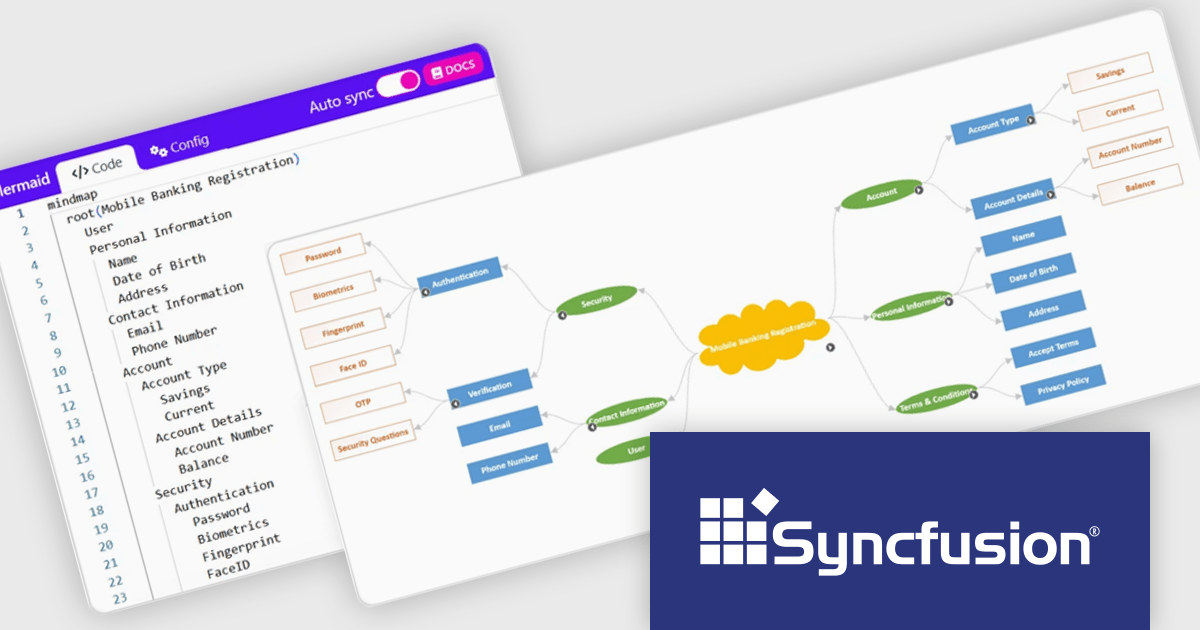
Syncfusion Essential Studio WPF (available as part of Syncfusion Essential Studio Enterprise) is a powerful suite of over 95 UI controls, 50+ charts, and document processing libraries designed to boost the development of high-performance line-of-business applications for the Windows Presentation Foundation (WPF) framework. With built-in themes, touch-friendly interfaces, and seamless Visual Studio integration, it empowers developers to craft modern, feature-rich, and cross-platform experiences with ease.
The Syncfusion Essential Studio WPF 2024 Volume 4 update introduces support for importing and exporting mind maps and flowcharts using Mermaid syntax, providing developers with a streamlined way to define, edit, and visualize diagrams through a simple text-based language. This feature enables seamless integration with AI-assisted tools for generating Mermaid syntax, enhances cross-platform compatibility for sharing and editing diagrams, and simplifies the process of creating dynamic visualizations within WPF applications. By leveraging this update, developers can efficiently incorporate diagramming capabilities into their workflows and applications with minimal overhead.
To see a full list of what's new in 2024 Volume 4, see our release notes.
Syncfusion Essential Studio WPF is available as part of Syncfusion Essential Studio Enterprise which is licensed per developer starting with a Team License of up to five developers. It is available as a 12 Month Timed Subscription License which includes support and maintenance. See our Syncfusion Essential Studio Enterprise licensing page for full details.
Learn more on our Syncfusion Essential Studio WPF product page.
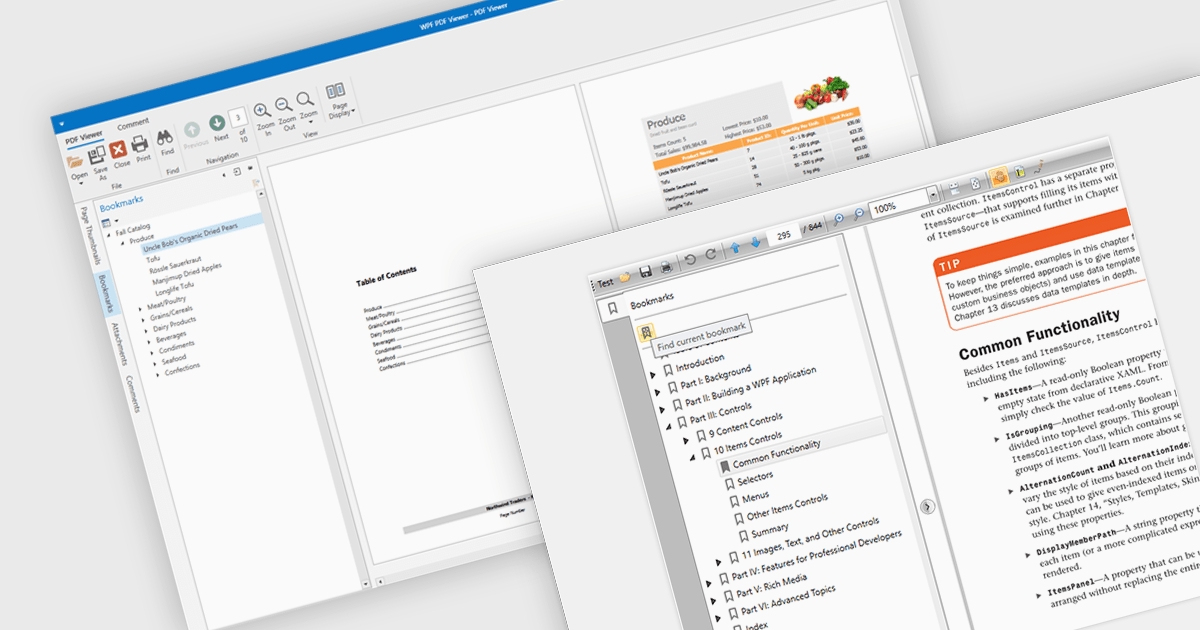
Bookmark navigation in a PDF viewer enhances the user experience by allowing quick access to specific sections within a document. This feature enables users to navigate through large PDFs efficiently by leveraging a predefined structure of bookmarks, which often correspond to headings or key sections. It improves the usability of the viewer by eliminating the need for manual scrolling or searching, making it easier to locate specific content within the document. Navigating via bookmarks is particularly beneficial for documents with complex structures, such as technical manuals, reports, and e-books, where streamlined access to key information enhances productivity and readability. By integrating bookmark support, developers can ensure that their applications provide a seamless way to jump between sections without manually scrolling or searching.
Several WPF (Windows Presentation Foundation) PDF viewer components allow you to navigate via bookmarks, including:
For an in-depth analysis of features and price, visit our WPF PDF viewer comparison.
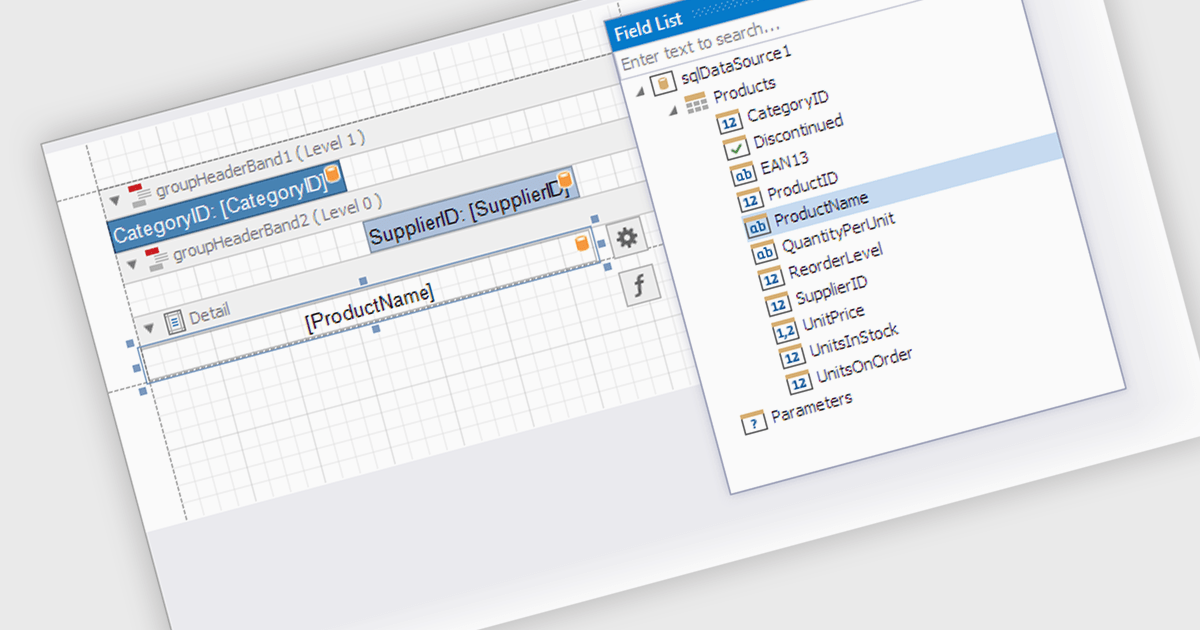
Data filtering and grouping in a .NET WPF reporting control are essential features that enable developers to organize, analyze, and present data effectively within an application. Data filtering allows users to specify criteria to display only relevant subsets of data, reducing noise and focusing on meaningful information. Grouping arranges data into categorized segments based on shared attributes, facilitating a structured and hierarchical view. These capabilities enhance user experience by making reports more intuitive and insightful while improving performance by minimizing data processing overhead. Together, filtering and grouping empower developers to create dynamic, user-friendly reports that meet diverse business requirements with precision and clarity.
Several .NET WPF reporting controls offer data filtering and grouping including:
For an in-depth analysis of features and price, visit our comparison of .NET WPF Reporting Controls.
전화 : 00798 14 800 6332
팩스 : +1 770 250 6199


