













공식 공급 업체
200 이상의 소프트웨어 개발처와 판매 계약을 맺은 공인 디스트리뷰터로서 합법적인 라이선스를 제공합니다.
모든 브랜드 보기.
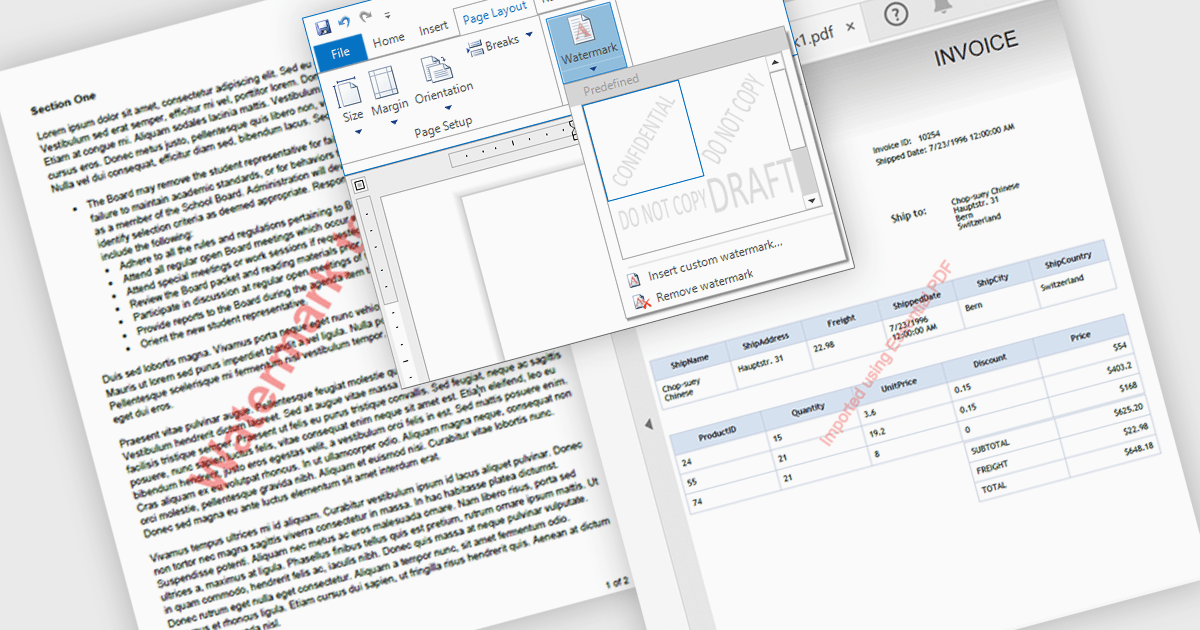
Watermarks in PDFs are semi-transparent text or image overlays that serve as a security and branding tool by marking documents with identifying information. They help protect intellectual property, prevent unauthorized distribution, and reinforce authenticity by displaying ownership, confidentiality, or document status (e.g., "Draft," "Confidential," or "Approved"). Watermarking also enhances professionalism by incorporating company logos or copyright notices. Common use cases include securing legal contracts, corporate reports, research papers, and sensitive business documents to ensure proper handling and compliance. By integrating customizable watermarking, organizations can maintain control over their digital documents while preserving readability and usability.
Several .NET WPF PDF components allow you to add watermarks, including:
For an in-depth analysis of features and price, visit our comparison of .NET WPF PDF components.

ActiveReports.NET helps you deliver beautiful reports with intuitive Visual Studio integrated report designers and rich controls. It provides code-based cross-platform reporting, easy-to-use designers, and a flexible API, enabling you to design and deliver powerful reports with intuitive, reliable, and user-friendly report designers and controls.
In this blog post, MESCIUS Product Manager Alec Gall shows you how to use ActiveReports to drill through from one report to another in your .NET application. Steps include:
Detailed source code is completed and there is even a video that you can watch as you go through the steps.
Read the complete blog and begin providing a seamless way to navigate between related datasets in your .NET applications.
ActiveReports.NET is licensed per developer and is available with or without a 12 month support and maintenance subscription. See our ActiveReports.NET licensing page for full details.
Learn more on our ActiveReports.NET product page.
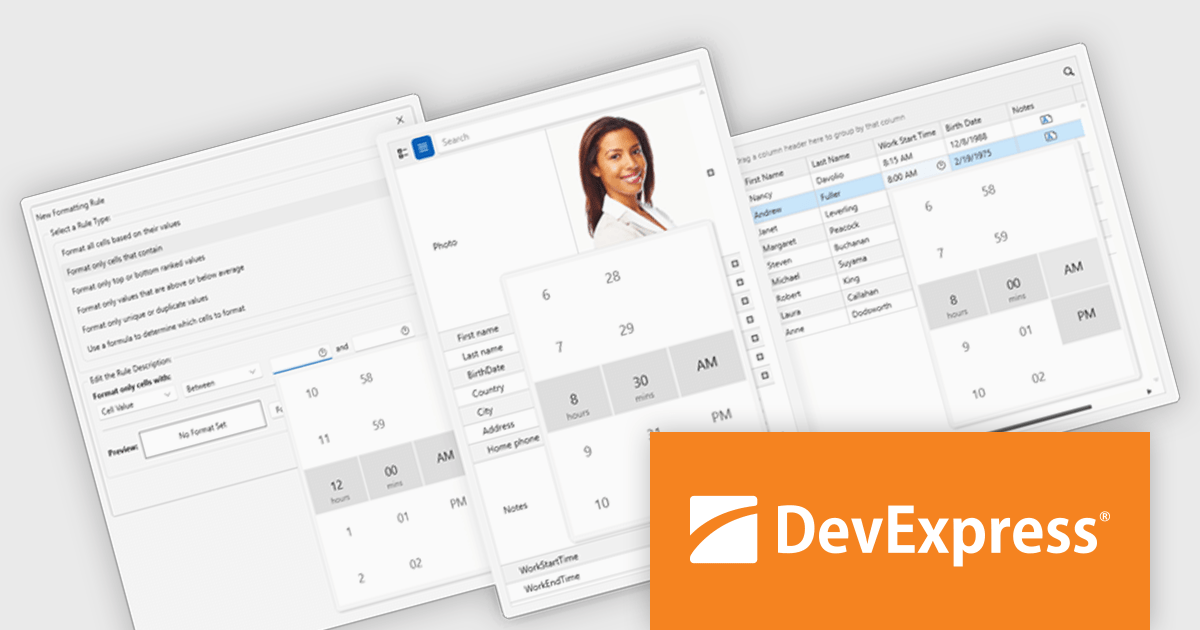
DevExpress WPF is a powerful suite of controls that enhances your WPF development toolkit. It offers data grids, ribbon menus, rich text editors, spreadsheets, charts, and more – all with beautiful themes and touch-friendly interfaces. DevExpress WPF empowers you to build professional-looking, responsive applications that meet modern user expectations, saving you time and effort while adding polish and functionality.
The DevExpress WPF v24.2 update enhances data handling in Grid, TreeList, and Property Grid by introducing automatic support for DateOnly and TimeOnly properties. This improvement ensures that the appropriate data editors are automatically assigned to cells, filters, and conditional formatting dialogs without requiring manual configuration. By streamlining the editing experience, the update provides a more intuitive approach to working with date and time values while reducing development effort. Users can now rely on built-in editor selection, improving efficiency and ensuring a seamless user experience across their applications.
To see a full list of what's new in version 24.2, see our release notes.
DevExpress WPF is licensed per developer and is available as a Perpetual License with a 12 month support and maintenance subscription. We can supply new subscriptions, subscription renewals, and additional licenses. See our DevExpress WPF licensing page for full details.
DevExpress WPF is available to buy in the following products:
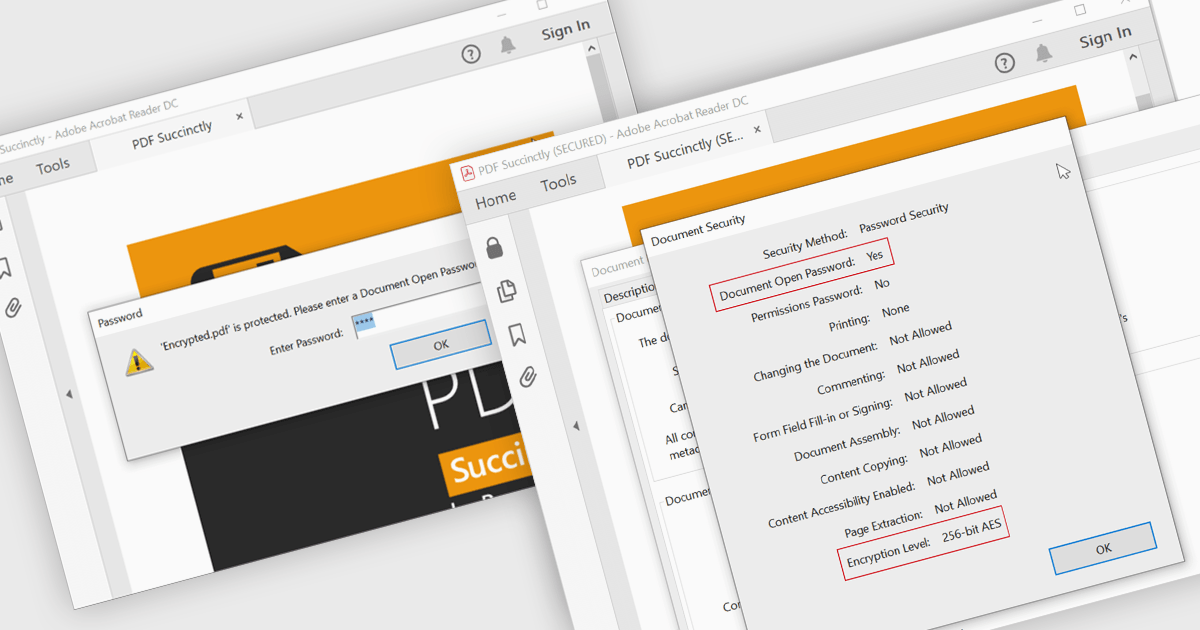
Encrypting and decrypting PDFs protect sensitive information by preventing unauthorized access, data breaches, and cyber threats. With strong encryption, password protection, and role-based access control, it ensures document confidentiality while allowing secure sharing and controlled modifications. Decryption enables authorized users to access protected files without compromising security. Essential for businesses, legal firms, and financial institutions, it safeguards contracts, financial records, and proprietary data while ensuring compliance with data protection regulations.
Several .NET WPF PDF controls offer encryption and decryption support including:
For an in-depth analysis of features and price, visit our .NET WPF PDF controls comparison.
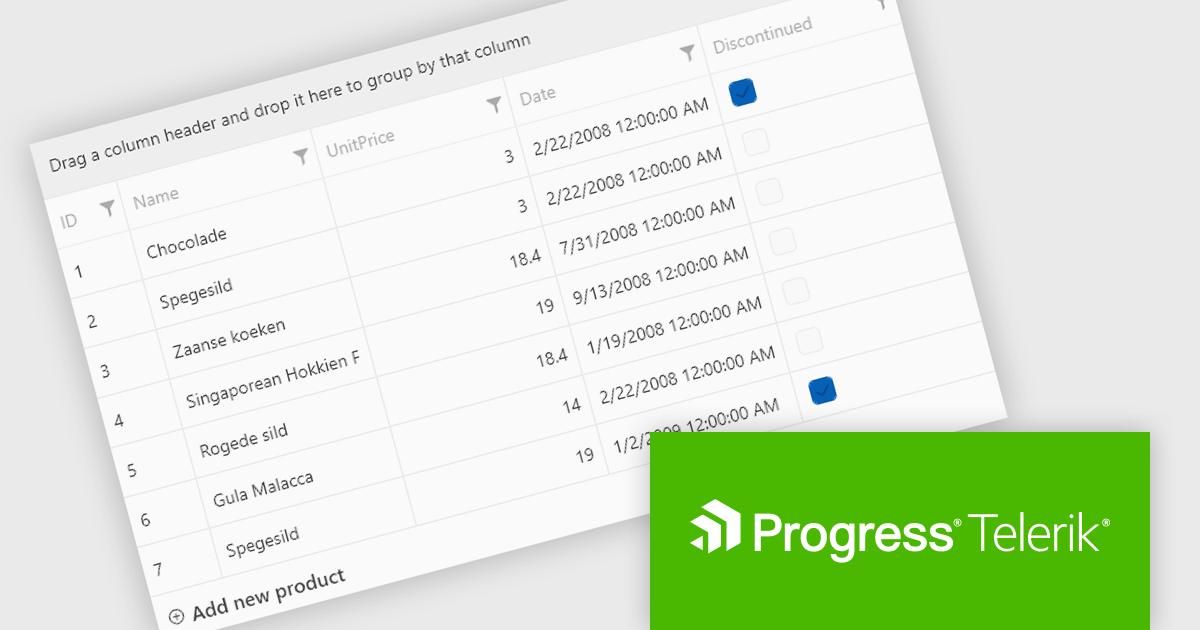
Telerik UI for WPF is a robust suite of over 150 user interface components designed for Windows Presentation Foundation, enabling developers to build modern, high-performance desktop applications. It includes controls like data grids, charts, schedulers, and editors, optimized for seamless integration and support for MVVM (Model-View-ViewModel) patterns. With features like built-in theming, responsive layouts, and customizable styling, it simplifies the creation of visually appealing, intuitive interfaces. Ideal for enterprise-grade or consumer-facing apps, Telerik UI for WPF accelerates development while ensuring professional-quality results.
The Telerik UI for WPF 2025 Q1 (2025.1.211) update enhances RadGridView with a new filtering mode that supports complex expressions, providing developers with greater control and precision when working with data. This feature introduces an intuitive Filter Editor that combines a clear Data Filter View for visualizing applied criteria with the powerful RadDataFilter control for adding, editing, and managing filters. Key usability enhancements, such as optional wrapping for readability, quick enable/disable options for filters, and streamlined access to editing tools, make it easier to implement dynamic, customizable filtering experiences in applications, empowering developers to deliver highly responsive and user-centric interfaces.
To see a full list of what's new in 2025 Q1, see our release notes.
Telerik UI for WPF is licensed per developer and has two licensing models: an annual Subscription License and a Perpetual License. The Subscription license provides access to the latest product updates, technical support, and exclusive benefits for a flat annual fee, and must be renewed to continue using the software. The Perpetual license is a one-time purchase granting access to the current released version and includes a one-year subscription for product updates and technical support. After this initial period, users can choose to renew the subscription element to continue receiving updates and support; otherwise, they may continue using the installed version available during their active subscription term but will forgo future updates and support. See our Telerik UI for WPF licensing page for full details.
Telerik UI for WPF is available individually or as part of the following products:
전화 : 00798 14 800 6332
팩스 : +1 770 250 6199


