













공식 공급 업체
200 이상의 소프트웨어 개발처와 판매 계약을 맺은 공인 디스트리뷰터로서 합법적인 라이선스를 제공합니다.
모든 브랜드 보기.
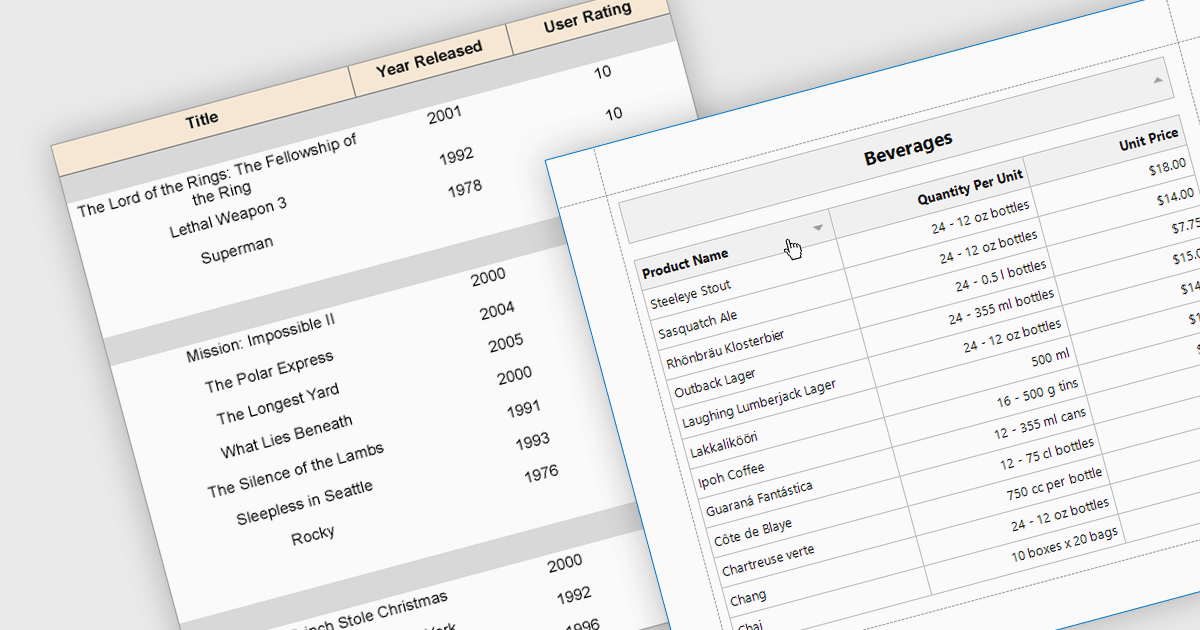
Effective reporting components benefit greatly from robust sorting functionality. This allows users to quickly organize data by any relevant column, facilitating identification of trends, outliers, and specific values. Sorting is particularly valuable for large datasets, enabling users to prioritize high-value information and tailor reports to their specific needs. This improves data exploration efficiency and user satisfaction within the reporting tool.
Several WPF reporting components support data sorting, including:
For an in-depth analysis of features and price, visit our WPF reporting components comparison.
Syncfusion Essential Studio WPF, available as part of Syncfusion Essential Studio Enterprise, is a powerful suite of over 95 UI controls, 50+ charts, and document processing libraries designed to boost the development of high-performance line-of-business applications for the Windows Presentation Foundation (WPF) framework. With built-in themes, touch-friendly interfaces, and seamless Visual Studio integration, it empowers developers to craft modern, feature-rich, and cross-platform experiences with ease.
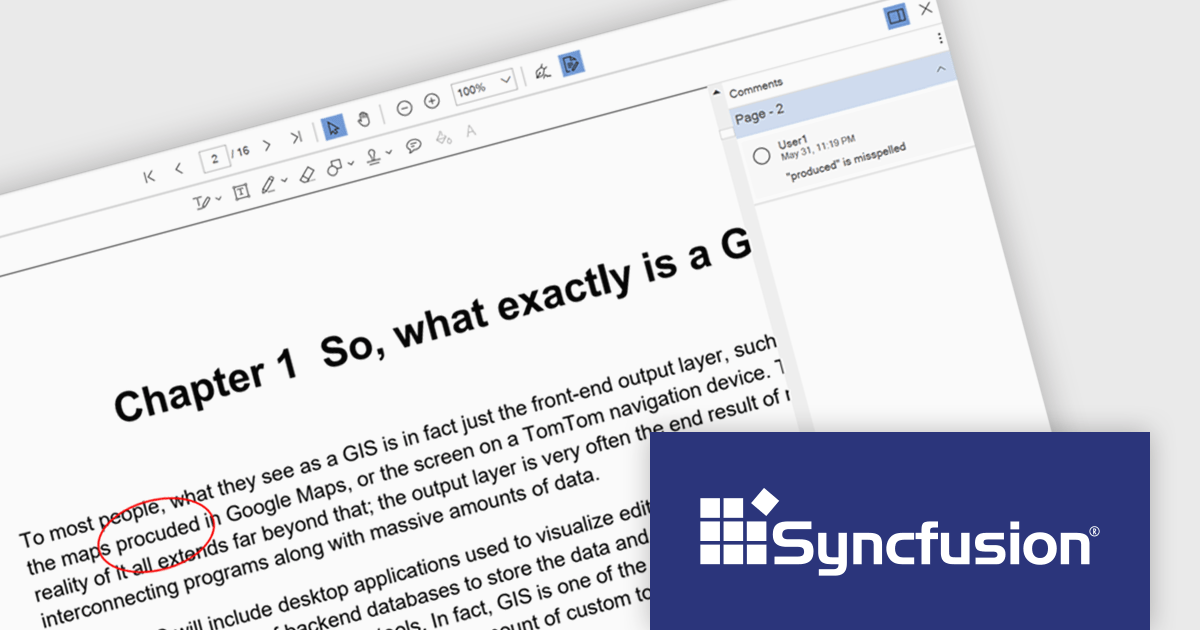
The Syncfusion Essential Studio WPF 2024 Volume 2 (26.1.35) release enhances the PDF Viewer by allowing users to add, edit, and delete comments on annotations within PDF documents. Users can reply to comments and set their status through the comment panel, facilitating dynamic and interactive document review. By enabling replies and status tracking, reviewers can have threaded discussions and ensure all feedback is addressed, improving the overall efficiency and clarity of the review process.
To see a full list of what's new in 2024 Volume 2 (26.1.35), see our release notes.
Syncfusion Essential Studio WPF is available as part of Syncfusion Essential Studio Enterprise which is licensed per developer starting with a Team License of up to five developers. It is available as a 12 Month Timed Subscription License which includes support and maintenance. See our Syncfusion Essential Studio Enterprise licensing page for full details.
Learn more on our Syncfusion Essential Studio WPF product page.
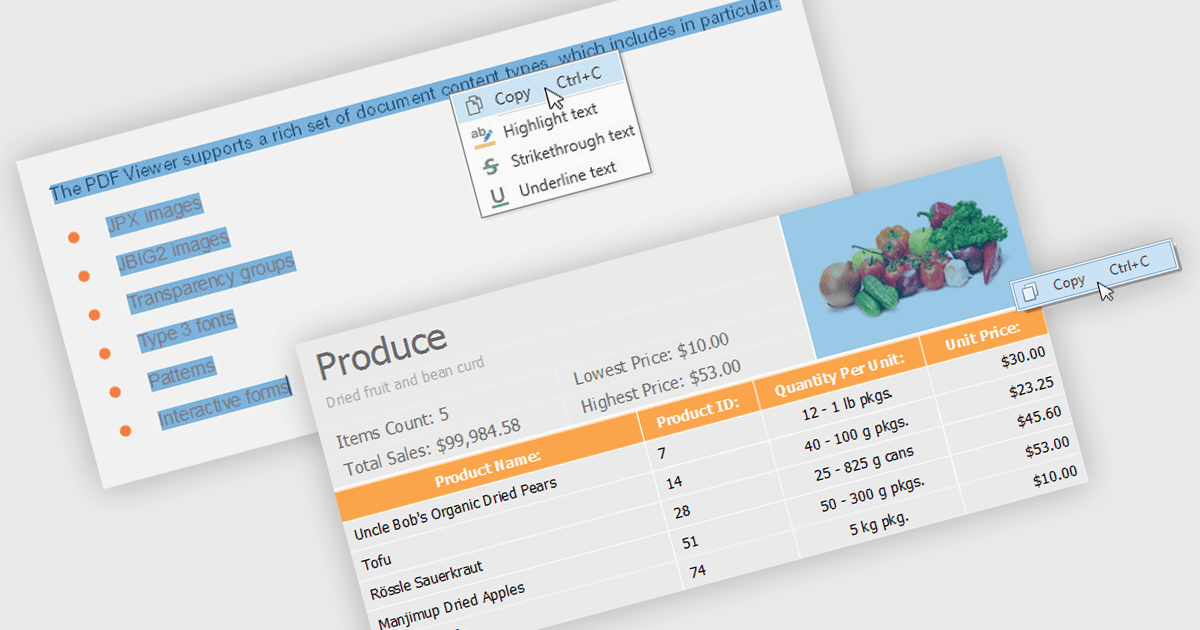
.NET 8 WPF PDF viewers with content extraction capabilities empower end users to unlock valuable information from PDF documents. This functionality goes beyond simply viewing the document and allows users to extract both text and image content. This extracted data can then be saved for further analysis, integrated into other applications, or used to populate forms and reports, streamlining workflows and enhancing the overall user experience.
Several .NET 8 WPF PDF viewer components enable content extraction from PDFs including:
For an in-depth analysis of features and price, visit our .NET 8 WPF PDF viewer components comparison.

DevExpress BI Dashboard (part of DevExpress Universal) empowers you to craft interactive dashboards for desktop, web and mobile applications. It provides a visual designer for building dashboards without writing code, allowing you to drag-and-drop various data visualization widgets onto the canvas. These widgets connect to your data sources and update dynamically, offering real-time insights to end users. The tool also supports customization through properties and events, enabling you to tailor the look and feel of the dashboards to perfectly integrate with your application's design.
The DevExpress BI Dashboard 24.1 release adds support for cascading parameters. This powerful feature allows you to create intuitive filter hierarchies within your dashboards. Imagine selecting a value in a parent parameter, then watching as the options in a dependent parameter automatically update to reflect the chosen filter. This eliminates the need for users to manually navigate through potentially overwhelming dropdown lists, fostering a more focused and efficient experience. Cascading parameters empower you to design dashboards that guide users towards deeper insights within your data.
To see a full list of what's new in version 24.1, see our release notes.
DevExpress BI Dashboard is included as part of DevExpress Universal which is licensed per developer and is available as a Perpetual License with a 12 month support and maintenance subscription. See our DevExpress Universal licensing page for full details.
DevExpress BI Dashboard is available in the following products:

IronPDF for .NET empowers developers with a user-friendly C# library to generate, edit, and manage PDFs. It leverages a familiar HTML/CSS foundation for effortless PDF creation, while also offering robust features like text extraction, OCR, signing, and more. This comprehensive solution simplifies complex PDF development tasks, saving time and boosting productivity for .NET projects.
The IronPDF for .NET 2024.6.1 update significantly bolsters its document processing with a new region redaction API. This API empowers developers to programmatically remove sensitive information from specific areas within PDFs. Whether redacting regions within entire documents, multiple pages, or an individual page, this functionality ensures compliance with data protection regulations by facilitating the creation of redacted documents that safeguard sensitive data like personal information.
To see a full list of what's new in 2024.6.1, see our release notes.
IronPDF for .NET is licensed based on the number of developers, organization locations and projects, and is available as a Perpetual license with one free year of product updates and support services. See our IronPDF for .NET licensing page for full details.
IronPDF for .NET is available to buy in the following products:
전화 : 00798 14 800 6332
팩스 : +1 770 250 6199


